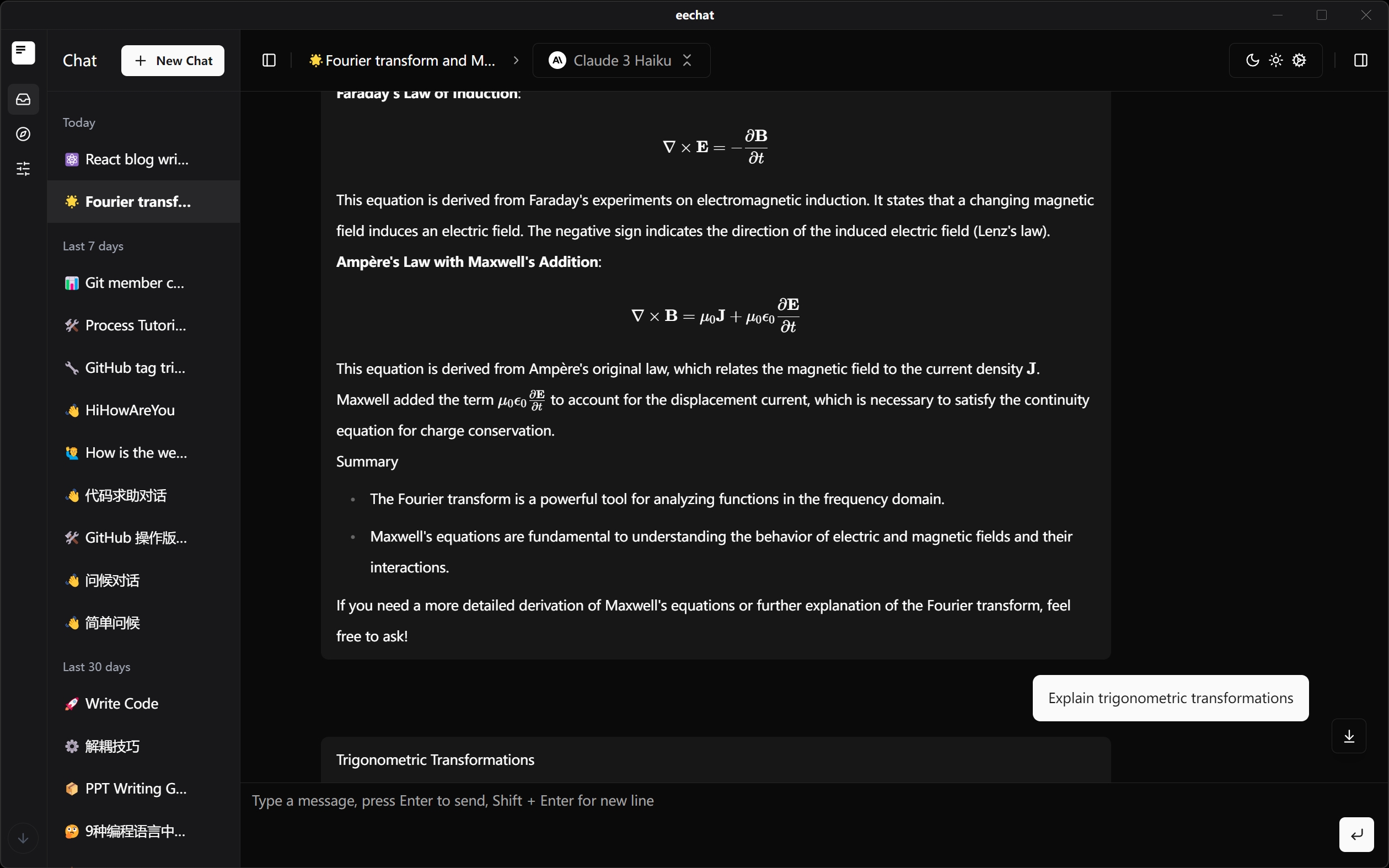

eechat

eechat

MCP.Pizza Chef: Lucassssss

A desktop chat app for Windows, macOS, and Linux that keeps every conversation stored on your own machine. Add-on tools are browsed, installed, started, and stopped from a point-and-click panel rather than a terminal, and it fetches the background pieces those tools need. It reads the same settings files as Claude Desktop, Cursor, and Cline, so an existing setup carries over. One caution: no code has been committed since May 2025, so treat it as unmaintained.

Unmaintained ยท no commits since May 2025; no replacement named
Coding
Communication
Writing

Use This MCP client To

Chat with an AI model without sending my history away Install a new add-on tool without touching a terminal Reuse the tool settings I already wrote for Claude Desktop Turn a long document into a short summary Switch between several saved conversations Run a local model on my own machine offline

README

๐ŸŽ‰ MCP feature is ready to rock!๐Ÿš€

EE Chat Application Screenshot

๐Ÿš€ Powerful Local AI Chat Application - Secure, Efficient, Personalized

English | ็ฎ€ไฝ“ไธญๆ–‡

Core Advantages โ€ข Key Features โ€ข Local Deployment โ€ข Quick Start โ€ข Tech Stack โ€ข Contribute โ€ข License

EE Chat Application Screenshot

Core Advantages

eechat is an AI chat application focused on local deployment, providing users with a secure, private, and efficient AI conversation experience.

๐ŸŽ‰ MCP Support

MCP (Model Context Protocol) is a brand-new core extension capability of eechat, designed specifically for AI assistant scenarios. It greatly enhances the playability and professionalism of local AI. With MCP, you can easily integrate, manage, and run various AI tools and services with just one click, making your AI assistant infinitely expandable.
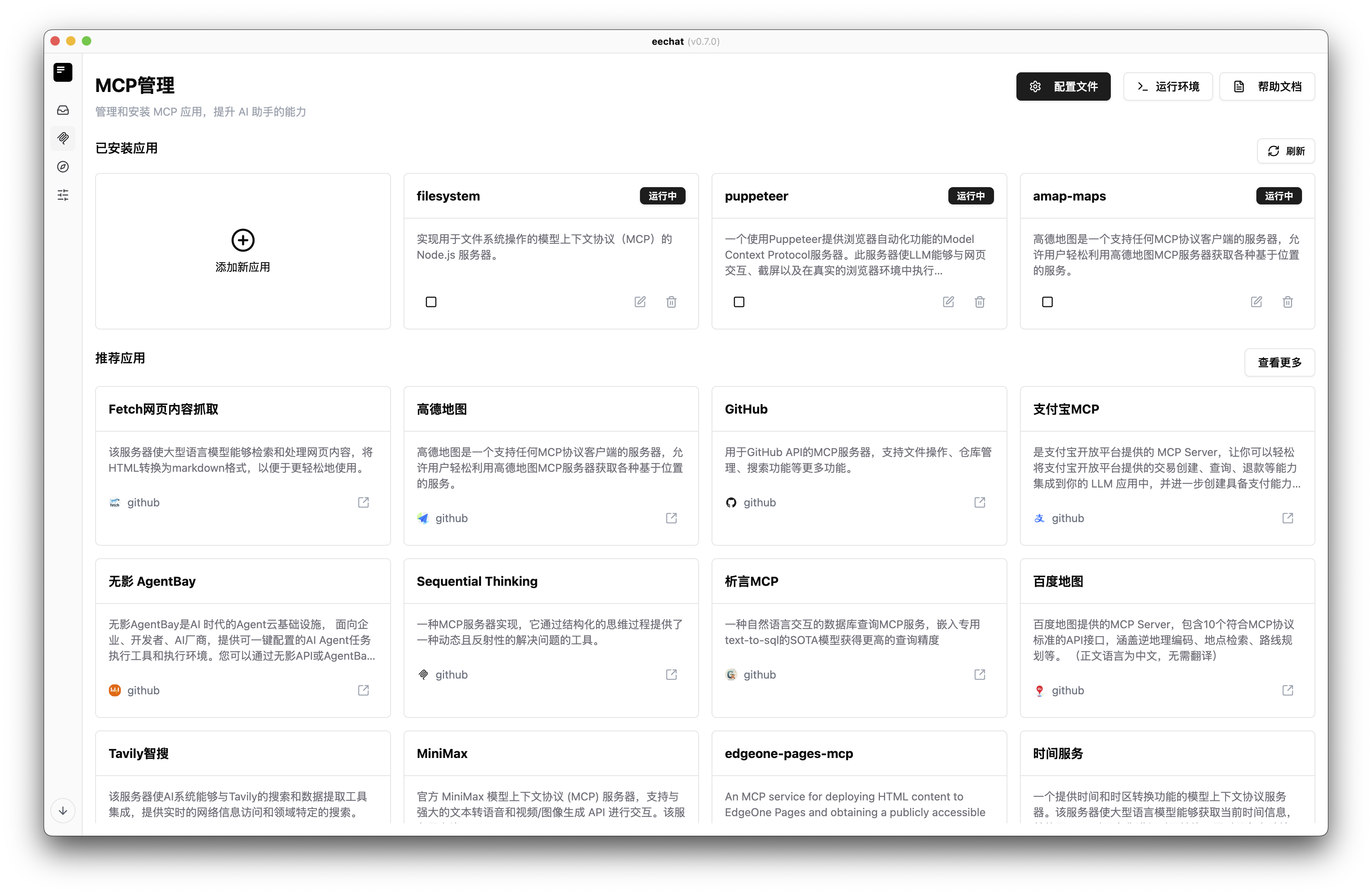
MCP Main Interface

MCP Main Interface

Through the MCP management interface, you can easily view, install, start, stop, and remove various AI tools without command-line operations, significantly lowering the entry barrier.

MCP Visual Configuration

eechat FAQ

Is this still maintained?
It appears not. The last code change was May 2025, well over a year ago. It still runs, but do not expect fixes or new features. It has not been archived and names no replacement.
Which computers does it run on?
Windows 10 and 11, macOS 10.15 or newer, and Ubuntu or Debian Linux.
Do I need a paid AI account?
You can point it at a paid service with your own key, or run a local model on your own machine instead.
Can I use this to try MCP tools without editing config files by hand?
Yes. It has a form-based panel for adding and running tools, plus a built-in file editor if you prefer typing.
Will my existing Claude Desktop tool setup work here?
Yes. It reads the same settings format used by Claude Desktop, Cursor, and Cline.
Where do my conversations get stored?
On your own computer. The app keeps nothing on a remote server.