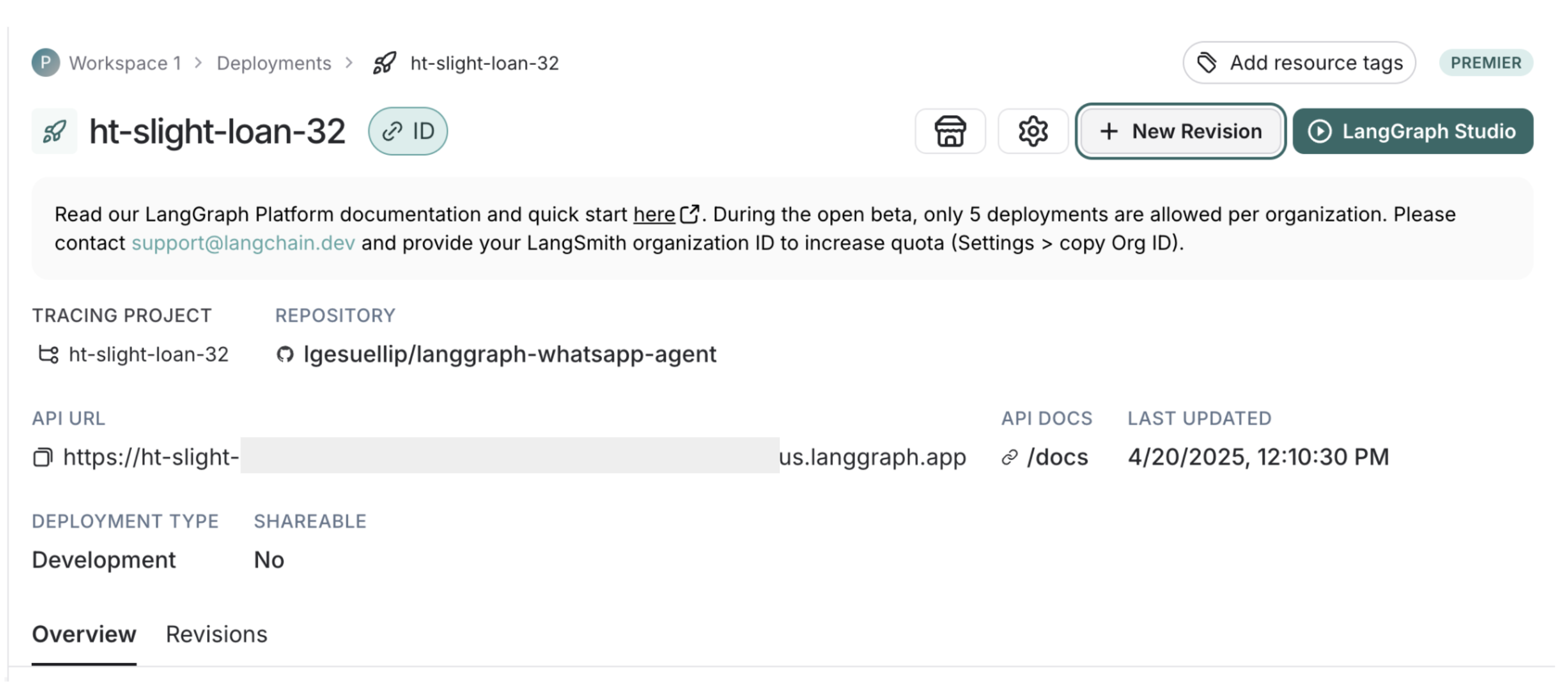
langgraph-whatsapp-agent

MCP.Pizza Chef: lgesuellip

Starter code rather than a finished product: someone technical copies it, deploys it to LangChain's hosted platform, and points a Twilio WhatsApp number at it. What actually ships is a single calendar helper working through Zapier, a memory service, and Google's Gemini written directly into the code — so despite the write-up naming OpenAI too, switching models means editing files. Photos sent in a chat are handled. Accounts with Twilio, LangChain and a model provider are all required, and nothing here has changed since June 2025.

Unmaintained · template unchanged since June 2025
Calendar
Communication

Use This MCP client To

Message an assistant on WhatsApp instead of opening another app Ask about my week from my phone, in a chat thread Send a photo and ask what it shows Give a small team one shared assistant to text Start a WhatsApp assistant project without building from scratch

README

LangGraph WhatsApp Agent

A template for building WhatsApp agents using LangGraph and Twilio. This project enables you to deploy AI agents that interact with users via WhatsApp, process messages and images, and invoke custom graph-based agents hosted on the LangGraph Platform.

It provides a foundation for building scalable, secure, and maintainable AI agent services.

Fork this repo and iterate to create your production-ready solution.
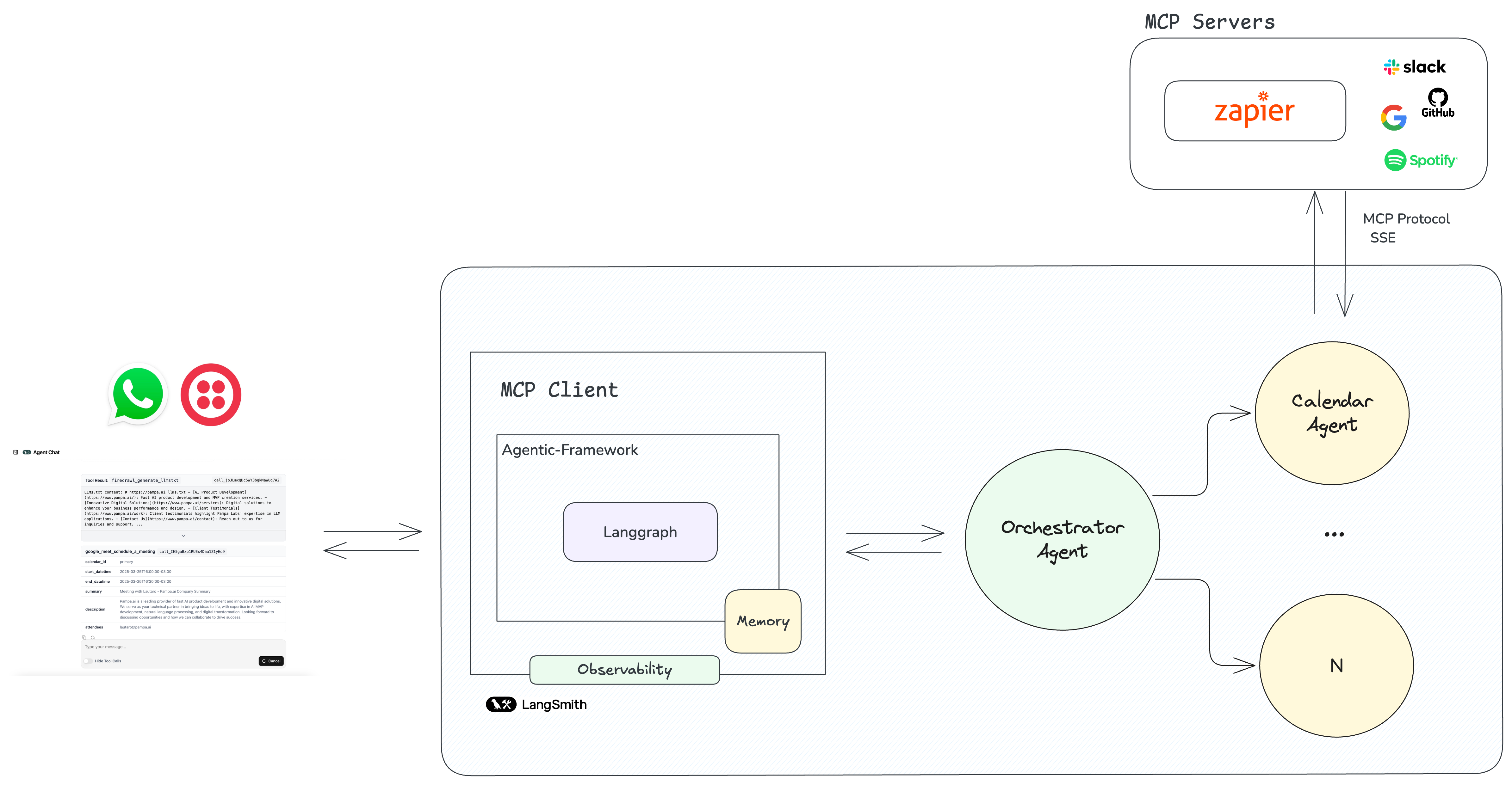
Architecture Diagram

Features

  • Create custom LangGraph-powered agents for WhatsApp
  • Support for multi-agents with supervisor-based architecture
  • Integration with Model Context Protocol (MCP) servers (Supermemory, Sapier, etc.)
  • Support for image processing and multimodal interactions
  • Persistent conversation state across messages
  • Request validation for security
  • Comprehensive observability via LangSmith
  • Easy deployment with LangGraph Platform

Stack

  • WhatsApp Integration: Twilio API for messaging and multimedia handling
  • Agent Framework: LangGraph (by LangChain) as the MCP client and multi-agent system using langgraph_supervisor
  • Models: Supports Google Gemini, OpenAI GPT models, and more
  • MCP Servers: Using langchain-mcp-adapters
    • Supermemory
    • Zapier for access to thousands of apps and integrations (Google, Slack, Spotify, etc.)
  • Observability: Complete tracing with LangSmith
  • Deployment: LangGraph Platform for simplified production hosting

Prerequisites

  • Twilio account with WhatsApp integration
  • API key for LLM access (OpenAI, Google, etc.)
  • LangGraph Platform access
  • (Optional) MCP server configurations

Getting Started

  1. Fork this repository to start your own project
  2. Build your agent using the template structure
  3. Deploy to LangGraph Platform Langggraph Platform
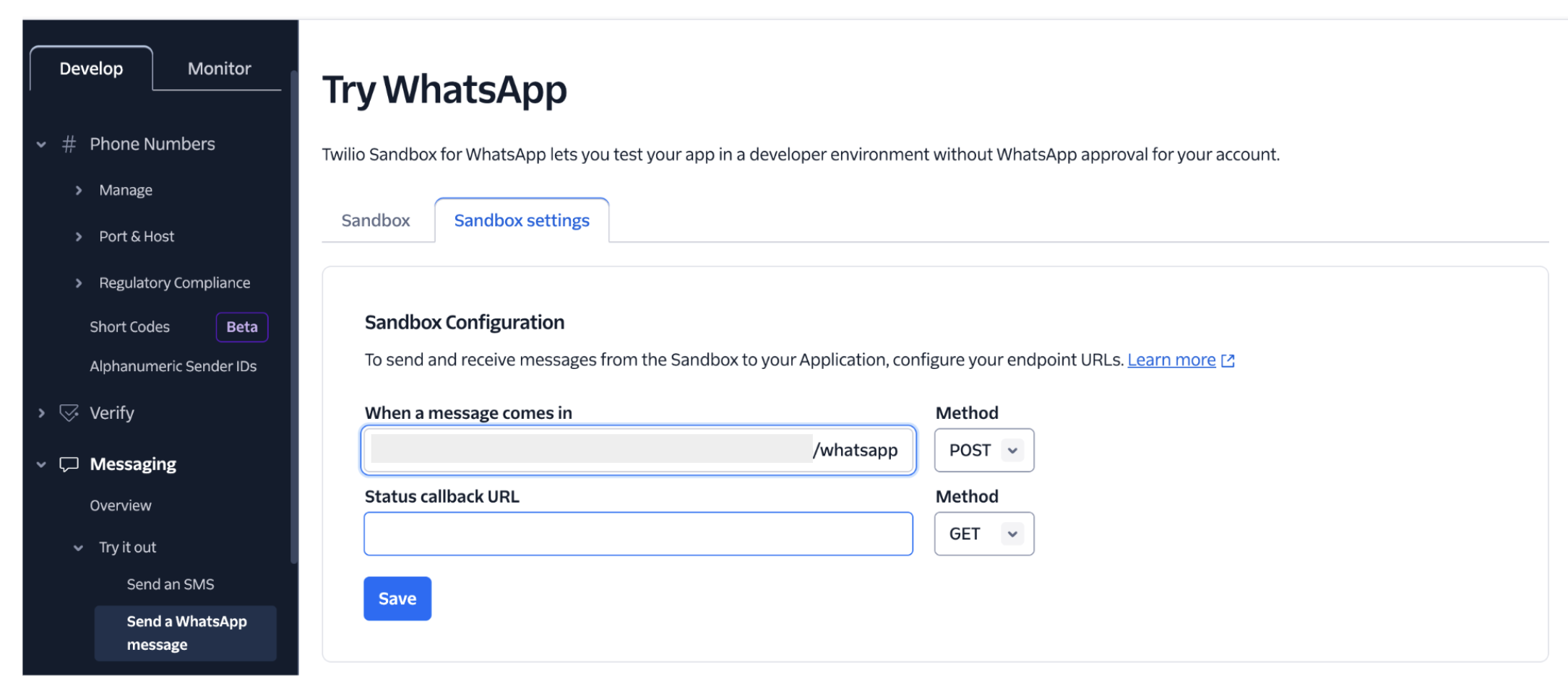
  4. Configure Twilio webhook to point to your LangGraph deployment URL (/whatsapp) Twilio
License

This project is licensed under the terms included in the LICENSE file.

langgraph-whatsapp-agent FAQ

Is this still being maintained?
No. It was published as a template and has not changed since June 2025, so the model names and service versions written into it are more than a year old.
Can I install this like an app?
No. It is source code meant to be copied and deployed by a developer. There is nothing to download, no settings to paste, and no version anyone else hosts for you.
What accounts do I need?
Three: a Twilio account with WhatsApp switched on, access to LangChain's hosted platform, and a key for a model provider. Zapier as well, if you want the calendar part to do anything.
The write-up mentions OpenAI — does it work out of the box?
Not as written. Both agents in the shipped code have a Google Gemini preview model hard-coded, so using anything else means changing the code first.
Can I use this to manage my calendar over WhatsApp?
Yes, that is the one worked example included. It reaches your calendar indirectly through Zapier, so the setup quality there decides how well it behaves.
Can it look at images I send?
Yes. Handling photos alongside text is built in, so you can send a picture and ask a question about it in the same thread.