AQBot

AQBot

MCP.Pizza Chef: AQBot-Desktop

Download AQBot for Mac, Windows, or Linux and plug in your own key for OpenAI, Claude, Gemini, DeepSeek, or Qwen to get one chat window for every model you use. It can also work like an assistant that reads and edits files or runs commands on your computer, asking for your approval before it touches anything. Save reusable characters with their own personalities, search the web for current answers, and keep a private, searchable library of your own documents that the chatbot can reference in every answer.

Coding
Web/Research
Writing

Use This MCP client To

Chat with OpenAI, Claude, Gemini, or DeepSeek in one app Have the AI read and edit files on my computer Save a custom AI persona I can reuse anytime Search the web for current answers inside my chat Ask questions about my own private documents Render code, charts, and math right in the conversation Import my old ChatGPT conversations into one place

README

简体中文 | 繁體中文 | English | 日本語 | 한국어 | Français | Deutsch | Español | Русский | हिन्दी | العربية

AQBot

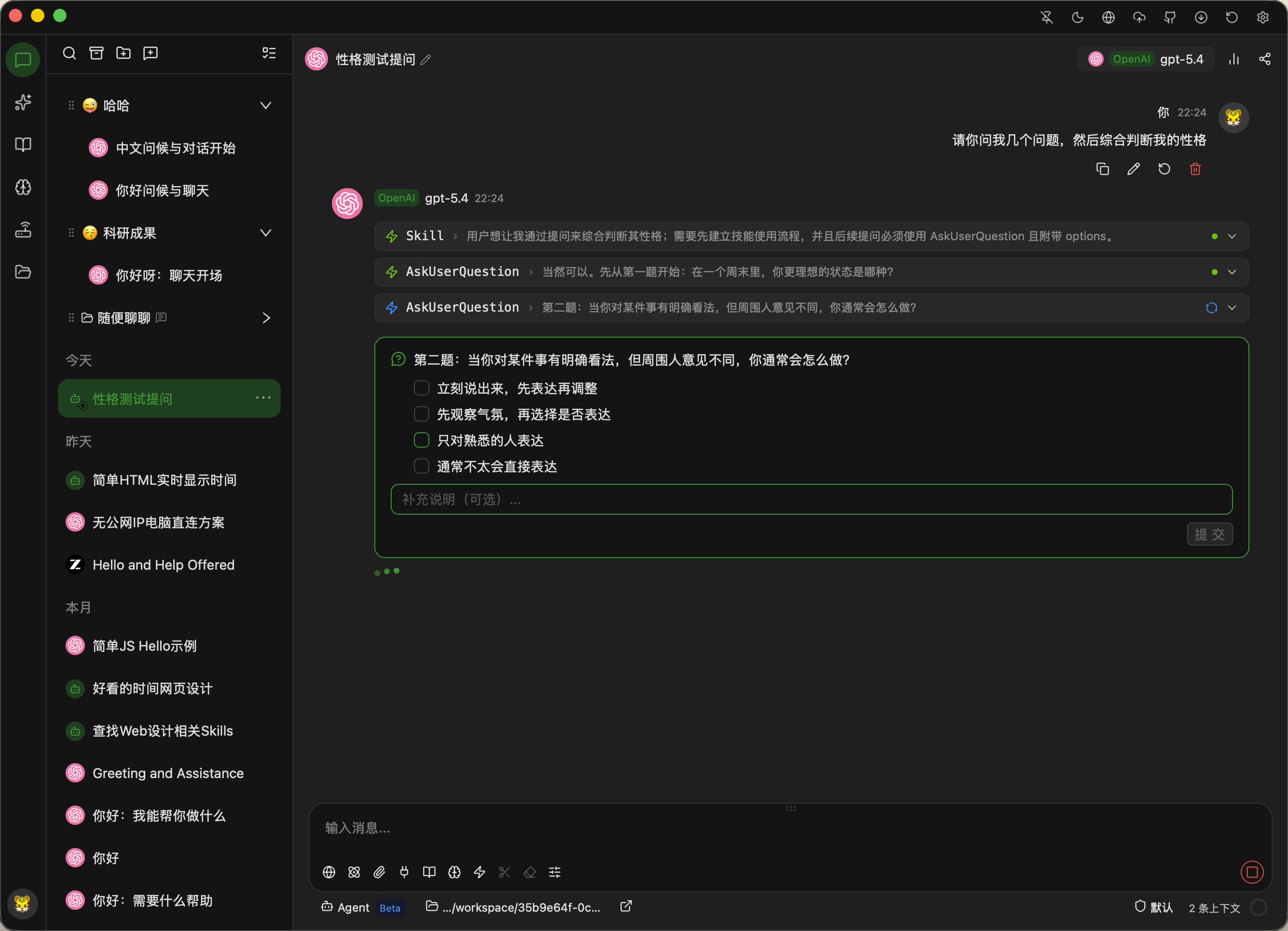
运行截图

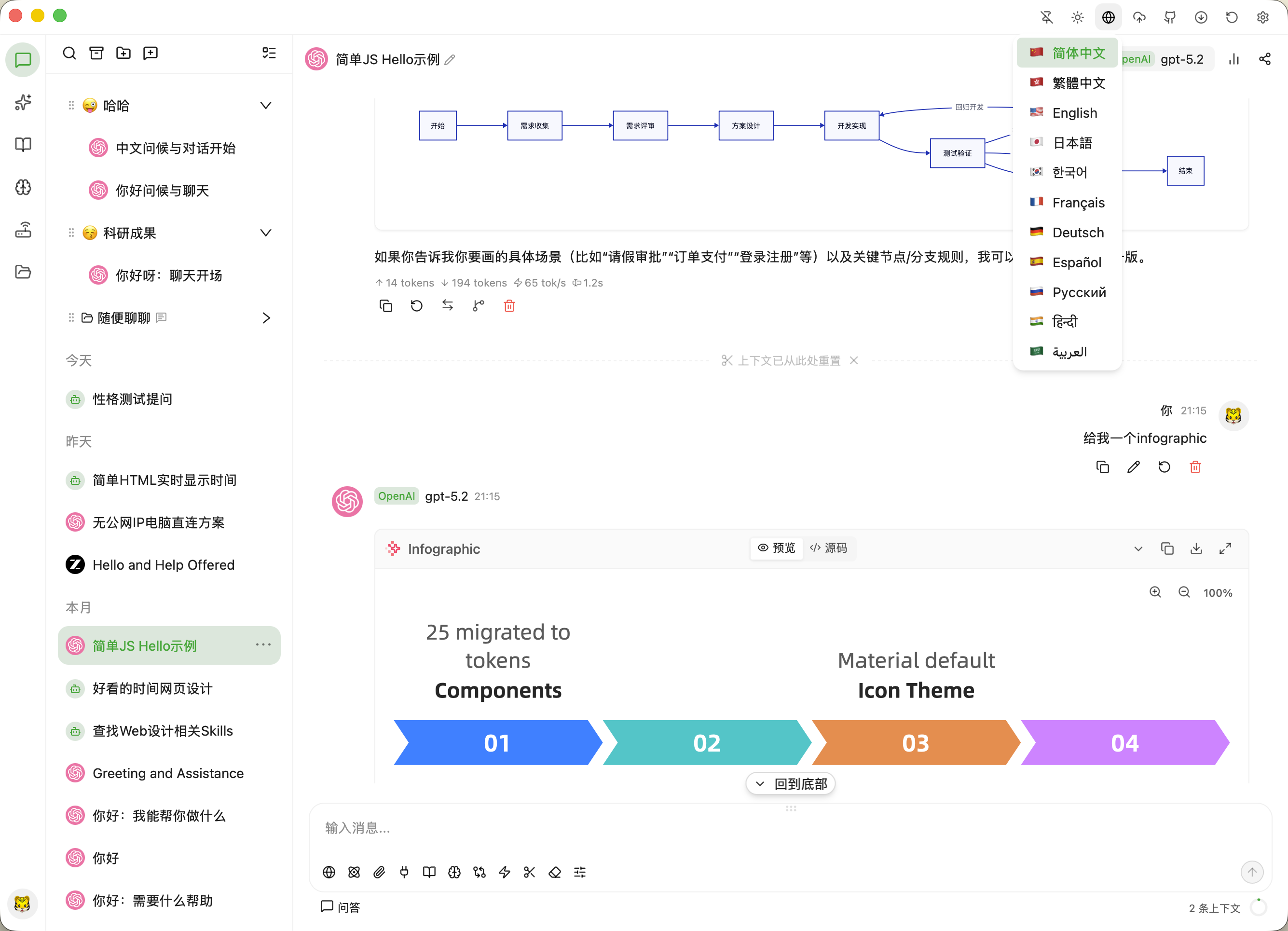
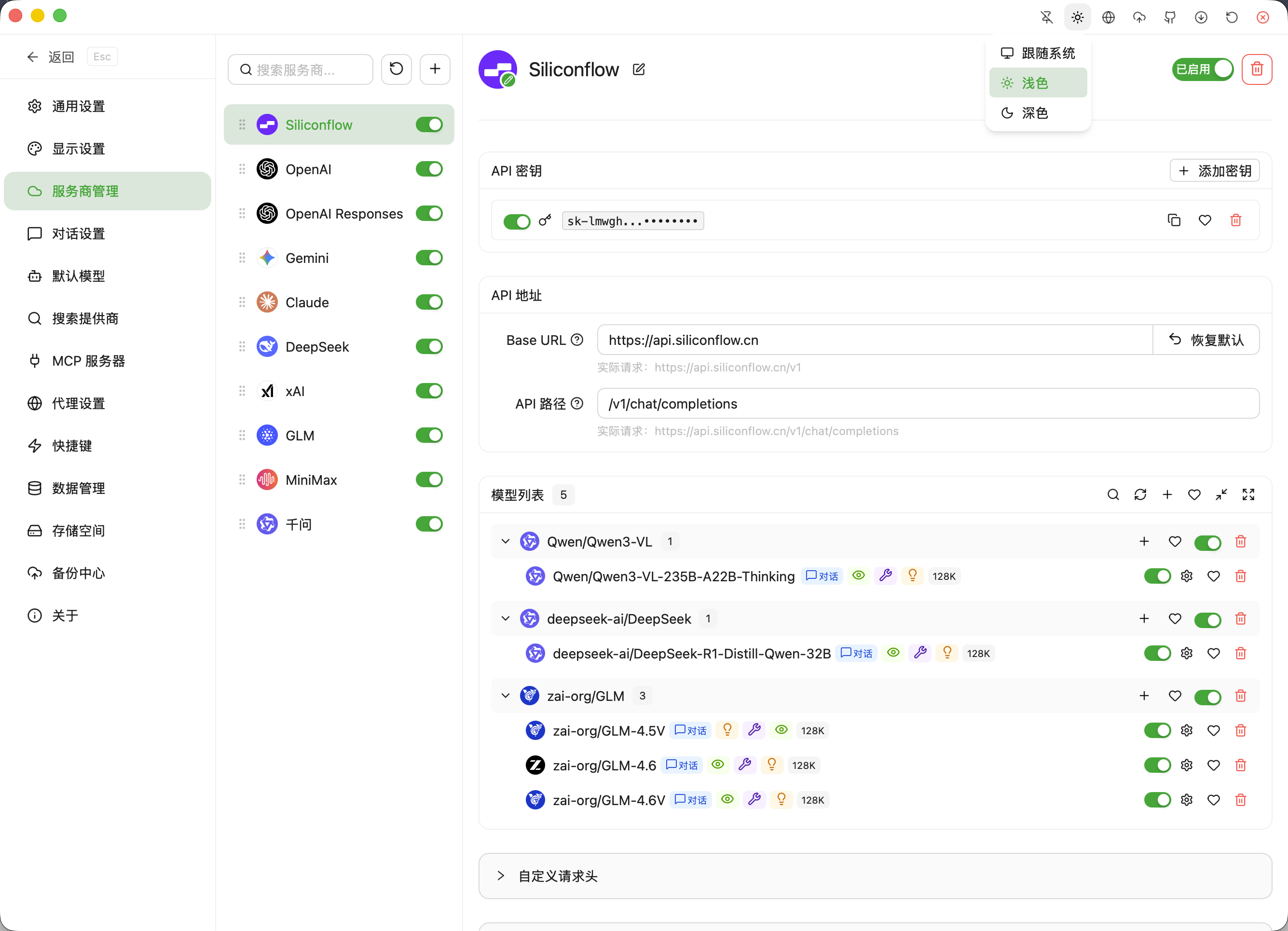
对话图表渲染 服务商与模型
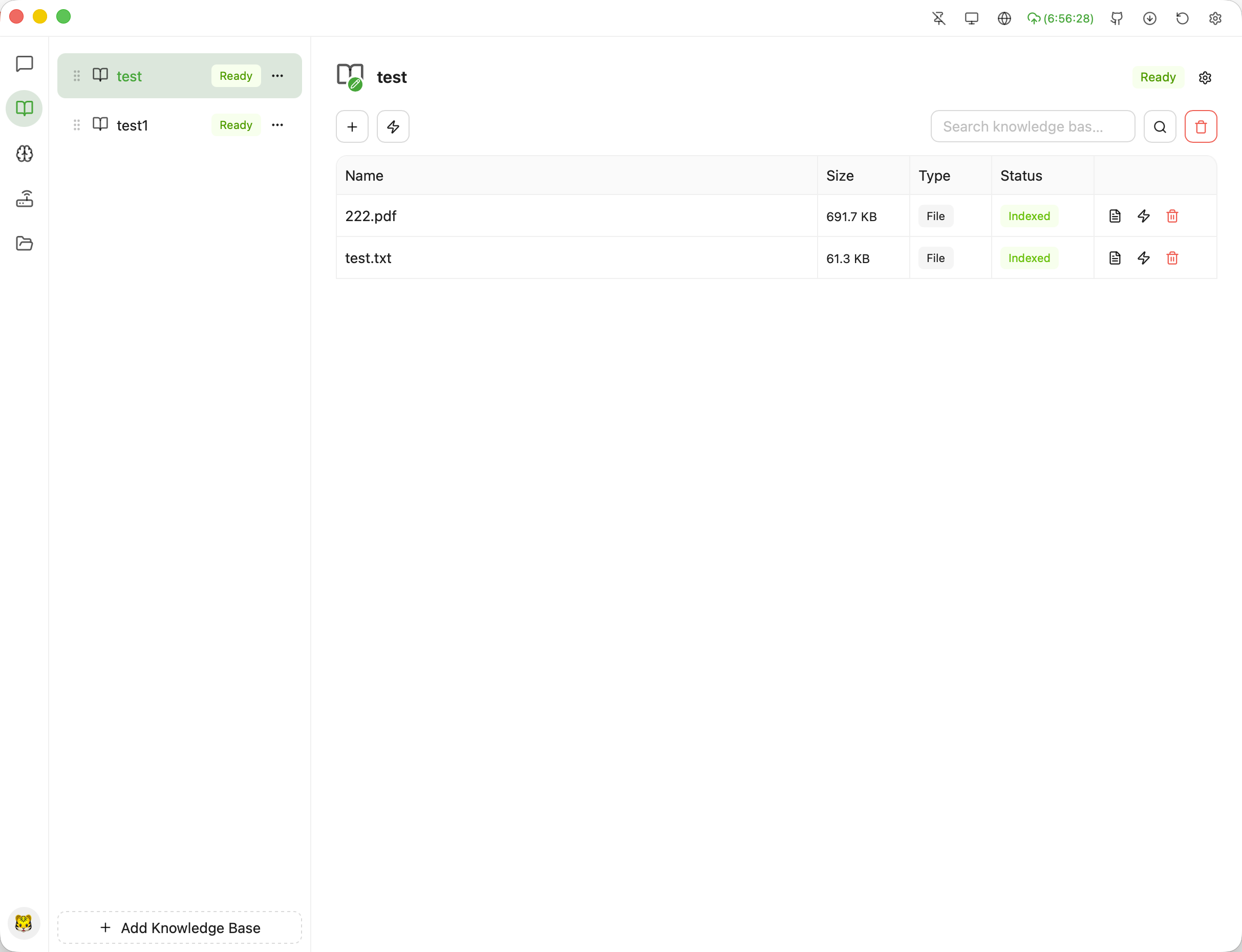
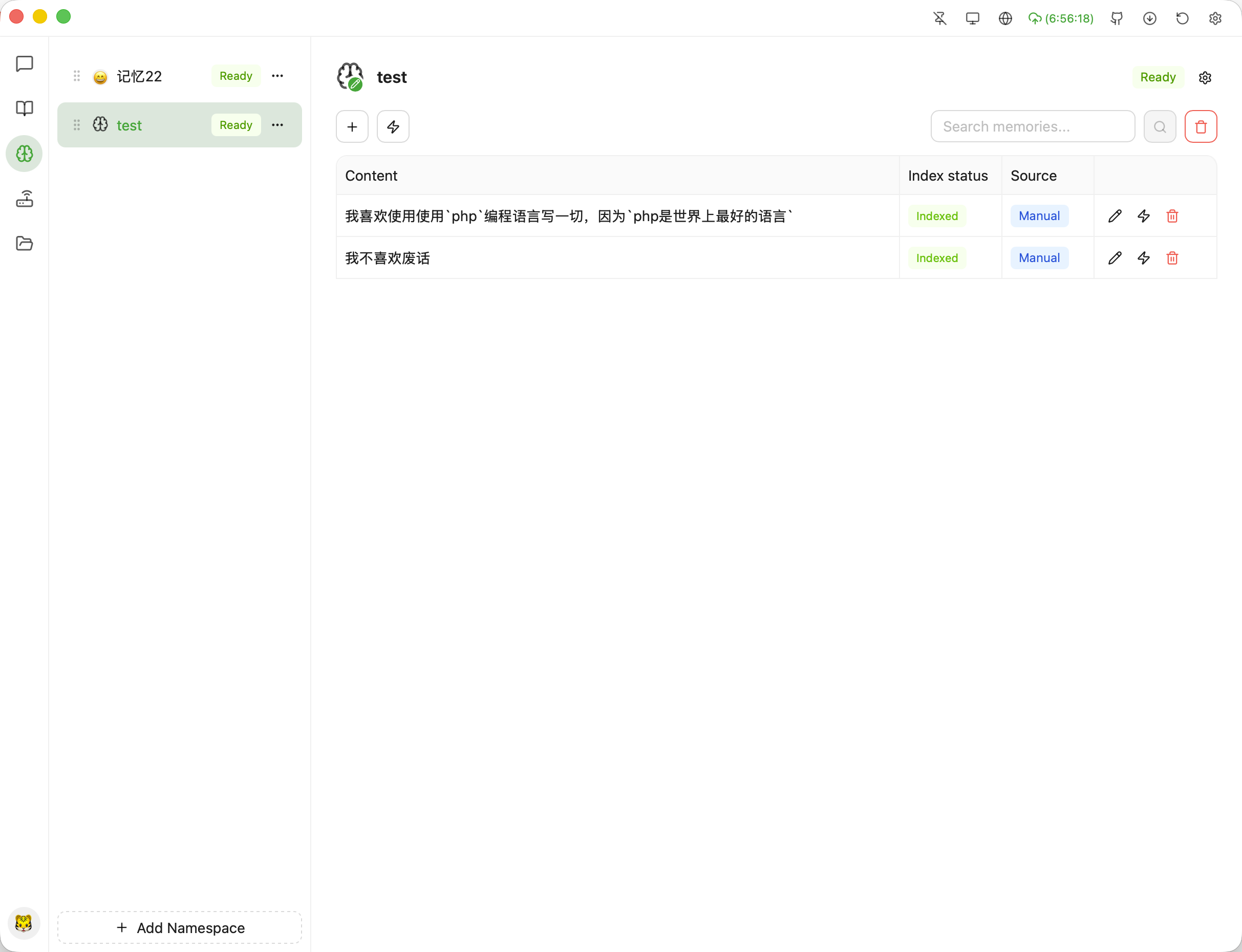
知识库 记忆
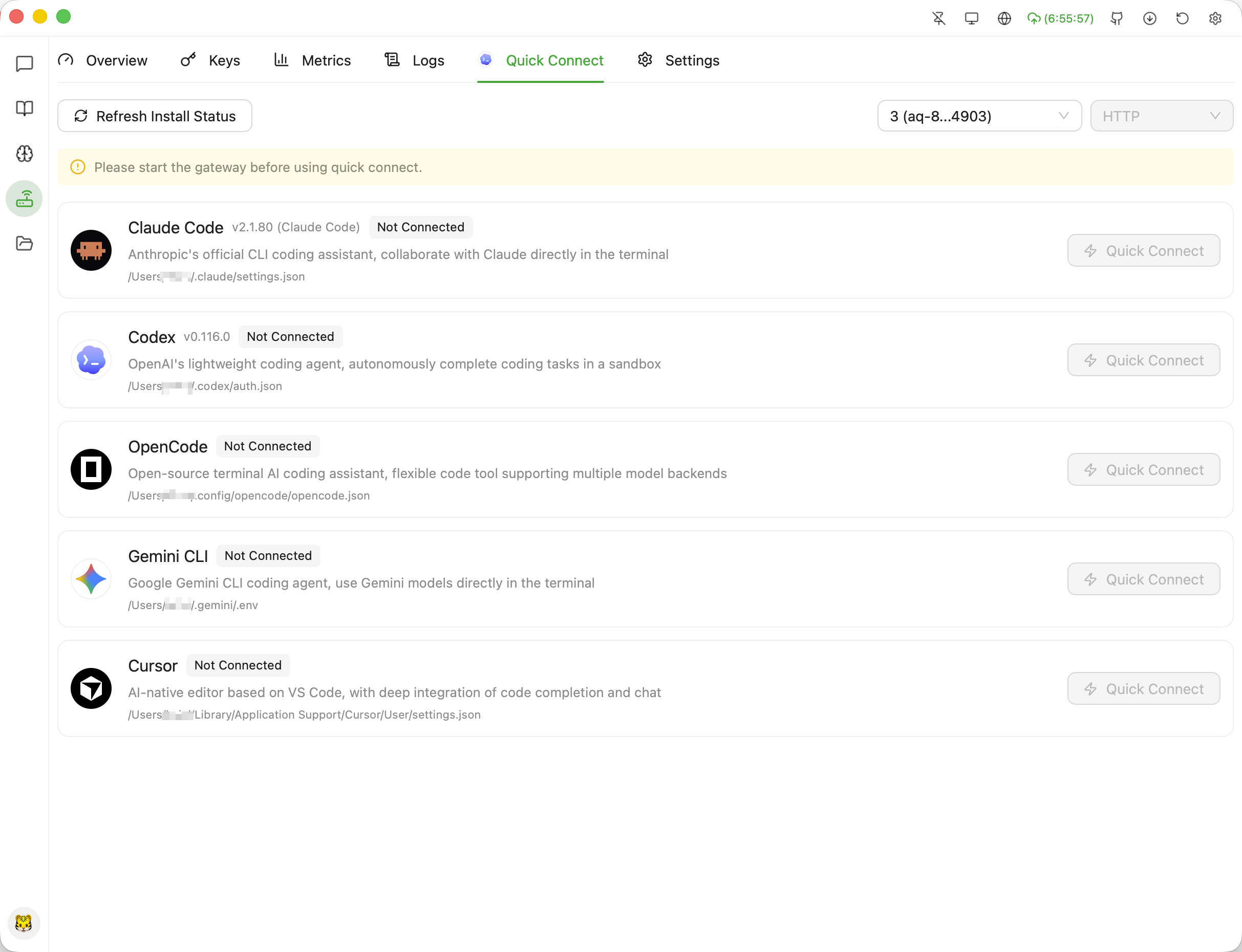
Agent-询问 API网关一键接入
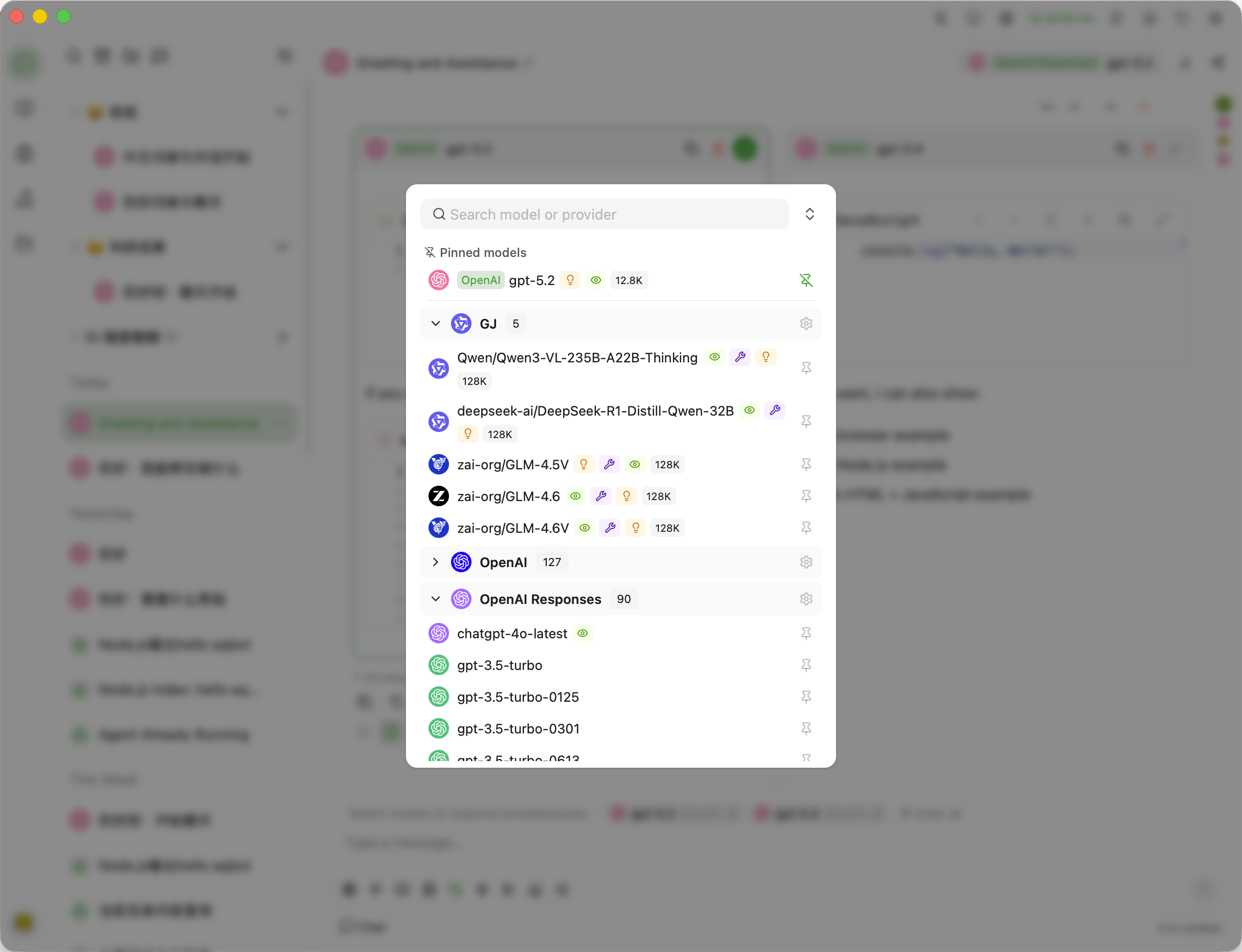
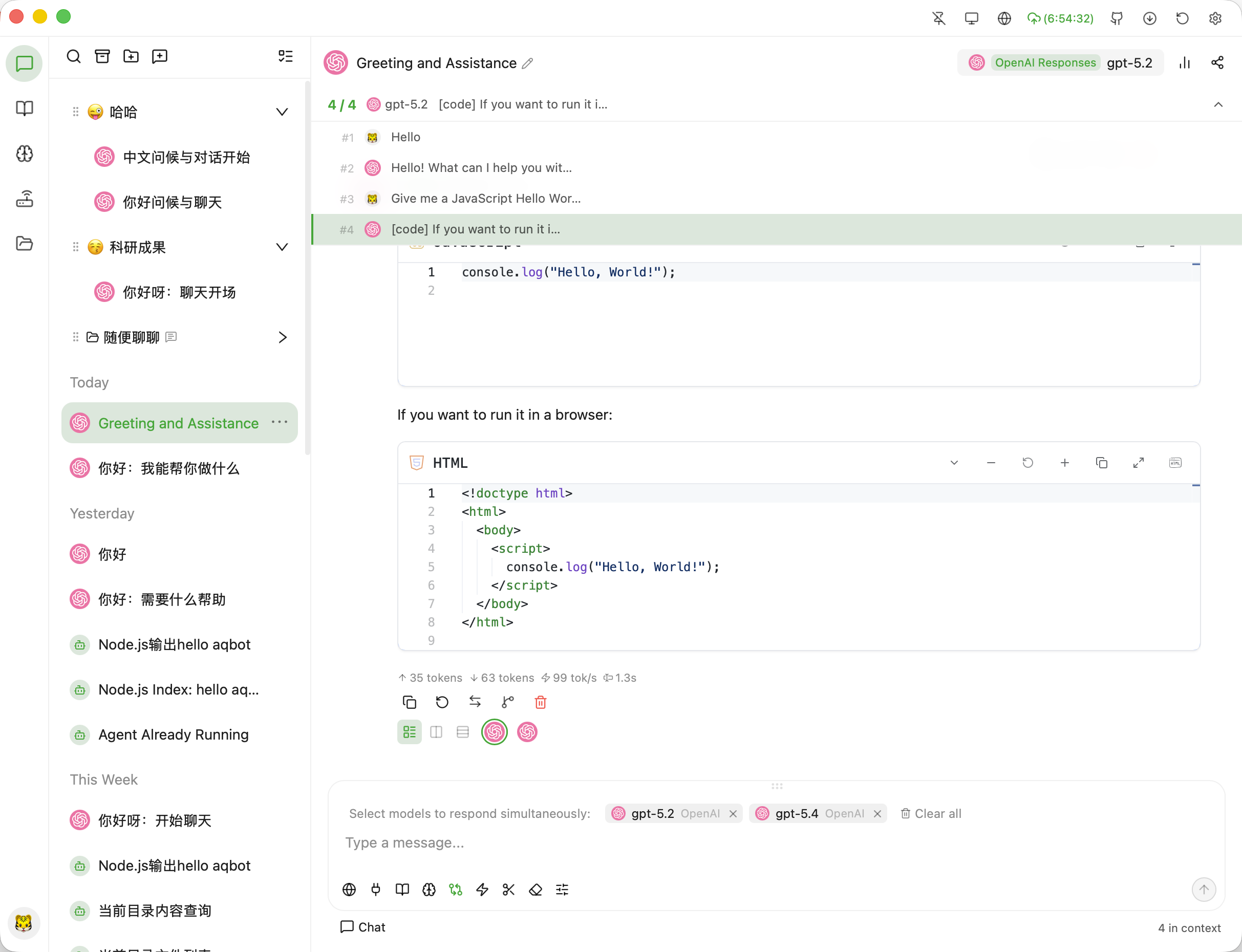
对话模型选择 对话导航
Agent-权限审批 API网关概览

功能特性

对话与模型

  • 多服务商对话 — 连接 OpenAI、Claude、Gemini、DeepSeek、Qwen 以及任意 OpenAI 兼容端点,支持自定义 Base URL、API Path、请求头和代理规则。
  • 服务商快速导入 — 通过 aqbot:// 服务商链接和 CC Switch 配置导入,在用户确认后把服务商资料带入 AQBot。
  • 模型管理 — 同步远程模型列表、管理分组、测试延迟,并配置能力标签、上下文长度、采样默认值、推理档位和模型级 extra_body。
  • 对话工作流 — 流式回复、思考块、消息多版本、对话分支、标题生成状态、长对话压缩和多模型并行回答。

AI Agent

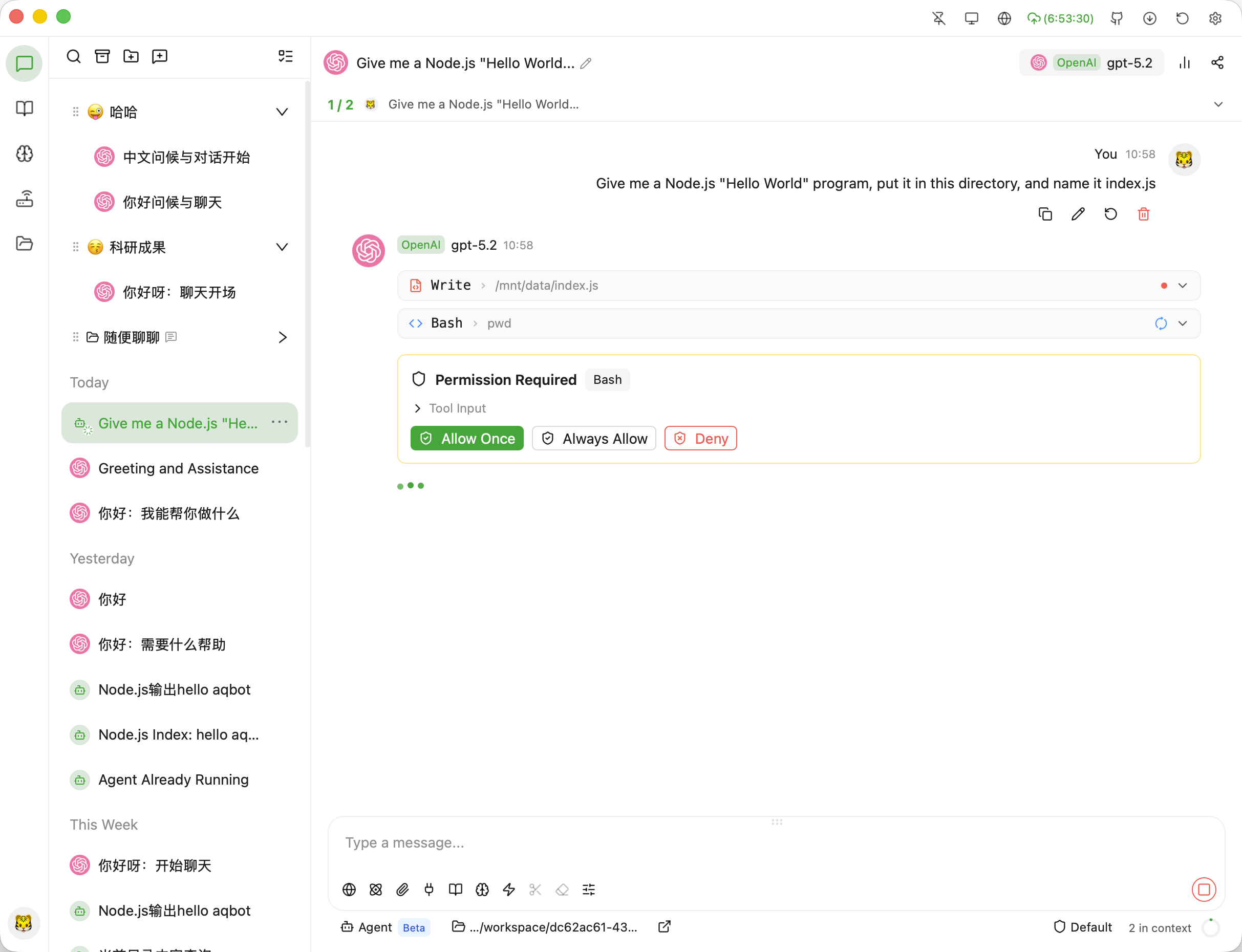
  • Agent 模式 — 让模型在受控桌面工作流中读取/编辑文件、执行命令并分析代码。
  • 权限控制 — 可选择标准审核、自动接受编辑或完全访问模式,同时保留工作目录沙箱检查。
  • 审批与成本面板 — 实时查看工具调用、记住允许决策,并跟踪每个 Agent 会话的 token 与成本。

角色

  • 本地角色管理 — 将系统提示词、头像、标签、开场白、开场问题、温度和 Top P 保存为可复用会话模板。
  • 一键使用角色 — 默认新建角色对话,也可从下拉菜单应用到当前对话;角色对话保留角色名称、头像和蓝色“角色”标记。
  • 在线市场 — 从 prompts.chat 和 PlexPt 中文来源搜索并安装角色,安装后可离线作为本地角色使用。

Skills 管理

  • 多来源技能目录 — 管理 AQBot、Codex、Claude 和 Agents 技能目录,包括 ~/.aqbot/skills~/.codex/skills~/.claude/skills~/.agents/skills
  • 我的技能 — 支持来源筛选、启用/禁用、详情查看、复制名称、打开目录和卸载。
  • 技能组与安装目标 — 按 group 折叠技能组,批量启停、打开组目录、卸载整组,并可从 owner/repo 或 GitHub URL 安装到指定目标。
  • 在线市场 — 支持 skills.sh 与 GitHub 来源搜索、详情预览、GitHub 跳转和安装状态展示。

内容渲染

  • Markdown 与数学公式 — 在流式对话中渲染 Markdown、代码高亮、表格、任务列表和 LaTeX 公式。
  • 代码、图表与 Artifact — 内置 Monaco 代码块、Mermaid、D2 图表和 Artifact 面板,用于代码、Markdown 笔记、报告和预览。
  • HTML 片段渲染 — 安全预览模型生成的 HTML 片段,并包含近期版本加入的流式渲染稳定性修复。

搜索与知识

  • 联网搜索 — 接入 Tavily、Exa、智谱 WebSearch、Bocha 等搜索服务,支持引用来源和搜索查询生成。
  • 本地知识库 — 用 sqlite-vec 索引私有文档,配置检索/重排选项并查看检索反馈。
  • 上下文管理 — 把文件、搜索结果、知识片段、记忆和工具输出附加到对话上下文。

工具与扩展

  • MCP 协议 — 运行 stdio、SSE 或 StreamableHTTP 传输的 Model Context Protocol 服务器。
  • 内置工具 — 直接使用 @aqbot/fetch、文件搜索等内置 MCP 工具,无需额外安装独立服务器。
  • 工具循环上限 — 可配置 MCP 工具调用最大循环次数,并更好地恢复中断或卡住的工具会话。

API 网关

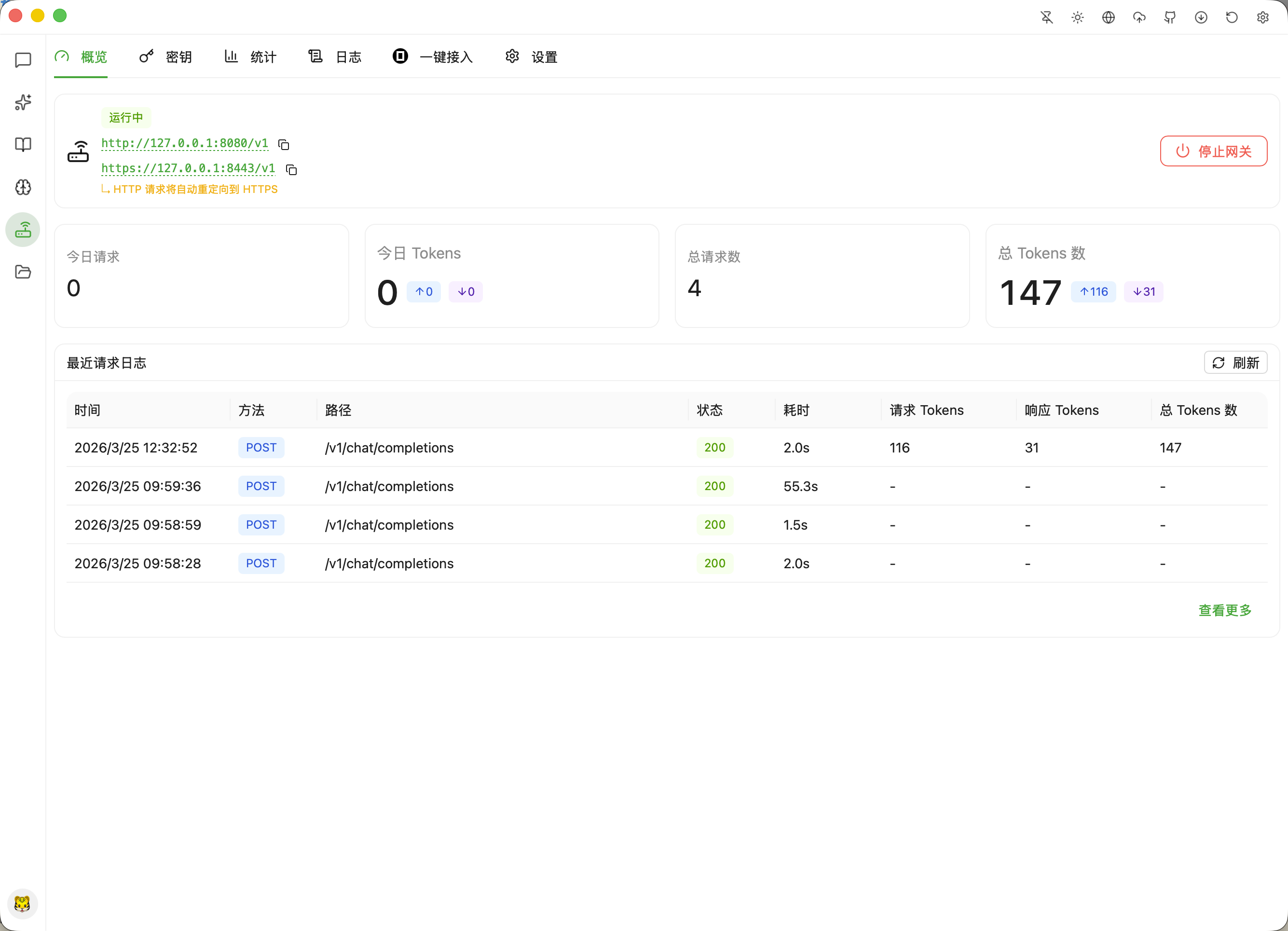
  • 本地网关 — 从桌面应用暴露 OpenAI Chat Completions、OpenAI Responses、Claude 原生和 Gemini 原生接口。
  • 访问与观测 — 本地管理网关密钥、SSL/TLS 证书、请求日志和用量统计。
  • 客户端模板 — 提供 Claude Code、Codex CLI、OpenCode、Gemini CLI 和自定义客户端的配置模板。

数据导入与备份

  • 第三方导入 — 导入 ChatGPT 官方导出、Cherry Studio 备份和 Kelivo 备份,带预览统计、警告和重复处理。
  • 服务商与文件迁移 — Cherry Studio/Kelivo 导入可选择迁移关联服务商、API Key 和文件附件。
  • 备份 — 通过本地目录、WebDAV 或 S3 兼容存储进行备份与恢复。

桌面体验与安全

  • 本地加密 — 应用状态位于 ~/.aqbot/,用户文件位于 ~/Documents/aqbot/,API Key 使用 AES-256 和本地主密钥保护。
  • 桌面集成 — 支持托盘、窗口置顶、全局快捷键、开机自启、代理设置和自动更新检查。
  • 11 种界面语言 — 可在简体中文、繁体中文、英语、日语、韩语、法语、德语、西班牙语、俄语、印地语和阿拉伯语之间切换。

平台支持

平台 架构
macOS Apple Silicon (arm64), Intel (x86_64)
Windows 10/11 x86_64, arm64
Linux x86_64 (AppImage/deb/rpm), arm64 (AppImage/deb/rpm)

快速开始

前往 Releases 页面下载适合你平台的安装包。

常见问题

macOS 提示"已损坏"或"无法验证开发者"

AQBot 使用项目自签名的代码签名证书,不是 Apple Developer ID 证书,因此从浏览器下载后 macOS 仍可能弹出以下提示之一:

  • "AQBot" 已损坏,无法打开
  • 无法打开 "AQBot",因为无法验证开发者

这不需要关闭整个系统的 Gatekeeper。请只放行当前 AQBot 应用:

  1. 在 Finder 中按住 Control 点击 AQBot.app,选择「打开」,然后再次点击「打开」。
  2. 如果仍被拦截,前往「系统设置 → 隐私与安全性」,在安全性区域找到 AQBot 并点击「仍要打开」。
  3. 再次启动 AQBot。

Gatekeeper 放行与辅助功能授权是两项独立设置。使用划词工具栏时,还需根据 AQBot 内的提示,在「系统设置 → 隐私与安全性 → 辅助功能」中启用 AQBot。

社区支持

许可证

本项目采用 AGPL-3.0 许可证。

AQBot FAQ

Which AI apps and models can I connect?
You can connect your own account for OpenAI's ChatGPT models, Claude, Gemini, DeepSeek, Qwen, and any other service that uses an OpenAI-style connection, all from the same chat window.
Do I need an account or a paid subscription to use this?
You need your own API key from the AI provider you want to use (such as OpenAI, Claude, or Gemini), but AQBot itself is a free download with no subscription of its own.
How hard is it to set up?
You download an installer for Mac, Windows, or Linux, install it like any other desktop app, and then paste in your API key to start chatting.
Can I use this to have the AI read and edit files on my computer?
Yes — its Agent mode can read files, make edits, and run commands in a folder you choose, and it asks for your approval before making changes unless you turn that off.
Can I use this to search my own documents?
Yes — you can build a private knowledge library from your own files and the AI will search it when answering your questions.
Will my API key and conversations be safe?
Your API keys are encrypted and stored only on your own computer, and your chats go only to the AI provider you chose, not to AQBot's servers.
Can I bring over my old chats from other apps?
Yes — you can import your exported ChatGPT conversations along with backups from a couple of other chat apps.
What languages does the app support?
The interface is available in eleven languages, including English, Chinese, Japanese, Korean, French, German, Spanish, Russian, Hindi, and Arabic.
Will macOS block it from opening?
macOS may warn that the app can't be verified because it isn't signed with an Apple Developer certificate — you just right-click the app and choose Open once to let it run.