
CoWork-OS

CoWork-OS

MCP.Pizza Chef: CoWork-OS

CoWork OS runs on your own Mac or Windows machine and keeps documents, spreadsheets, decks, web pages, inbox triage, research, and code in a single workspace, so you can ask for a change instead of hopping between apps. It ships with 47 MCP connectors, built-in skills, and a choice of 36 model providers, and your files and provider keys stay on your machine. You bring your own model account, so expect some setup before the first run.

Coding
Email
Writing

Use This MCP client To

Draft a document or slide deck and revise it in place Triage my inbox and prepare replies for approval Ask for a web page and preview it right away Run a long research task while I do something else Edit code and test the result in one window Set up a repeating automation for a weekly chore

README

CoWork OS

CoWork OS is the GUI-first, CLI-capable local AI super app and everything app for getting real work done.
Code, email, research, design web pages, create documents, work with spreadsheets and decks, spawn and manage agents, run automations, and ask for changes from the desktop app or the cowork CLI without jumping between separate coding, mail, browser, Word, Excel, or PowerPoint apps.

npm CI License: MIT macOS Windows

Getting Started · Composer Mentions · Message Box Shortcuts · Side Chat · Ask Inbox · Everything Workbench · CoWork CLI · Terminal Tabs · Browser Workbench · Use Cases · Release Notes 0.5.50 · Platform Updates · Documentation · Changelog · Security · Contributing

Public Adoption Signals

Signal Current
GitHub stars 417
GitHub forks 65
Installer/server downloads 1,394
Download delta +9
npm downloads, last week 49
GitHub views, last 14-ish days 1,542 total / 556 unique
GitHub clones, last 14-ish days 34,762 total / 568 unique

Generated 2026-08-06T06:03:32.464Z. These are public GitHub/npm adoption signals, not active-user or in-app telemetry numbers. Full report.
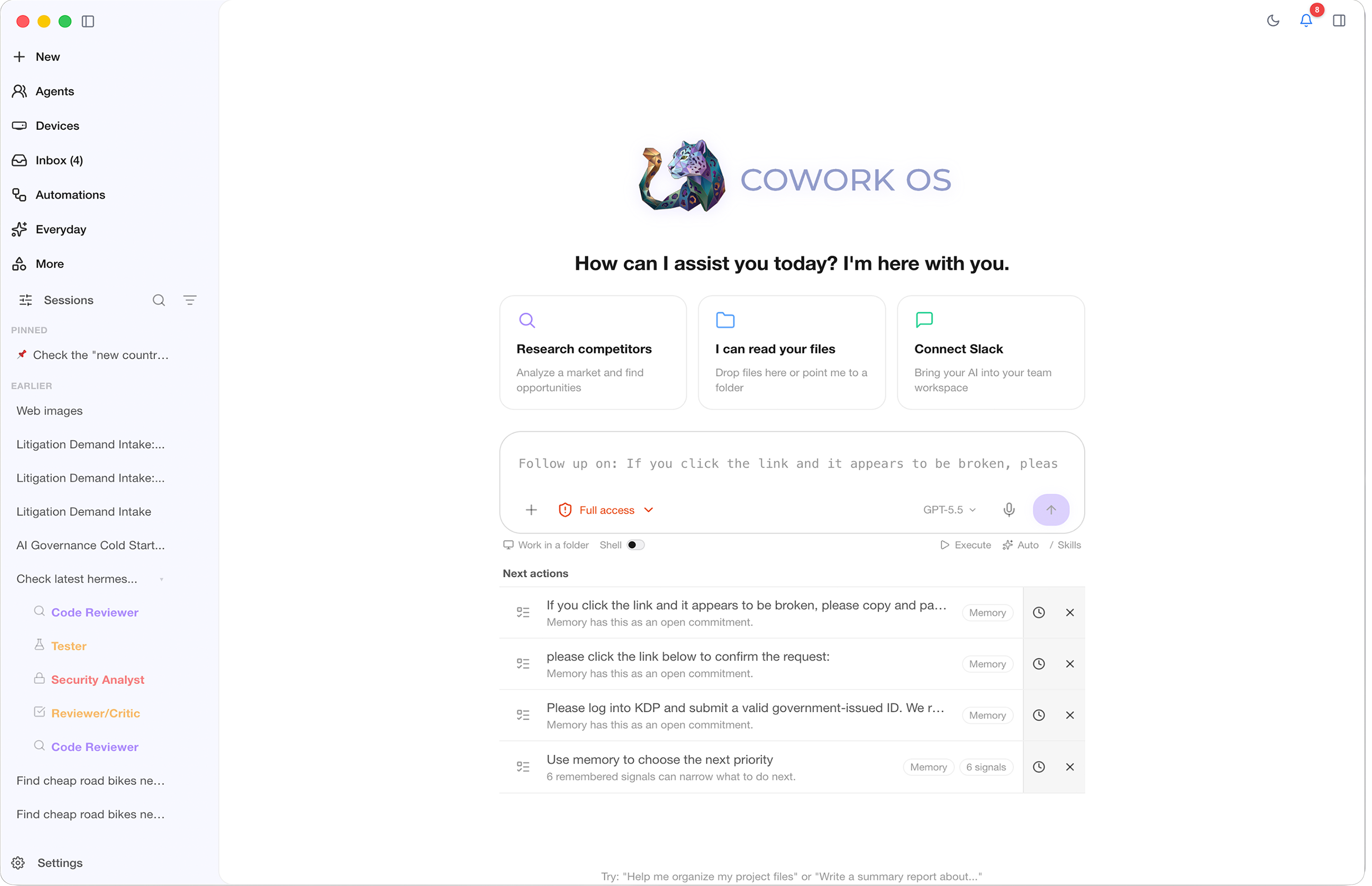
CoWork OS home interface

CoWork-OS FAQ

Which computers does it run on?
It is a desktop app for macOS and Windows, with an optional cowork command for people who prefer the terminal.
Do I need my own model account?
Yes. You connect one of 36 supported model providers with your own key, and that key stays on your machine.
Can I use this to clean up my inbox?
Yes — the built-in inbox agent sorts mail, searches it, and prepares drafts, replies, and forwards.
Does my work get uploaded anywhere?
No. It is local-first, so your files and keys stay on your computer until you deliberately send them somewhere.
How hard is setup?
Plan on some technical comfort: you install the app, add a model provider key, and choose which connectors to turn on.
What does it cost?
The project itself is open source under the MIT license, but you pay whichever model provider you connect.

