
Fan-Browser-Agent

Fan-Browser-Agent

MCP.Pizza Chef: 7757

Fan-Browser-Agent is a desktop app that lets your AI assistant work inside a real browser you can see. It helps you complete tasks like filling forms, researching, and tracking packages by operating websites for you. When important steps like logins or payments come up, Fan pauses so you can review and approve actions. It runs locally on your computer and requires some setup involving Python, Node.js, and connecting to an AI model provider with an API key.

Other
Web/Research

Use This MCP client To

Fill out visa application forms with AI assistance Search and summarize medical research papers Track package delivery status on shipping sites Review and approve AI-filled web forms before submitting Switch between multiple browser tabs during research Control AI actions on sensitive or payment pages

README

Fan logo

Fan

An open-source desktop AI agent that works with you in a real, visible browser.

简体中文 · Download · Website · Use cases · Security · MIT License

Important

Fan is currently an early preview. It can operate real websites and local tools, so its behavior is affected by changing pages, model capabilities, and your local environment. Start with low-risk, verifiable tasks, and keep a human in the loop for submissions, payments, messages, deletions, and other consequential actions.

Introduction

Fan brings an Electron desktop app, an embedded Chromium browser, and a local Python agent runtime into one workspace. You describe a goal; Fan observes the live page, plans the next steps, operates the browser, and organizes the result. When a task reaches a login, verification code, sensitive field, or important decision, Fan pauses and returns control to you.

It is more than a chat window that tells you what to do, and it does not require a hand-written automation script for every website. The work happens in a visible browser where you can inspect the page, open tabs, execution progress, and pending confirmations at any time.
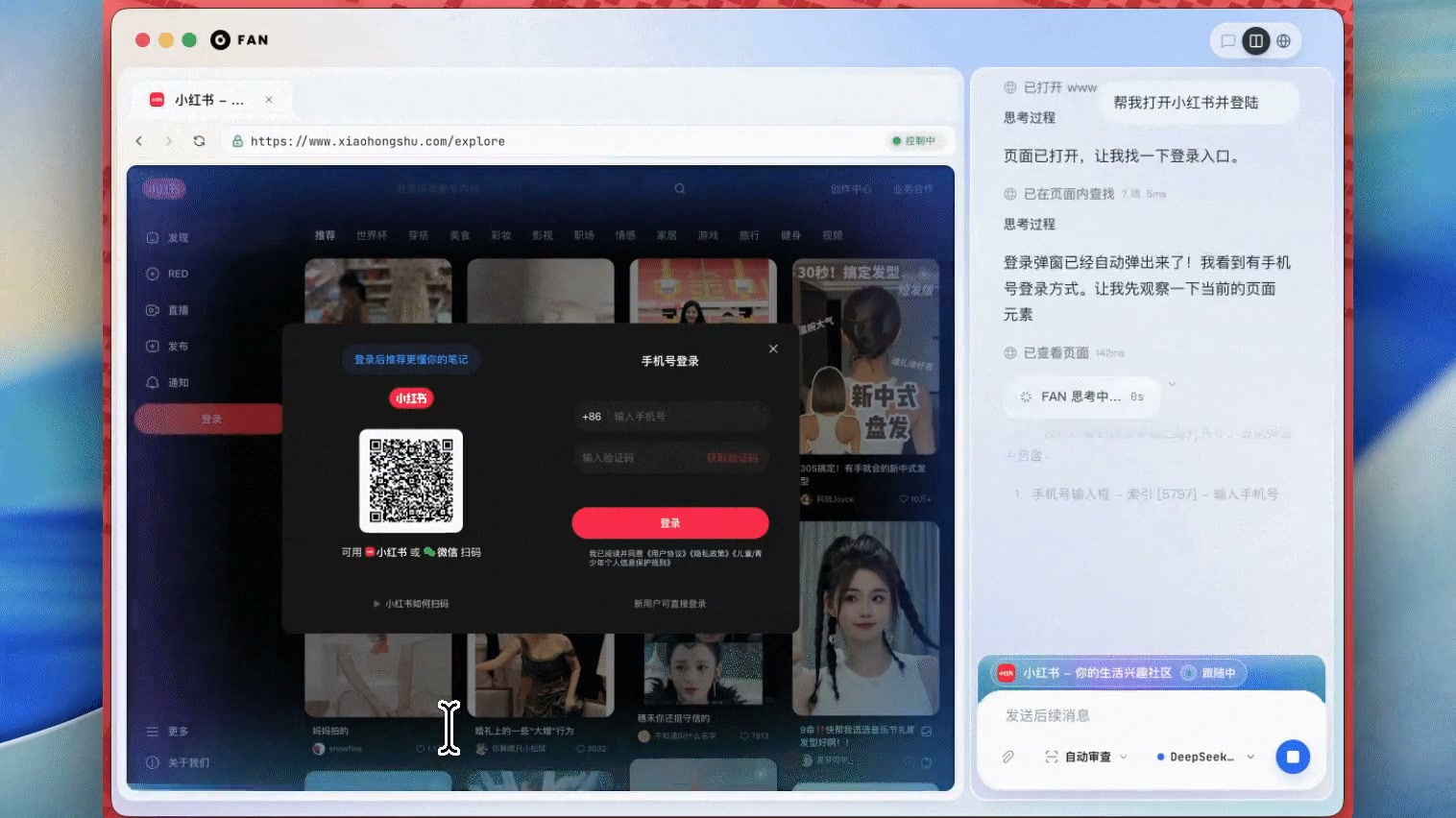
Product preview

Fan completing a task in a real browser, with agent progress and human handoff controls on the right

Click the image to watch the product demo

Real-world task What Fan does Demo
South Korean visa application Selects a visa type, fills the form, uploads documents, and pauses at consequential steps View use case
PubMed literature research Searches across multiple tabs, verifies paper metadata, and produces a reviewable summary View use case
UPS package tracking Recovers from an outdated entry point and verifies status, location, and delivery dates View use case

Fan-Browser-Agent FAQ

Can I use Fan-Browser-Agent to automate filling out web forms?
Yes — Fan can operate real websites to fill forms and pause for your review before submission.
Can I use Fan-Browser-Agent to track packages on shipping websites?
Yes — it can navigate and verify package status on sites like UPS with your supervision.
Which apps can I use Fan-Browser-Agent with?
Fan is a standalone desktop app available for macOS, Windows, and Linux, not a plugin for other apps.
Do I need an API key to use Fan-Browser-Agent?
Yes — you need to configure a model provider like DeepSeek or OpenAI with an API key to run the AI agent.
How hard is it to set up Fan-Browser-Agent?
Setup requires developer skills, including installing Python, Node.js, and running commands from source.
Can I control when Fan takes important actions?
Yes — Fan pauses for your input on logins, payments, and sensitive steps to keep you in control.