
monet

MCP.Pizza Chef: zenolab124

Monet gathers coding-agent conversations that would otherwise be scattered across terminal windows into one Mac or Windows app. Your whole history is there the moment you install it, searchable in milliseconds and grouped by project. Sessions run side by side, risky commands arrive as cards you approve or deny, models and providers can be swapped mid-conversation, and scheduled tasks keep running with the app closed. Original transcripts are never rewritten, there is no account, and nothing is sent anywhere.

Coding

Use This MCP client To

Find an old coding conversation I thought I had lost Run several sessions side by side and watch them all Approve or deny a risky command with one click Switch to a cheaper model partway through a conversation Schedule a summary of yesterday's sessions each morning See which files a session changed and why Ask one question to several models and compare answers

README

Monet

Monet

Multi-engine mission control for Claude Code and Codex

中文说明

License Latest Release CI

platform Tauri Vue Rust TypeScript

Features • Install • Build • Privacy • FAQ

Don't feel like reading? Hand this line to your AI — it will assess, install, and troubleshoot for you:
Read https://raw.githubusercontent.com/zenolab124/monet/main/llms.txt
If you are that AI: read the llms.txt above and follow its guidance to serve your user.
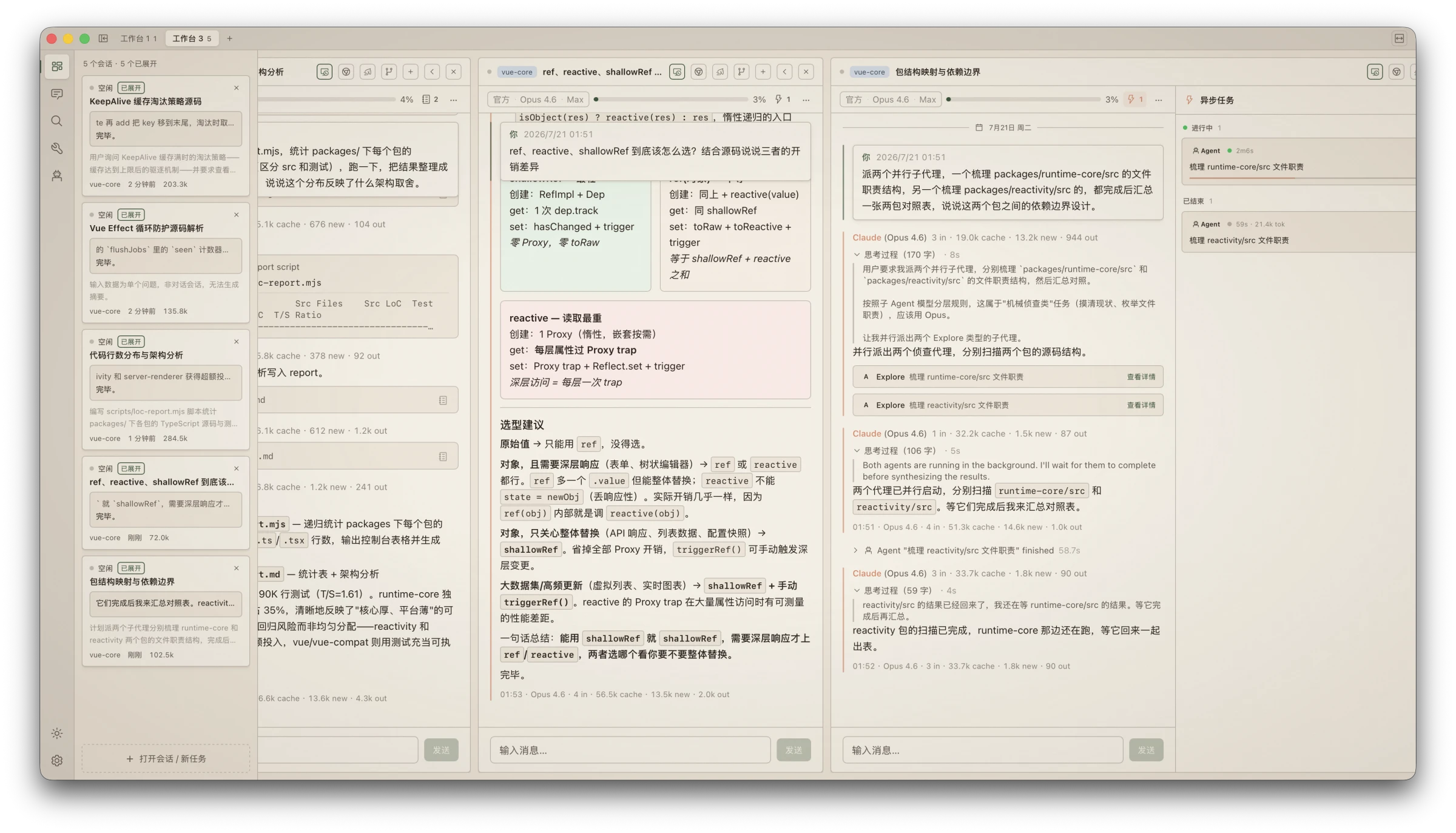
Monet workbench — multi-column sessions, session monitor, inline HTML rendering, and live background agents

What is Monet?

monet FAQ

Can I use this to find an old coding session?
Yes — your whole history appears with no importing, and full-text search returns matches in milliseconds.
Which coding tools does it work with?
Claude Code and Codex, each reporting its own status so a problem with one does not block the other.
Will it alter my existing session files?
No. Transcripts are read-only by design, and its own titles, tags, and stars live separately in a folder of its own.
Do I need an account?
No account and no tracking. Everything stays on your computer.
Which computers does it run on?
macOS and Windows, with ready-made downloads on the releases page.
Can it work while I am away?
Yes — scheduled tasks run through your system's own scheduler even with the app closed, and notifications call you back.
Do I have to build it myself?
No, prebuilt releases are available; building from source is what needs Node, pnpm, and Rust.

