Opencodex

Opencodex

MCP.Pizza Chef: matonhp5108

Opencodex is a free, open-source AI assistant built into VS Code that helps you write, edit, and manage code projects. You open your project folder, pick a free or local AI model, and describe what you want to build. The assistant reads your code, suggests changes, runs commands, and shows every step. It keeps your projects organized with separate chat histories and supports undoing changes safely. You can start without accounts or API keys, or connect optional free providers. It requires installing the VS Code extension and some setup.

Coding
Other

Use This MCP client To

Write and edit code files inside VS Code with AI help Run project commands and see output interactively Review and approve AI-suggested code changes Keep multiple coding projects organized with chat history Use free or local AI models without an account Extend AI abilities with downloadable skill packages Track token usage and AI activity per project

README

Opencodex

Opencodex

A free, open-source coding agent inside VS Code.

Start without an account or API key, connect another free provider, or run models locally with Ollama.

Install from the VS Code Marketplace VS Code Marketplace installs GitHub stars MIT License

Install from the VS Code Marketplace · Report a bug or request a feature
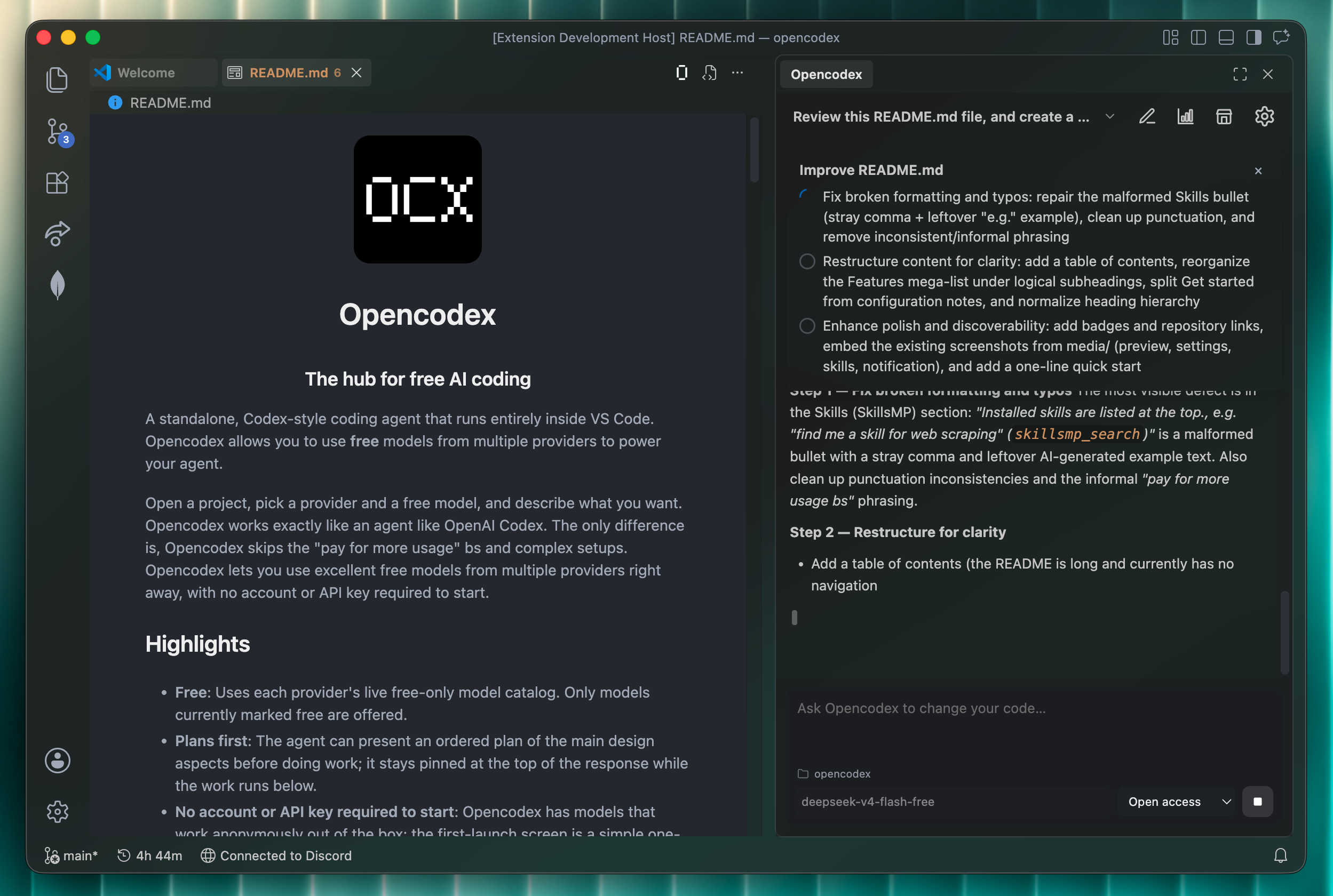
Opencodex reviewing a repository and working through a pinned plan inside VS Code

Opencodex brings a Codex-style agent loop to the editor you already use. Open a folder, choose a free model, and describe the outcome you want. The agent can inspect the repository, plan the work, edit files, run commands, and show every step as it happens.

Contents

Why Opencodex

Opencodex FAQ

Can I use Opencodex to write and edit code inside VS Code?
Yes — Opencodex lets you open a project folder in VS Code and interactively create, edit, and manage code files with AI assistance.
Can I use Opencodex without an API key or account?
Yes — it works out of the box with a free default model and optional free providers like OpenRouter, Groq, Gemini, or Mistral.
Does Opencodex work in apps other than VS Code?
It supports VS Code and also integrates with ChatGPT clients that support MCP clients.
How hard is it to set up Opencodex?
It requires developer-level setup, including installing the VS Code extension and optionally configuring API keys or local models.
Can Opencodex run code commands and show the results?
Yes — it can run commands in your project environment with your approval and keep shell sessions alive.
Is my code workspace safe when using Opencodex?
Yes — it restricts file edits to your current project folder and blocks sensitive files like .env.
Can I track and undo changes made by Opencodex?
Yes — it shows diffs before applying edits and supports undo and Git restore points.