mcp-server-simulator-ios-idb

MCP.Pizza Chef: InditexTech

Built by the technology team at Inditex, this drives the iPhone and iPad simulators that ship with Xcode, so you can ask in ordinary words to start a device, install an app, tap and swipe around it, type text, capture screenshots or record a video of what happened. It only works on a Mac with Xcode installed, needs no paid account, and has had no updates since January 2026.

Coding

Use This MCP server To

Boot an iPhone simulator and open my app in it Tap through a signup flow and screenshot every step Record a video of my app's first-run experience Pull the crash logs from a simulator after a test Set a fake location and watch how my app reacts Check that a freshly built app installs and launches

README

📱 MCP Server for iOS Simulator

MCP Server

A Model Context Protocol (MCP) server that enables LLMs to interact with iOS simulators through natural language commands.

ℹ️ Overview

This MCP server provides a bridge between Large Language Models (LLMs) and iOS simulators, offering comprehensive control through natural language commands. Here's what it can do:

For detailed usage, see the Installation guide and Supported Commands sections. You can use this server either through direct MCP integration or as a standalone library.

Check out the Architecture section to understand how the components work together to enable natural language control of iOS simulators.
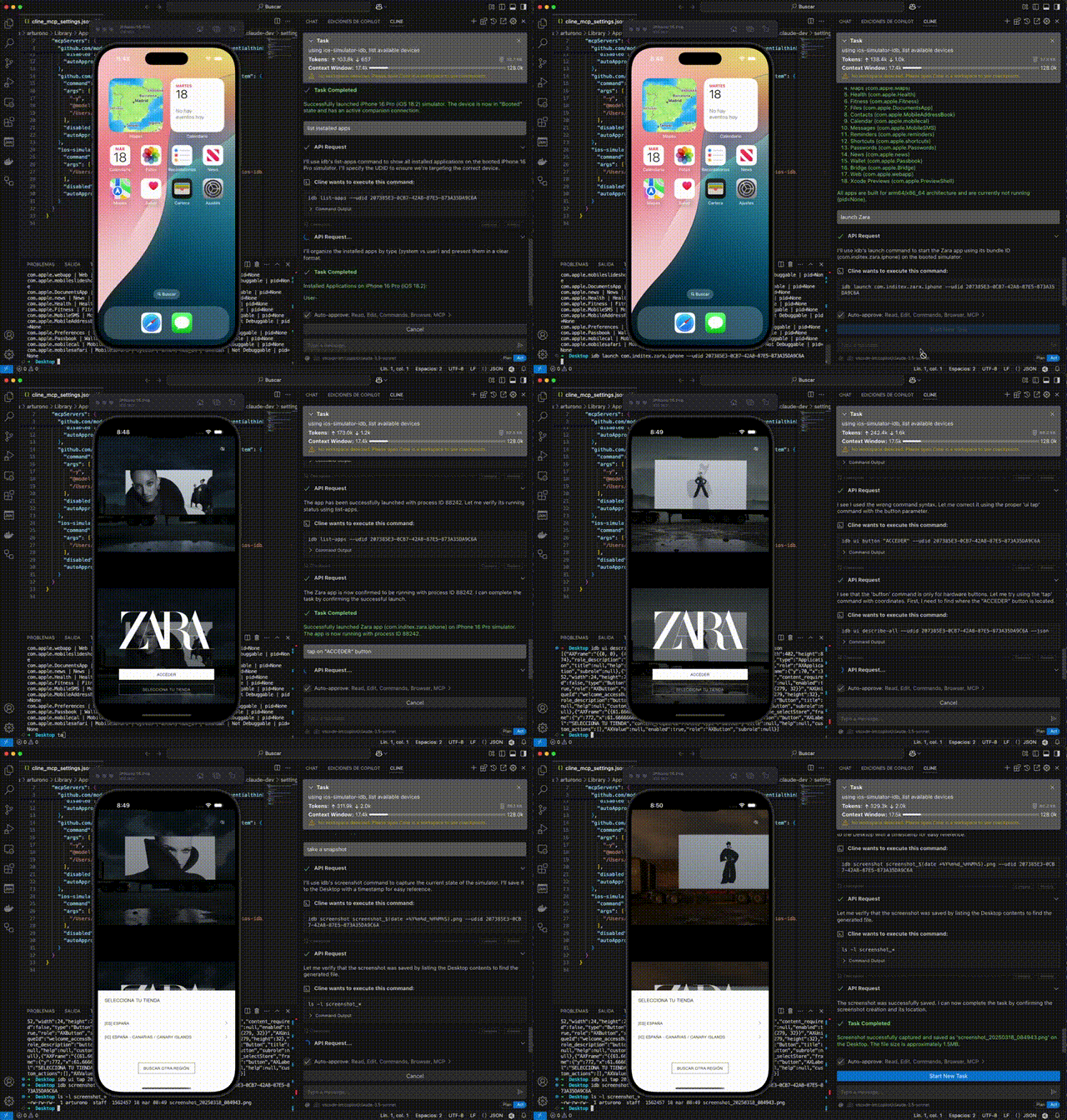
demo

🎮 Simulator Control

  • Create and manage simulator sessions
  • Boot, shutdown, and monitor simulator states
  • List available and running simulators
  • Focus simulator windows

📱 Application Management

  • Install and manage iOS applications
  • Launch, terminate, and uninstall apps
  • Monitor app states and verify installations
  • Handle app permissions and configurations

🖱️ UI Interaction & Testing

  • Interact with the simulator UI
  • Execute tap, swipe, and button press actions
  • Input text and key sequences
  • Access accessibility elements for UI testing
  • Record videos of UI interactions

🛠️ Development & Debugging

  • Capture screenshots and system logs
  • Debug applications in real-time
  • Monitor and analyze crash logs
  • Install dynamic libraries and manage app data

mcp-server-simulator-ios-idb FAQ

Is this still being updated?
Not lately. It has not been archived, but the last change landed in January 2026, so do not expect recent fixes or a named successor.
Do I need a Mac?
Yes. iPhone simulators only run on macOS, and you also need Xcode with at least one simulator installed.
Which apps does it work in?
Claude Desktop and Cline are the ones the authors document, and other apps that speak the same protocol should also work.
Do I need a paid key?
No. Everything runs locally against simulators on your own machine, so there is no account or subscription involved.
Can I use this to take screenshots of my app on a phone screen?
Yes. You can start a simulator, open your app, move around it, and capture stills or a screen recording.
Does it work with a real iPhone?
No. It drives the simulators that come with Xcode, not a physical device you can hold.
How hard is the setup?
It leans developer: you install extra tools through Homebrew, build the project yourself, then hand-edit a settings file.