
mcp-server-asana

MCP.Pizza Chef: roychri

Forty-one separate abilities cover the whole shape of Asana work: finding tasks and projects, reading comment threads, creating tasks and subtasks, changing due dates and assignees, managing tags and sections, and posting project status updates. Four of them delete things, and none of those asks you to confirm first, so the safest setup is read-only mode, which really does block every change. You will need an Asana access token, which acts with your full permissions in every workspace you belong to.

Communication
Other

Use This MCP server To

Ask how many tasks are still open in a project Create a task and assign it to a teammate Move a task's due date without opening Asana Read the comment thread on a task I was tagged in Post a status update on a project I run List everything assigned to me this week

README

MCP Server for Asana

npm version

This Model Context Protocol server implementation of Asana allows you to talk to Asana API from MCP Client such as Anthropic's Claude Desktop Application, and many more.

More details on MCP here:

mcp-server-asana MCP server

Environment Variables

  • ASANA_ACCESS_TOKEN: (Required) Your Asana access token
  • READ_ONLY_MODE: (Optional) Set to 'true' to disable all write operations. In this mode:
    • Tools that modify Asana data (create, update, delete) will be disabled
    • The create-task prompt will be disabled
    • Only read operations will be available This is useful for testing or when you want to ensure no changes can be made to your Asana workspace.

Usage

In the AI tool of your choice (ex: Claude Desktop) ask something about asana tasks, projects, workspaces, and/or comments. Mentioning the word "asana" will increase the chance of having the LLM pick the right tool.

Example:

How many unfinished asana tasks do we have in our Sprint 30 project?

Another example:
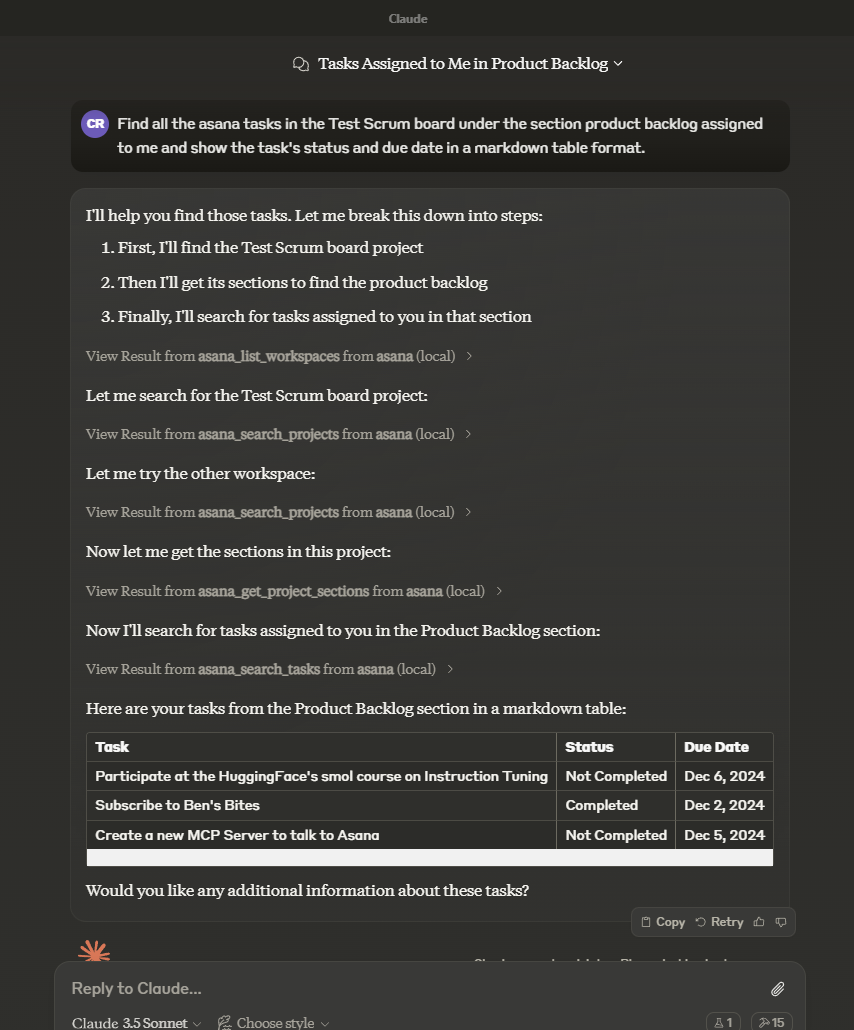
Claude Desktop Example

Tools

mcp-server-asana FAQ

Do I need a key?
Yes, an Asana access token from your own account. It carries your full permissions across every workspace you belong to, and there is no way to narrow it to one project.
Can it delete my tasks?
Yes. Four of its abilities delete things — a task, a section, a tag, or a project status — and none of them pauses to ask you first.
How do I stop it changing anything?
Set READ_ONLY_MODE to true. That setting is properly enforced: it hides the changing abilities and also refuses them if something asks for one anyway, leaving 18 read-only abilities.
Can I use this to catch up on what my team did this week?
Yes — ask it to search a project for recently changed tasks and read the comment threads, and it will pull the whole picture into one summary.
How many things can it do?
Forty-one in normal mode, spanning workspaces, projects, tasks, subtasks, sections, tags, task dependencies, comments, and status updates.
How hard is the setup?
You paste a short block into Claude Desktop's settings with your token inside it. Node has to be installed. There is nothing to compile or build yourself.
Which apps does it work in?
Claude Desktop is documented, and it works the same way in other apps that launch local tools.
Does it cost anything?
The tool itself is free. You need an Asana account, and some of what it can reach, such as custom fields, only exists on Asana's paid plans.