


A Model Context Protocol (MCP) server that provides tools for fetching stories from Hacker News. This server parses the HTML content from news.ycombinator.com and provides structured data for different types of stories (top, new, ask, show, jobs).
- Fetch different types of stories (top, new, ask, show, jobs)
- Get structured data including titles, URLs, points, authors, timestamps, and comment counts
- Configurable limit on number of stories returned
- Clean error handling and validation
- Clone the repository:
git clone https://github.com/pskill9/hn-server
cd hn-server- Install dependencies:
npm install- Build the server:
npm run build- Add to your MCP settings configuration file (location depends on your system):
For VSCode Claude extension:
{
  "mcpServers": {
    "hacker-news": {
      "command": "node",
      "args": ["/path/to/hn-server/build/index.js"]
    }
  }
}The server provides a tool called get_stories that can be used to fetch stories from Hacker News.
Parameters:
type(string): Type of stories to fetch- Options: 'top', 'new', 'ask', 'show', 'jobs'
- Default: 'top'
limit(number): Number of stories to return- Range: 1-30
- Default: 10
Example usage:
use_mcp_tool with:
server_name: "hacker-news"
tool_name: "get_stories"
arguments: {
  "type": "top",
  "limit": 5
}
Sample output:
[
  {
    "title": "Example Story Title",
    "url": "https://example.com/story",
    "points": 100,
    "author": "username",
    "time": "2024-12-28T00:03:05",
    "commentCount": 50,
    "rank": 1
  },
  // ... more stories
]To use this MCP server with Claude, you'll need to:
- Have the Claude desktop app or VSCode Claude extension installed
- Configure the MCP server in your settings
- Use Claude's natural language interface to interact with Hacker News
For the Claude desktop app, add the server configuration to:
// ~/Library/Application Support/Claude/claude_desktop_config.json (macOS)
// %APPDATA%\Claude\claude_desktop_config.json (Windows)
{
  "mcpServers": {
    "hacker-news": {
      "command": "node",
      "args": ["/path/to/hn-server/build/index.js"]
    }
  }
}
For the VSCode Claude extension, add to:
// VSCode Settings JSON
{
  "mcpServers": {
    "hacker-news": {
      "command": "node",
      "args": ["/path/to/hn-server/build/index.js"]
    }
  }
}Once configured, you can interact with Claude using natural language to fetch Hacker News stories. Examples:
- "Show me the top 5 stories from Hacker News"
- "What are the latest Ask HN posts?"
- "Get me the top Show HN submissions from today"
Claude will automatically use the appropriate parameters to fetch the stories you want.
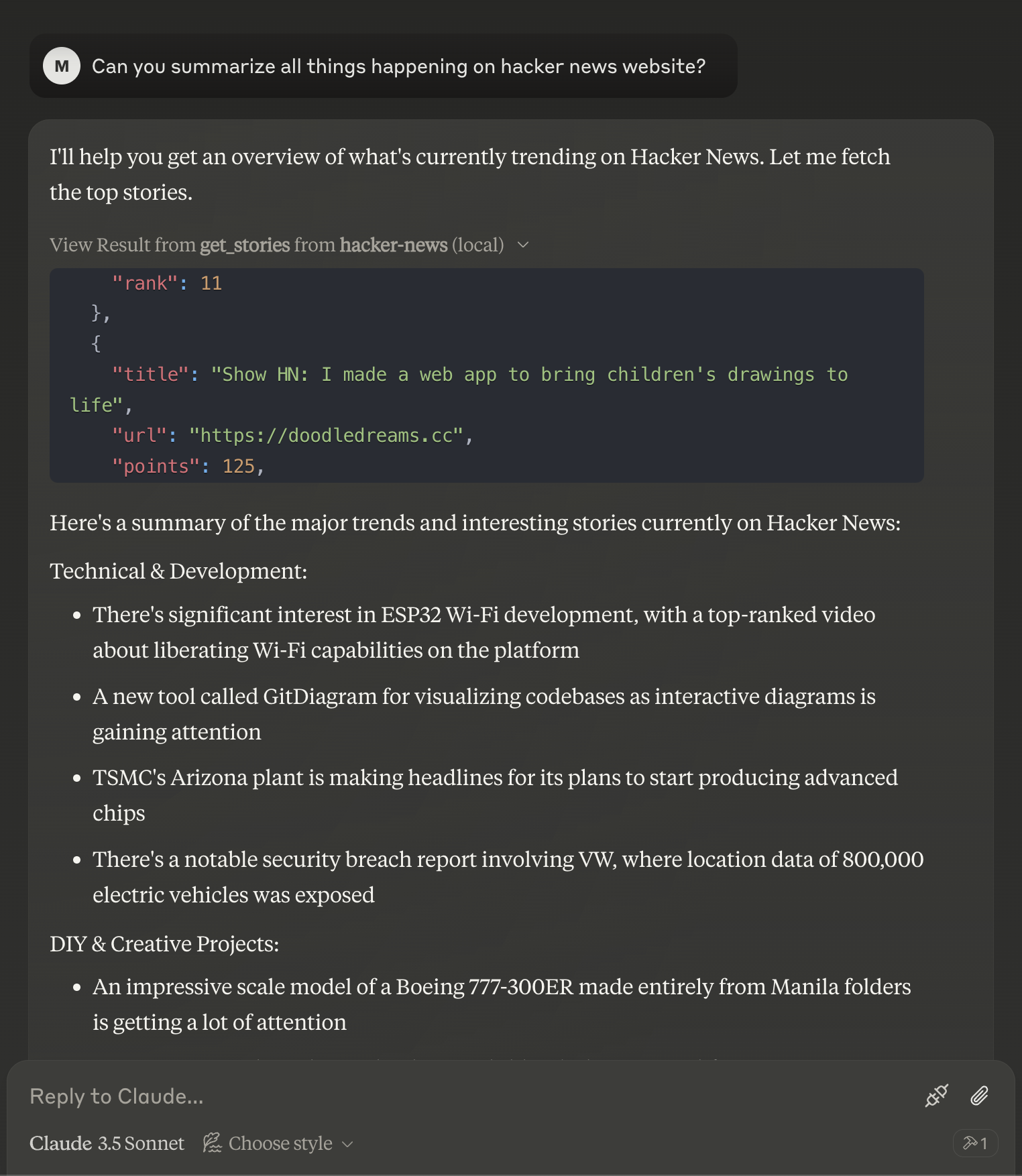
Each story object contains:
title(string): The story titleurl(string, optional): URL of the story (may be internal HN URL for text posts)points(number): Number of upvotesauthor(string): Username of the postertime(string): Timestamp of when the story was postedcommentCount(number): Number of commentsrank(number): Position in the list
The server is built using:
- TypeScript
- Model Context Protocol SDK
- Axios for HTTP requests
- Cheerio for HTML parsing
To modify the server:
- Make changes to
src/index.ts - Rebuild:
npm run buildThe server includes robust error handling for:
- Invalid story types
- Network failures
- HTML parsing errors
- Invalid parameter values
Errors are returned with appropriate error codes and descriptive messages.
Contributions are welcome! Please feel free to submit a Pull Request.
MIT License - feel free to use this in your own projects.