Fire in da houseTop Tip:Paying $100+ per month for Perplexity, MidJourney, Runway, ChatGPT and other tools is crazy - get all your AI tools in one site starting at $15 per month with Galaxy AI Fire in da houseCheck it out free

mcp-twitter

MCP.Pizza Chef: LuniaKunal

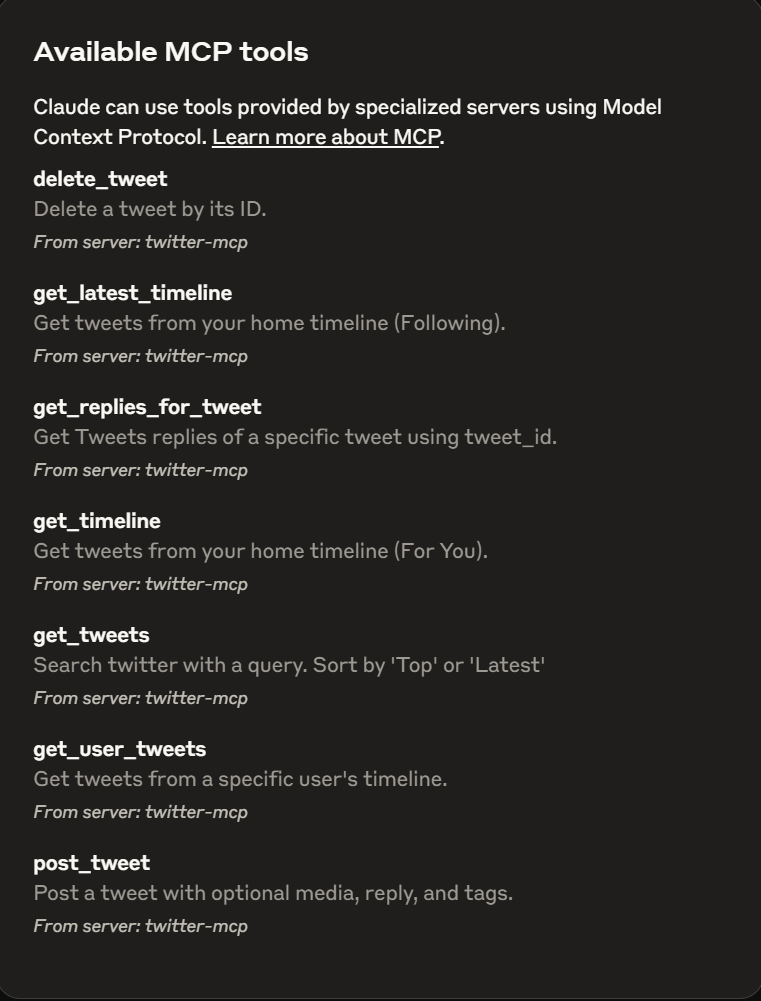
The mcp-twitter server enables programmatic management of Twitter accounts via MCP. It provides features like retrieving timelines, fetching tweets from any public user, searching hashtags, managing direct messages, creating and deleting tweets, and summarizing tweet replies. This server integrates Twitter's social data into MCP workflows, allowing developers to automate and enhance Twitter interactions securely and efficiently.

Use This MCP server To

Retrieve your Twitter home timeline programmatically Fetch tweets from any public Twitter user Search tweets by hashtag for trend analysis Send and receive Twitter direct messages via API Create new tweets programmatically Delete tweets through API calls Summarize replies to tweets for quick insights

README

Twitter MCP Server

Welcome to the Twitter MCP (Multi-Channel Platform) Server! This application helps you manage your Twitter account programmatically with a variety of powerful features.

Features

  • Get Timeline: Retrieve your Twitter home timeline.
  • Get Any User's Tweets: Fetch tweets from any public Twitter user.
  • Hashtag Search: Search for tweets containing any hashtag (e.g., #AI).
  • Get Replies & Summaries: Retrieve replies to tweets and get summarized insights.
  • User Direct Messages: Send and receive Twitter DMs.
  • Create Post: Programmatically create new tweets.
  • Delete Post: Delete your tweets through the API.
  • And much more...

Twitter MCP Server

Twitter MCP Server

Getting Started

Prerequisites

  • Python 3.11+
  • uvicorn (for running the server)
  • Twitter API credentials (set in .env file)

Installation

  1. Clone this repository.
  2. Install dependencies:
    pip install -r requirements.txt
  3. Set up your .env file with your Twitter API credentials (see .env.example).

Running the Application

To start the server, run:

uv run --with twikit --with mcp Path\\src\\tweet_service.py
{
  "mcpServers": {
  "twitter-mcp": {
    "command": "uv",
    "args": [
      "--directory",
      "Path\\src\\",
      "run",
      "--with",
      "twikit",
      "--with",
      "mcp",
      "tweet_service.py"
    ],
    "env": {
      "COOKIES_PATH": "Path\\cookies.json",
      "ENV_FILE": ".env"  
    }
  }

}
}

Feel free to contribute or suggest new features!

mcp-twitter FAQ

How do I authenticate the mcp-twitter server with my Twitter account?
You authenticate using Twitter API credentials (API key, secret, and tokens) configured in the server environment.
Can I fetch tweets from users who have private accounts?
No, the server only supports fetching tweets from public Twitter accounts due to API restrictions.
Does mcp-twitter support real-time streaming of tweets?
Currently, it supports fetching timelines and searches but does not provide real-time streaming capabilities.
What programming languages can interact with the mcp-twitter server?
Any language that can make HTTP requests can interact with the server, as it exposes a RESTful API.
Is it possible to send direct messages to multiple users at once?
The server supports sending DMs individually; bulk messaging requires multiple API calls.
How does mcp-twitter handle rate limits imposed by Twitter?
The server includes basic rate limit handling but users should monitor and manage limits according to Twitter's policies.
Can I use mcp-twitter with LLM providers like OpenAI, Claude, or Gemini?
Yes, mcp-twitter can be integrated into MCP workflows that use these LLMs for enhanced Twitter data processing.
What are the prerequisites for running the mcp-twitter server?
You need Python 3.11+, uvicorn for running the server, and valid Twitter API credentials.