
davinci-resolve-mcp

MCP.Pizza Chef: samuelgursky

Video editors can ask for the work instead of clicking through it: build a timeline, organise footage in the media pool, drop review markers, set up a render, adjust a grade, or reach into Fusion and Fairlight. An installer wires it into Claude Desktop, Claude Code, Cursor, VS Code, Windsurf, Zed, Cline, and several other editors. Resolve Studio is the smooth path; the free edition works through a small helper script you start from inside Resolve. No paid key needed.

Images/Design
Other

Use This MCP server To

Build a rough timeline from the clips I just imported Sort and rename footage in the media pool Drop review markers where I ask for changes Set up a render and export the finished cut Adjust a colour grade without hunting through panels Get a plain summary of what is in my project

README

DaVinci Resolve MCP Server

English | 简体中文

Version npm API Coverage Tools Advanced Tested DaVinci Resolve Python License

A Model Context Protocol (MCP) server that lets AI assistants control DaVinci Resolve Studio through the official Scripting API. It provides full API coverage plus guarded workflow helpers for editing, media pool organization, render setup, review markers, grading, Fusion, Fairlight, project lifecycle tasks, extension authoring, and source-safe media analysis.
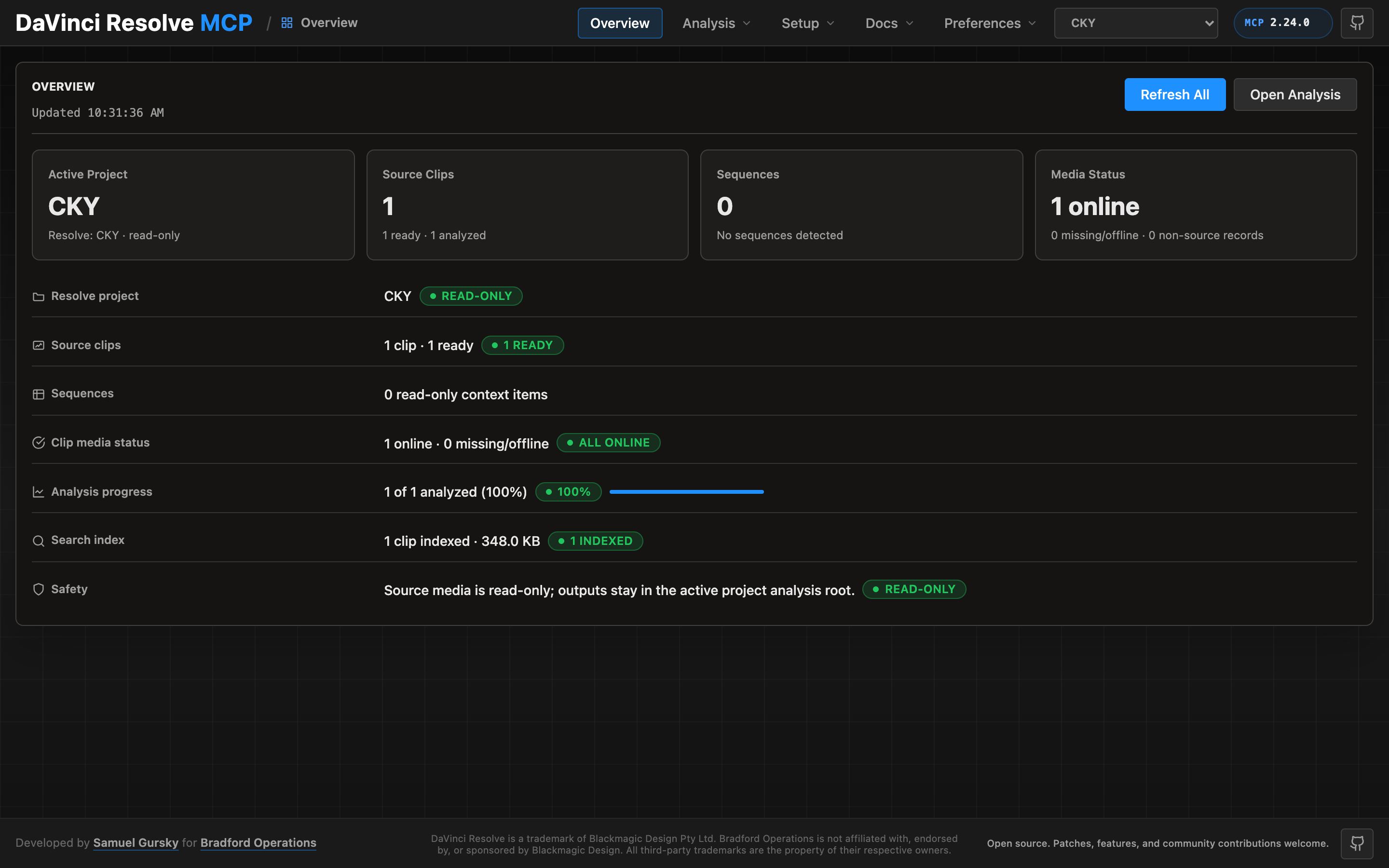
Local control panel

A local browser control panel ships with the server for inspecting Resolve state, running source-safe analysis, drilling into analyzed clips and shots, and editing analysis output inline. See the Control Panel Guide for the full tour.

Quick Start

npx davinci-resolve-mcp setup

davinci-resolve-mcp FAQ

Do I need the paid Studio version of Resolve?
Studio is the straightforward path. The free edition also works, through a small helper script you start from Resolve's Workspace menu.
Which apps does it work with?
The installer can set up Claude Desktop, Claude Code, Cursor, VS Code, Windsurf, Zed, Continue, Cline, Roo Code, and JetBrains editors.
Do I need a paid key?
No. It talks to Resolve on your own machine, so there is nothing to sign up for.
Can I use this to set up a render without touching the menus?
Yes — render setup is one of the covered areas, alongside editing, media organisation, and grading.
How hard is the setup?
One setup command does most of it, but you also flip a scripting preference inside Resolve, and the free edition needs an extra script.
Which version of Resolve is required?
Version 18.5 or newer on macOS, Windows, or Linux, with Python 3.10 or later installed.
Can I see what it is doing?
Yes, a local control panel opens in your browser to inspect project state and review analysis results.


