


f2c-mcp

MCP.Pizza Chef: f2c-ai

F2C reads a design straight from a Figma layer link and returns matching HTML and CSS, React components, CSS Modules or Tailwind, downloading the pictures used in the design into local files along the way. It is built for coding apps such as Cursor and Trae. Figma's own usage limits can get in the way, and when they do the project points you to its companion Figma plugin instead. The code has not been updated since November 2025.

Coding
Images/Design

Use This MCP server To

Turn a Figma screen into HTML and CSS Generate a React component from a design my designer sent Download every image used in a design Rebuild a mockup as a Tailwind page Check the exact spacing and colors a design uses

README

F2C MCP Server

MCP Server smithery badge npm version npm downloads github node

Due to Figma REST API rate limits, if you are affected, please switch to @f2c/mcp-plugin for normal operation.

English | 简体中文

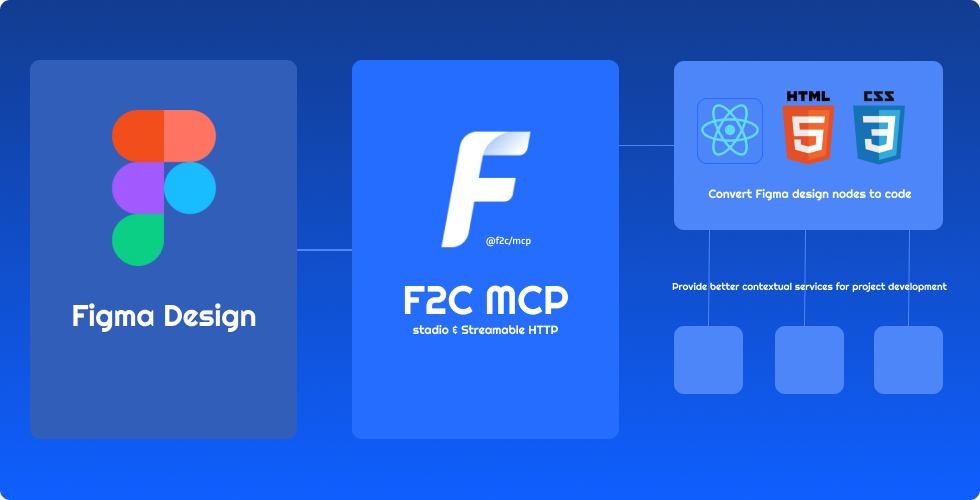
A Model Context Protocol server for Figma Design to Code using F2C.
f2c-mcp-server MCP server

Features

f2c

  • 🎨 Pixel-Perfect HTML/CSS:F2C converts Figma designs to pixel-perfect HTML/CSS with precision.
  • ⚛️ Multi-Framework Support:F2C generates React, CSS Modules, and Tailwind CSS code for fast development.
  • 🧠 Figma Design Context:F2C integrates design context, ensuring compatibility with AI tools like Cursor.
  • 🔗 Figma File URL Parsing:F2C converts design nodes via Figma URLs, streamlining workflows.
  • 🖼️ Remote Image Localization:F2C automates downloading Figma images to local assets for efficiency.

How it works

  1. Configure the Server in an MCP-supported IDE (e.g., Cursor, Trae).

recommended to use Comate AI IDE

  1. Open your chat in IDE (e.g. agent mode in Cursor).
  2. Paste a link to a Figma Node (Right-click any node in the Figma Layer panel to copy it).
  3. Enter your requirements in the chat, such as fetching node data, downloading images, converting to code, etc.

Configuration and Development

See Configuration and Development

Data Privacy Notice

The logging tools integrated in this project are used solely for basic usage statistics and error log reporting. No sensitive information or user data is collected. All reported data is used exclusively to improve product quality and user experience.

FAQ

See FAQ

Credits

Thanks to:

  • Framelink Figma MCP Server Give Cursor and other AI-powered coding tools access to your Figma files with this Model Context Protocol server.
  • Cursor Talk to Figma MCP Allowing Cursor to communicate with Figma for reading designs and modifying them programmatically.
  • Figma MCP Server This server provides tools for viewing, commenting, and analyzing Figma designs directly through the ModelContextProtocol.

f2c-mcp FAQ

Is this project still being updated?
Not lately — the code has not changed since November 2025. It still works, and the team points affected users to its own Figma plugin version.
Which apps does it work in?
Coding apps that support MCP servers, such as Cursor and Trae; the project also suggests Comate.
Do I need a Figma account?
Yes. You need access to the file, then right-click a layer in Figma and copy its link.
Can I use this to turn a designer's mockup into a real page?
Yes — paste the layer link and ask for HTML, React, CSS Modules, or Tailwind.
Why does it sometimes stop responding?
Figma limits how often a design can be read. The project's companion Figma plugin avoids that limit.
How hard is setup?
Easy — it installs through Smithery or a short config snippet, and there is a hosted address you can point at.