
Fire in da houseTop Tip:Paying $100+ per month for Perplexity, MidJourney, Runway, ChatGPT and other tools is crazy - get all your AI tools in one site starting at $15 per month with Galaxy AI Fire in da houseCheck it out free

mcp-memex

MCP.Pizza Chef: narphorium

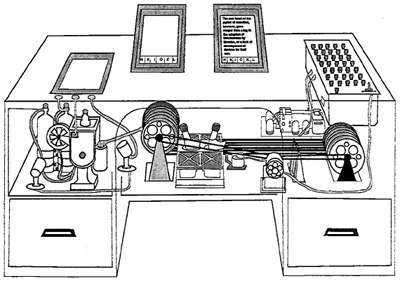
mcp-memex is an MCP server that enables automated analysis and ingestion of web content into a structured knowledge base. Inspired by Vannevar Bush's Memex concept, it integrates with APIs like Claude, FireCrawl, and Voyage to extract and organize information. The resulting knowledge base is stored as Markdown files, compatible with any Markdown viewer, with Obsidian recommended for enhanced navigation. This server facilitates real-time context enrichment for LLMs by providing them with accessible, well-structured external knowledge from the web, improving AI-assisted workflows and research.

Use This MCP server To

Analyze and extract structured data from web pages Build a Markdown-based knowledge base from web content Integrate web knowledge into LLM context for enhanced responses Automate web content ingestion for research and analysis Store and view knowledge base with Obsidian or Markdown viewers

README

memex

Memex for Model Context Protocol

Memex is a tool for Model Context Protocol (MCP) that allows you to analyze web content and add it to your knowledge base.

The tool was inspired by the Memex project by Vannevar Bush.

Requirements

You will need API keys for the following services:

The knowledge base produced by this tool is stored as Markdown files so they can be viewed with any Markdown viewer but Obsidian is recommended.

Installation

pip install mcp-memex

Add the following to your claude_desktop_config.json and replace the placeholders with the actual paths and API keys:

{
  "mcpServers": {
    "memex": {
      "command": "uv",
      "args": [
        "--directory",
        "PATH_TO_LOCAL_MEMEX_REPO",
        "run",
        "mcp-memex",
        "--index",
        "PATH_TO_MEMEX_INDEX",
        "--workspace",
        "PATH_TO_OBSIDIAN_VAULT"
      ],
      "env": {
        "ANTHROPIC_API_KEY": "YOUR-API-KEY",
        "FIRECRAWL_API_KEY": "YOUR-API-KEY",
        "VOYAGE_API_KEY": "YOUR-API-KEY"
      }
    }
  }
}

Usage

Start by asking Claude a question with a list of URLs to reference.

What is the capital of France? "https://en.wikipedia.org/wiki/France"

Once Claude has finished analyzing the content, you will see the results in your Obsidian vault. You can then ask questions about the content and Memex will use the knowledge base to answer your questions.

What is the capital of France?

Development

To run the tool locally, you can use the following command:

npx @modelcontextprotocol/inspector \
  uv \
  --directory PATH_TO_LOCAL_MEMEX_REPO \
  run \
  mcp-memex \
  --index PATH_TO_MEMEX_INDEX \
  --workspace PATH_TO_OBSIDIAN_VAULT

Then open the inspector and connect to the server.

http://localhost:5173?timeout=30000

mcp-memex FAQ

How do I install mcp-memex?
Install mcp-memex via pip using 'pip install mcp-memex'.
What API keys are required to use mcp-memex?
You need API keys for Claude, FireCrawl, and Voyage services to enable web content analysis.
How is the knowledge base stored?
The knowledge base is stored as Markdown files, viewable with any Markdown viewer, with Obsidian recommended.
Can I customize the storage directory for the knowledge base?
Yes, you can specify the directory path in the server configuration JSON file.
Is mcp-memex compatible with multiple LLM providers?
Yes, it works with Claude, OpenAI, and Voyage APIs to enrich model context.
How do I configure mcp-memex in MCP?
Add the memex server configuration with command and API keys to your 'claude_desktop_config.json' file.
Does mcp-memex support real-time web content updates?
It supports dynamic web content analysis via integrated APIs, enabling up-to-date knowledge ingestion.
What is the recommended viewer for the knowledge base?
Obsidian is recommended for its advanced Markdown navigation and linking features.