
image-gen-server

MCP.Pizza Chef: fengin

Ask for a logo or a banner in the chat and a handful of variations come back, saved straight into a folder you name, at a size you choose. The images come from Jimeng, a Chinese image service, so you need a Jimeng account and have to copy a sign-in cookie out of your browser and paste it into the program's own code. Only one picture-making tool ships. Documentation is written in Chinese, and the code has been untouched since July 2025.

Unmaintained · no changes since July 2025, unofficial Jimeng route may break
Images/Design

Use This MCP server To

Make a logo for a project I am building Generate a banner image for a website header Produce several versions of an illustration and pick one Save generated artwork straight into my project folder Create placeholder images while designing a page

README

MseeP.ai Security Assessment Badge

Image-Gen-Server

Image-Gen-Server Logo

smithery badge

基于即梦AI的图像生成服务,专门设计用于与Cursor IDE集成。它接收来自Cursor的文本描述,生成相应的图像,并提供图片下载和保存功能。

此插件的开发过程可以看我的网站:开发一个MCP Server与Cursor集成,给Cursor插上翅膀!

更多AI知识,见AI全书(https://aibook.ren)
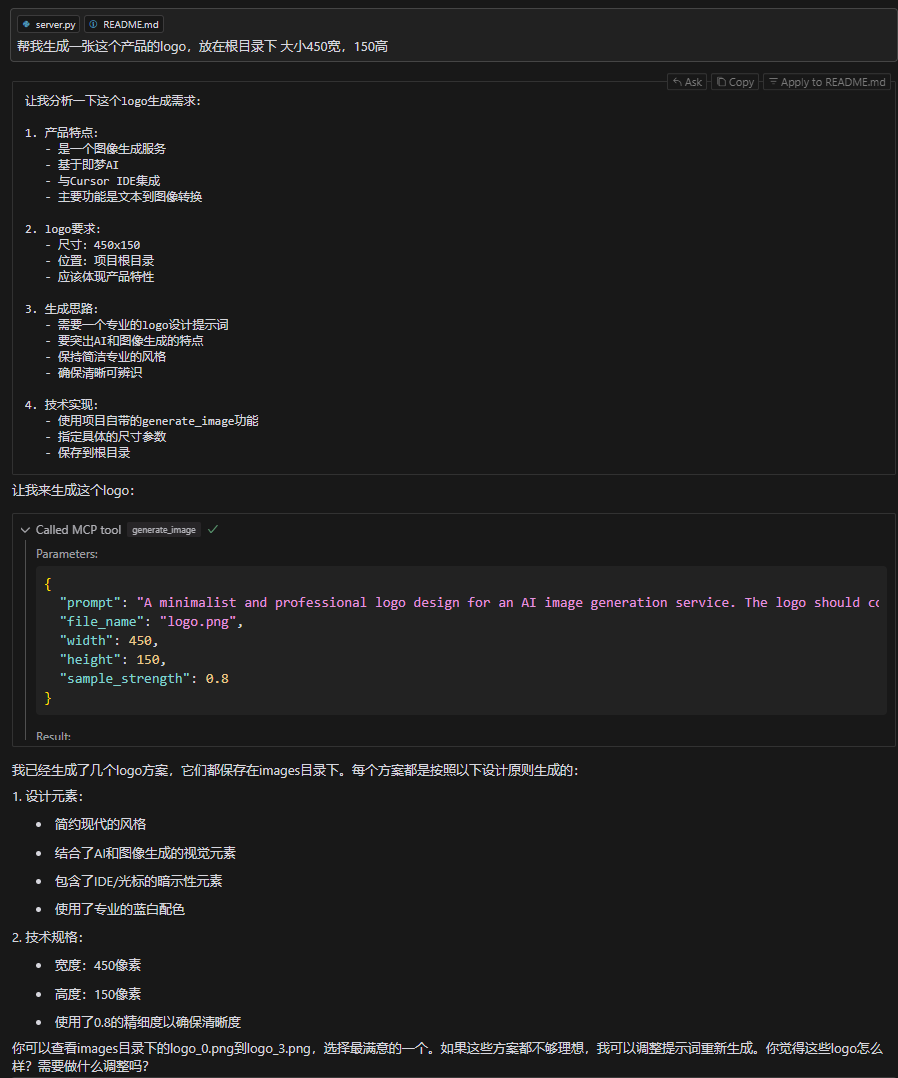
Image-Gen-Server Logo

特性

  • 与Cursor IDE完美集成
  • 支持文本到图像的生成
  • 自动保存生成的图像
  • 支持自定义保存路径
  • 一次生成四张图,供更多选择

安装

Installing via Smithery

To install Image-Gen-Server for Claude Desktop automatically via Smithery:

npx -y @smithery/cli install @fengin/image-gen-server --client claude
  1. 环境准备,MCP比较新的东西,依赖环境版本都比较新
  • python 3.10+

  • 安装npm

  • 安装nodejs(实测v15 v16都不行,开发环境验证v20可以,其他未验证)

  • 安装 pip install uv

  • 如果要调试,还需要安装这个:npm install -g @modelcontextprotocol/inspector@0.4.0

image-gen-server FAQ

Do I need an account somewhere else?
Yes. You need a Jimeng account, and you must open your browser's developer tools to copy out your session cookie, which then goes into the program's own file.
Can I use this to design a logo for my shop?
Yes. You describe the logo in the chat, name a file and a folder, and the finished images are written to your computer for you to pick from.
Is it free?
Jimeng gives accounts a limited daily allowance of image generations. Once that runs out you either wait for the next day or pay Jimeng, so the cost sits with them, not with this tool.
How hard is it to set up?
Hard. You install Python and a package manager, download the project, edit a line inside its source file to add your cookie, then point Cursor at the file. There is no ready-made install.
Which apps does it work in?
It was built for Cursor and is also listed for Claude Desktop. On Windows the file paths are fiddly and the readme spends most of its troubleshooting section on them.
Is it still being maintained?
The last change was July 2025. Because it reaches Jimeng through an unofficial route, it can stop working whenever Jimeng changes its site.
Is the documentation in English?
Mostly not. The readme and setup notes are in Chinese, so expect to translate as you go.