





auth0-mcp-server

auth0-mcp-server

MCP.Pizza Chef: auth0

Twenty-three tools cover creating and updating applications, building and deploying sign-in rules, designing sign-up forms, describing the services your logins protect, and reading the login records when something goes wrong. Signing in happens in your browser rather than by pasting a secret, and the credential is kept in your computer's keychain. There are no delete tools at all, a genuine read-only mode is available at install time, and client secrets come back blanked out. Auth0 publishes it themselves and labels it beta.

Coding
Data

Use This MCP server To

Set up a new login for the app I am building Check who failed to sign in this morning and why Add a rule that runs whenever someone logs in Design a sign-up form without opening the dashboard Save a new app's credentials into my project safely List every application on my account and what it does

README

MCP server for Auth0

License: MIT Node.js Version NPM Downloads NPM Version Ask questions about auth0-mcp-server on DeepWiki

📚 Documentation • 🚀 Getting Started • 💻 Supported Tools • 💬 Feedback

MCP (Model Context Protocol) is an open protocol introduced by Anthropic that standardizes how large language models communicate with external tools, resources or remote services.

Connect Claude, Cursor, or Windsurf to your Auth0 tenant to create apps, deploy Actions, debug logs, and manage users — all without touching the dashboard.

Caution

Beta Software Notice: This software is currently in beta and is provided AS IS without any warranties.

  • Features, APIs, and functionality may change at any time without notice
  • Not recommended for production use or critical workloads
  • Support during the beta period is limited
  • Issues and feedback can be reported through the GitHub issue tracker

By using this beta software, you acknowledge and accept these conditions.

The Auth0 MCP Server integrates with LLMs and AI agents, allowing you to perform various Auth0 management operations using natural language. For instance, you could simply ask Claude Desktop to perform Auth0 management operations:

  • Create a new Auth0 app and get the domain and client ID

  • Create and deploy a new Auth0 action to generate a JWT token

  • Could you check Auth0 logs for logins from 192.108.92.3 IP address?
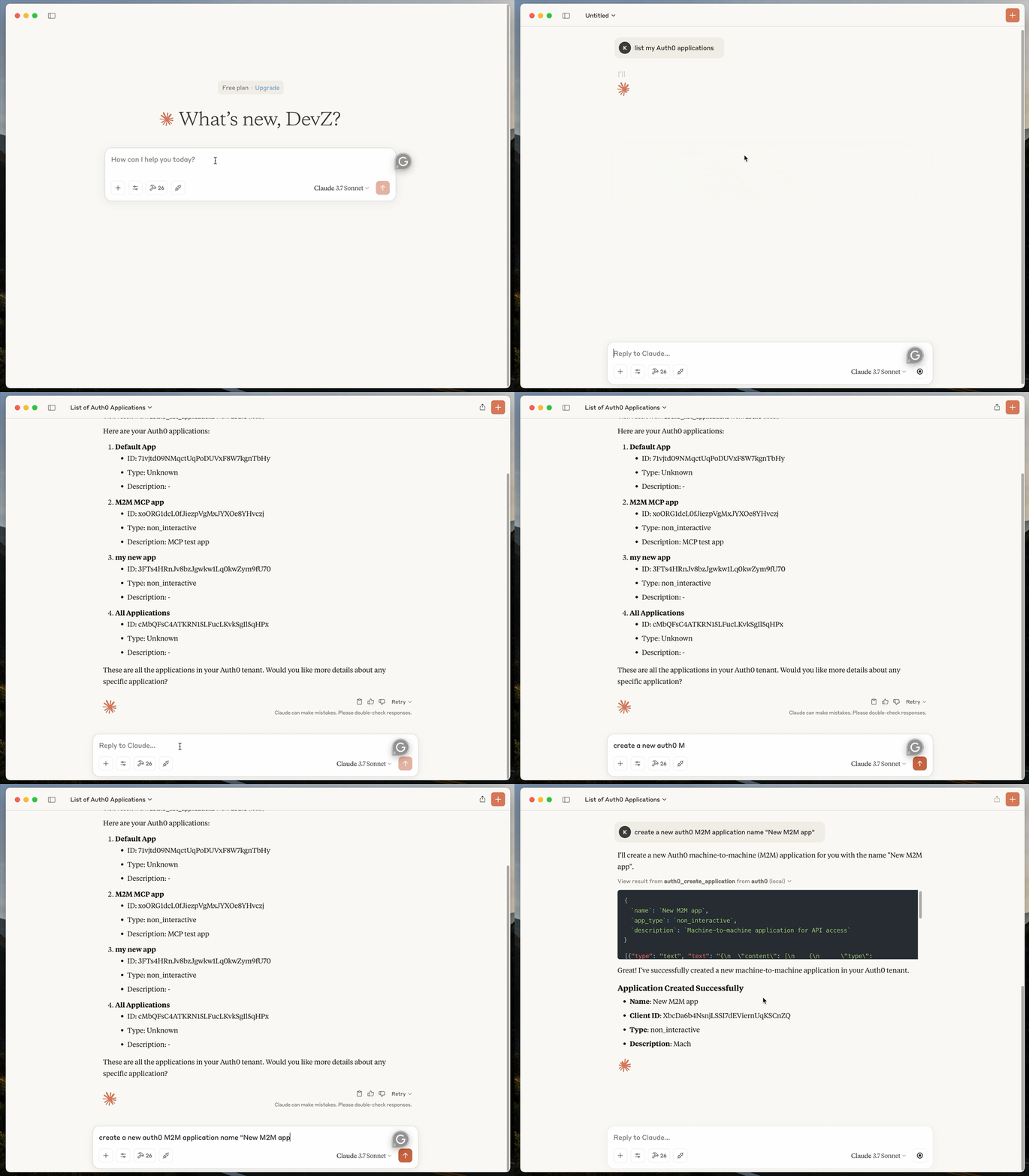

Auth0 MCP Server Demo

🚀 Getting Started

Prerequisites:


auth0-mcp-server FAQ

Do I need to paste a secret key?
No. You sign in through your browser to your own Auth0 account, and the resulting credential is stored in your computer's keychain rather than a config file.
Can I use this to work out why a user cannot log in?
Yes. It can list and read your Auth0 sign-in records, which is the fastest way to see what a failed login actually reported.
Can it delete anything?
No. There are no delete tools in the set at all. It can create and update, but nothing in it removes an application, rule or form.
Is there a safer read-only setup?
Yes, and it is properly enforced. Installing with the read-only option filters the tool list so the write tools are never offered and are rejected if called.
Which apps does it work in?
Claude Desktop, Claude Code, Cursor, Windsurf, VS Code and Gemini's command line all have a single-command setup.
Will my client secrets end up in the chat?
No. Client secrets, signing keys and refresh tokens are replaced with a redaction marker before the response comes back.
How safe is it to rely on?
Auth0 builds and maintains it, but the project itself carries a beta warning and advises against production or critical workloads.
Does it report usage anywhere?
Yes. Anonymous usage events go to an analytics service by default. Setting the AUTH0_MCP_ANALYTICS variable to false switches that off.