
yahoo-finance-mcp

MCP.Pizza Chef: Alex2Yang97

Anyone following the markets can call up a share price history, an income statement, balance sheet or cash flow report, recent headlines about a company, its dividend and split record, which large funds hold it, recent insider trades, analyst ratings, and options listings — then have the assistant compare two companies or write the summary for you. There is nothing to sign up for, because it reads publicly available Yahoo Finance data. Setup needs Python 3.11 or newer.

Data
Web/Research

Use This MCP server To

Compare two companies' latest quarterly results side by side Check how a stock has moved over the past six months Read the latest news about a company I own See which big funds have been buying or selling a stock Look up recent insider trades at a company Summarize what analysts upgraded or downgraded this quarter

README

MseeP.ai Security Assessment Badge

Yahoo Finance MCP Server

English | 中文

This is a Model Context Protocol (MCP) server that provides comprehensive financial data from Yahoo Finance. It allows you to retrieve detailed information about stocks, including historical prices, company information, financial statements, options data, and market news.
smithery badge

Demo

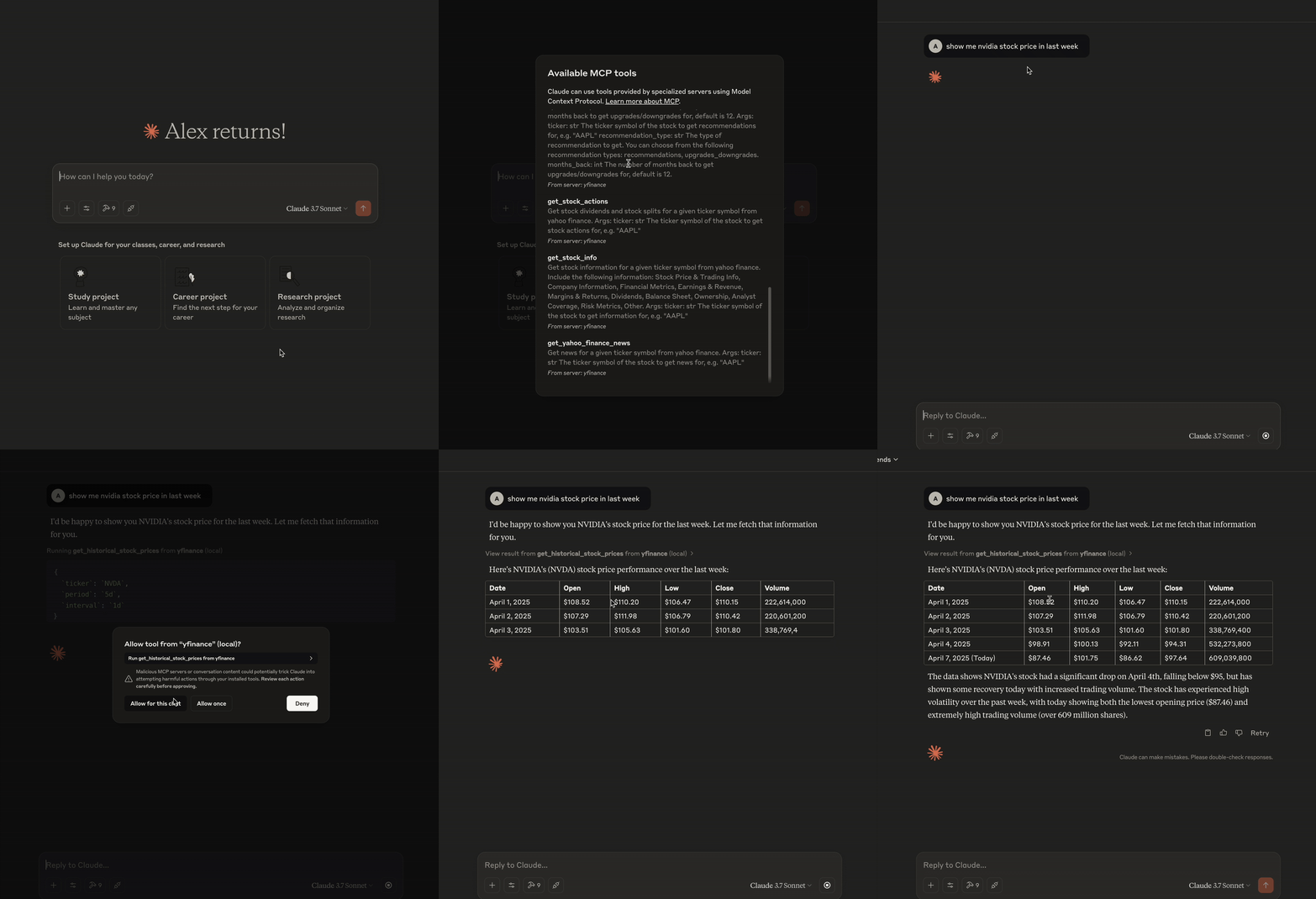
MCP Demo

MCP Tools

The server exposes the following tools through the Model Context Protocol:

Stock Information

Tool Description
get_historical_stock_prices Get historical OHLCV data for a stock with customizable period and interval
get_stock_info Get comprehensive stock data including price, metrics, and company details
get_yahoo_finance_news Get latest news articles for a stock
get_stock_actions Get stock dividends and splits history

Financial Statements

Tool Description
get_financial_statement Get income statement, balance sheet, or cash flow statement (annual/quarterly)
get_holder_info Get major holders, institutional holders, mutual funds, or insider transactions

yahoo-finance-mcp FAQ

Is this still maintained?
Yes, though at a gentle pace — the last change was March 2026. It is a volunteer project, not an official Yahoo product.
Do I need a key or an account?
No. It reads the same free public Yahoo Finance data you would see in a browser, so there is nothing to sign up for and nothing to pay.
Can I use this to compare two companies' finances?
Yes — you can ask for both companies' statements in one question and have the assistant lay out the differences.
Which apps does it work in?
Claude Desktop and VS Code are the documented setups, and any other assistant that runs a local MCP server will work the same way.
How hard is setup?
You need Python 3.11 or newer and the uv command-line tool, then a short config block. Expect to spend a few minutes in a terminal.
Is the data good enough to trade on?
Treat it as background reading. It is free public data, sometimes delayed and occasionally patchy, and none of it is financial advice.