


A simple Model Context Protocol (MCP) server that integrates with Notion's API to manage my personal todo list through Claude. This is a basic implementation tailored specifically for my minimalist todo list setup in Notion.
This project is based on danhilse/notion_mcp, which is available under the MIT license.
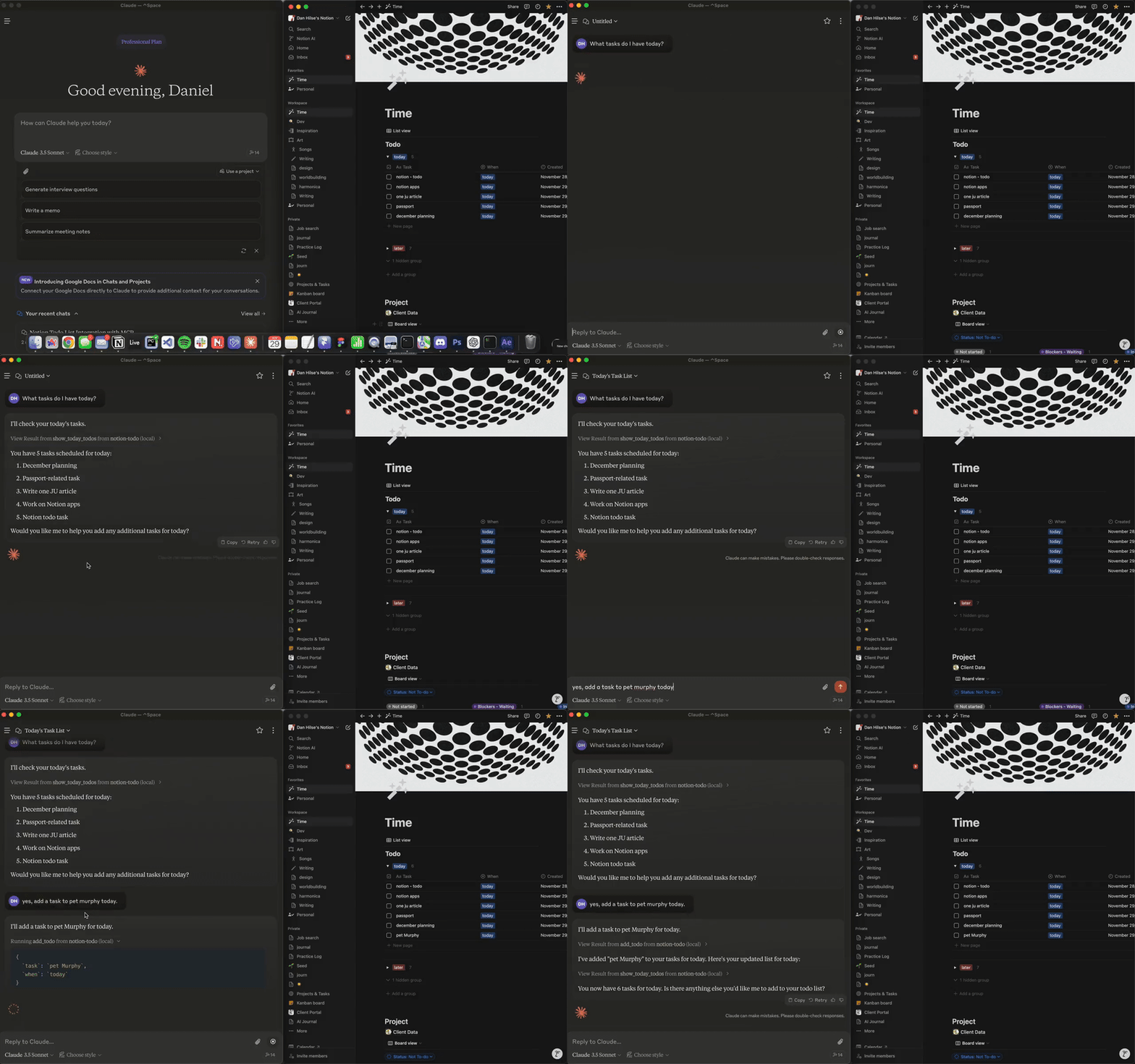
This is a personal project designed for a very specific use case: my simple Notion todo list that has just four properties:
- Task (title)
- Checkbox (marks if completed)
- Description (additional details)
- Link (URL or reference)
While you can use this as a starting point for your own Notion integration, you'll likely need to modify the code to match your specific database structure and requirements.
- Add new todo items with descriptions and links
- View all todos
- Check off tasks as complete
- Link external resources to tasks
- Python 3.10 or higher
- A Notion account
- A Notion integration (API key)
- A Notion database that matches the exact structure described above (or willingness to modify the code for your structure)
- Clone the repository:
git clone https://github.com/yourusername/notion-mcp.git
cd notion-mcp- Set up Python environment:
python -m venv .venv
source .venv/bin/activate  # On Windows use: .venv\Scripts\activate
uv pip install -e .-
Create a Notion integration:
- Go to https://www.notion.so/my-integrations
- Create new integration
- Copy the API key
-
Share your database with the integration:
- Open your todo database in Notion
- Click "..." menu → "Add connections"
- Select your integration
-
Create a
.envfile:
NOTION_API_KEY=your-api-key-here
NOTION_DATABASE_ID=your-database-id-here- Configure Claude Desktop:
{
  "mcpServers": {
    "notion-todo": {
      "command": "/path/to/your/.venv/bin/python",
      "args": ["-m", "notion_mcp"],
      "cwd": "/path/to/notion-mcp"
    }
  }
}The server can be run in two ways:
- Directly from the command line:
# From the project directory with virtual environment activated
python -m notion_mcp- Automatically through Claude Desktop (recommended):
- The server will start when Claude launches if configured correctly in
claude_desktop_config.json - No manual server management needed
- Server stops when Claude is closed
Note: When running directly, the server won't show any output unless there's an error - this is normal as it's waiting for MCP commands.
Basic commands through Claude:
- "Show all my todos"
- "Add a todo: check emails"
- "Add a todo: review project docs, with link: https://example.com/docs"
- "Mark todo [ID] as complete"
- Only works with a specific Notion database structure
- No support for complex database schemas
- Basic error handling
- No support for additional properties or custom fields
- No advanced features like recurring tasks, priorities, or tags
notion_mcp/
├── pyproject.toml
├── README.md
├── .env                   # Not included in repo
└── src/
    └── notion_mcp/
        ├── __init__.py
        ├── __main__.py
        └── server.py      # Main implementation
MIT License - Use at your own risk
- Built to work with Claude Desktop
- Uses Notion's API