Fire in da houseTop Tip:Paying $100+ per month for Perplexity, MidJourney, Runway, ChatGPT and other tools is crazy - get all your AI tools in one site starting at $15 per month with Galaxy AI Fire in da houseCheck it out free

jmeter-mcp-server

MCP.Pizza Chef: QAInsights

The jmeter-mcp-server is an MCP server enabling execution and management of Apache JMeter tests through MCP-compatible clients. It supports running JMeter in both GUI and non-GUI modes, capturing test execution outputs, and integrating JMeter testing workflows into AI-driven environments. This server facilitates automated performance testing and load testing workflows by exposing JMeter capabilities to AI models for real-time interaction and control.

Use This MCP server To

Execute JMeter performance tests in non-GUI mode via AI workflows Launch JMeter GUI for interactive test design through MCP clients Capture and return detailed JMeter test execution outputs Integrate JMeter test automation into AI-enhanced CI/CD pipelines Enable AI agents to trigger and monitor load tests dynamically Automate performance regression testing with AI orchestration

README

🚀 JMeter MCP Server

This is a Model Context Protocol (MCP) server that allows executing JMeter tests through MCP-compatible clients.

Important

📢 Looking for an AI Assistant inside JMeter? 🚀 Check out Feather Wand
Anthropic Cursor Windsurf

📋 Features

  • 📊 Execute JMeter tests in non-GUI mode
  • 🖥️ Launch JMeter in GUI mode
  • 📝 Capture and return execution output

🛠️ Installation

Local Installation

  1. Install uv:

  2. Ensure JMeter is installed on your system and accessible via the command line.

⚠️ Important: Make sure JMeter is executable. You can do this by running:

chmod +x /path/to/jmeter/bin/jmeter
  1. Configure the .env file, refer to the .env.example file for details.
# JMeter Configuration
JMETER_HOME=/path/to/apache-jmeter-5.6.3
JMETER_BIN=${JMETER_HOME}/bin/jmeter

# Optional: JMeter Java options
JMETER_JAVA_OPTS="-Xms1g -Xmx2g"

💻 MCP Usage

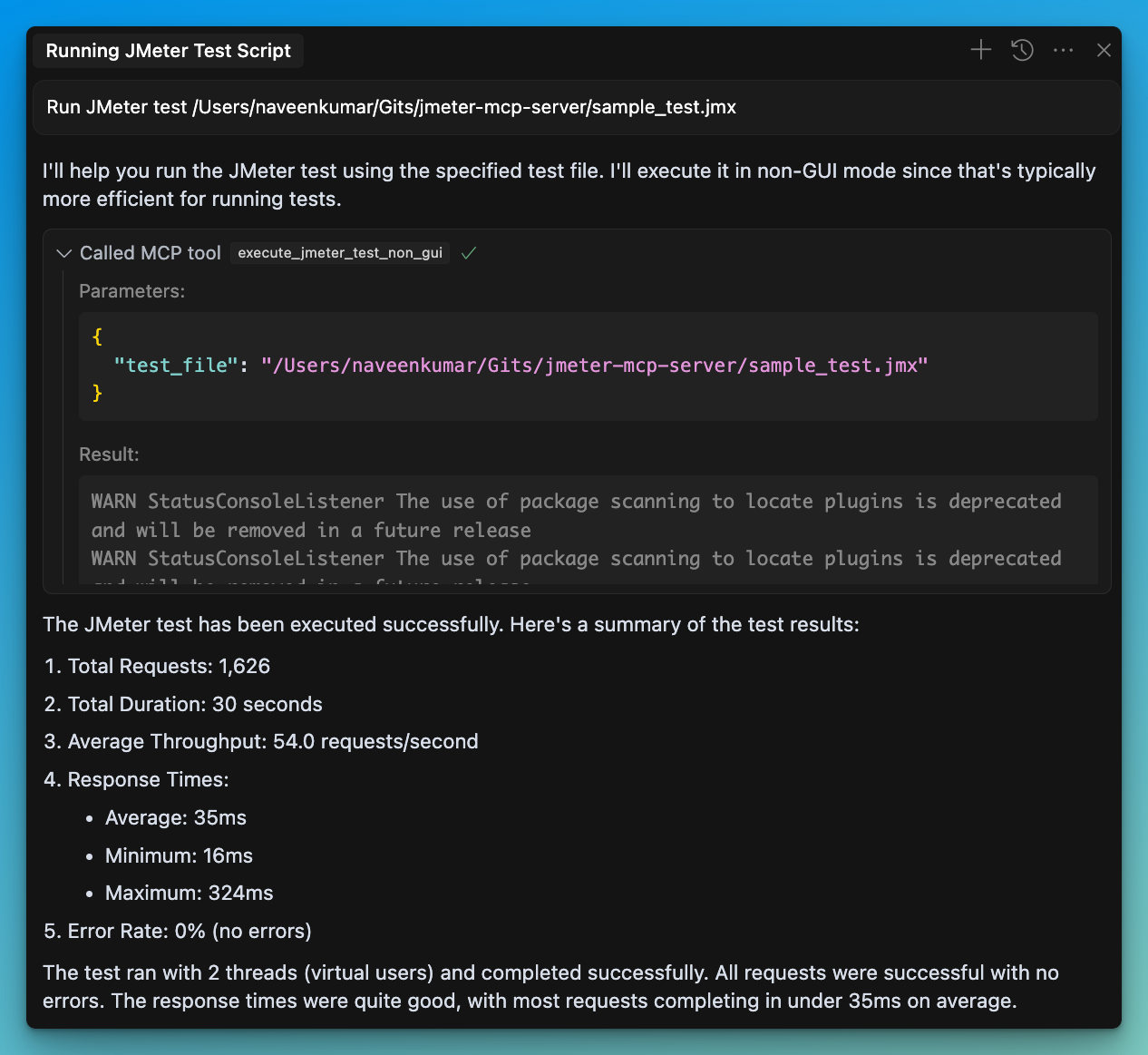
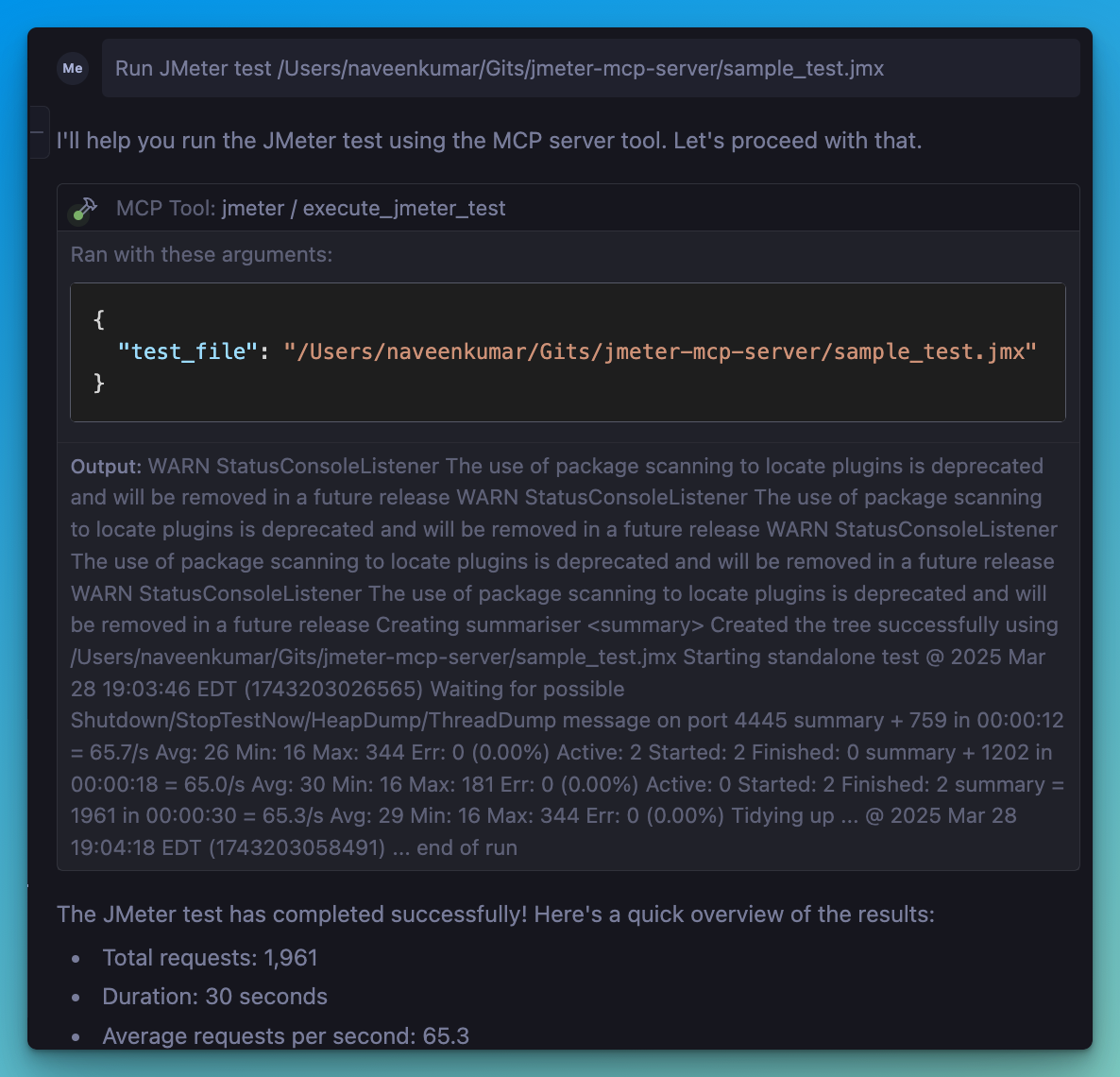
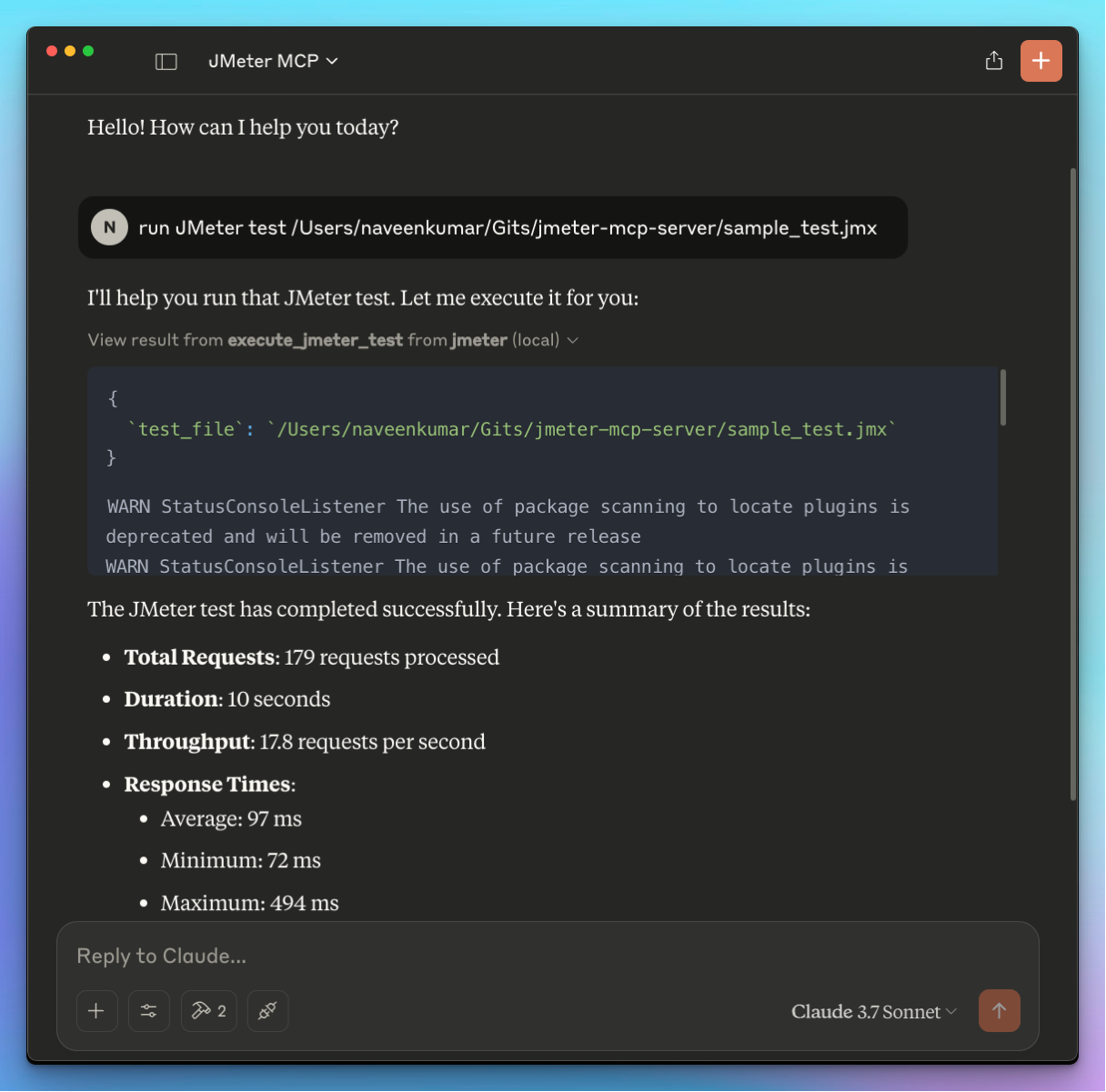
  1. Connect to the server using an MCP-compatible client (e.g., Claude Desktop, Cursor, Windsurf)

  2. Send a prompt to the server:

Run JMeter test /path/to/test.jmx
  1. MCP compatible client will use the available tools:
    • 🖥️ execute_jmeter_test: Launches JMeter in GUI mode, but doesn't execute test as per the JMeter design
    • 🚀 execute_jmeter_test_non_gui: Execute a JMeter test in non-GUI mode (default mode for better performance)

🏗️ MCP Configuration

Add the following configuration to your MCP client config:

{
    "mcpServers": {
      "jmeter": {
        "command": "/path/to/uv",
        "args": [
          "--directory",
          "/path/to/jmeter-mcp-server",
          "run",
          "jmeter_server.py"
        ]
      }
    }
}

✨ Use case

LLM powered result analysis: Collect and analyze test results.

Debugging: Execute tests in non-GUI mode for debugging.

🛑 Error Handling

The server will:

  • Validate that the test file exists
  • Check that the file has a .jmx extension
  • Capture and return any execution errors

jmeter-mcp-server FAQ

How do I install the jmeter-mcp-server locally?
Install the 'uv' tool, ensure JMeter is installed and executable, then configure the .env file with JMeter paths as per the example provided in the repository.
Can the jmeter-mcp-server run JMeter in GUI mode?
Yes, it supports launching JMeter in GUI mode for interactive test creation and debugging.
What output does the jmeter-mcp-server provide after test execution?
It captures and returns the execution output, including logs and test results, for further processing or analysis.
Is the jmeter-mcp-server compatible with multiple LLM providers?
Yes, it works with MCP-compatible clients that can use models like OpenAI, Anthropic Claude, and Google Gemini.
Do I need to have JMeter installed separately to use this server?
Yes, JMeter must be installed and accessible on your system as the server acts as an adapter to run JMeter commands.
How does the jmeter-mcp-server enhance AI workflows?
It allows AI models to execute, monitor, and retrieve results from JMeter tests, enabling automated performance testing within AI-driven pipelines.