manim-mcp-server

MCP.Pizza Chef: abhiemj

Manim is the Python drawing library made famous by the 3Blue1Brown maths videos. With this in place you describe an animation in ordinary words, and the assistant writes the Manim script, renders it, and hands back the finished video file in a folder you can open. You need Python and Manim already installed, and you point the settings at both. No account or paid service is involved. The project has had no updates since May 2025.

Unmaintained Ā· no commits since May 2025
Coding
Images/Design

Use This MCP server To

Turn a maths idea into a short animated clip Animate a graph changing while I explain it Render a quick explainer video for a lesson Preview an animation before I draw it properly Clear out temporary files after a render

README

Manim MCP Server

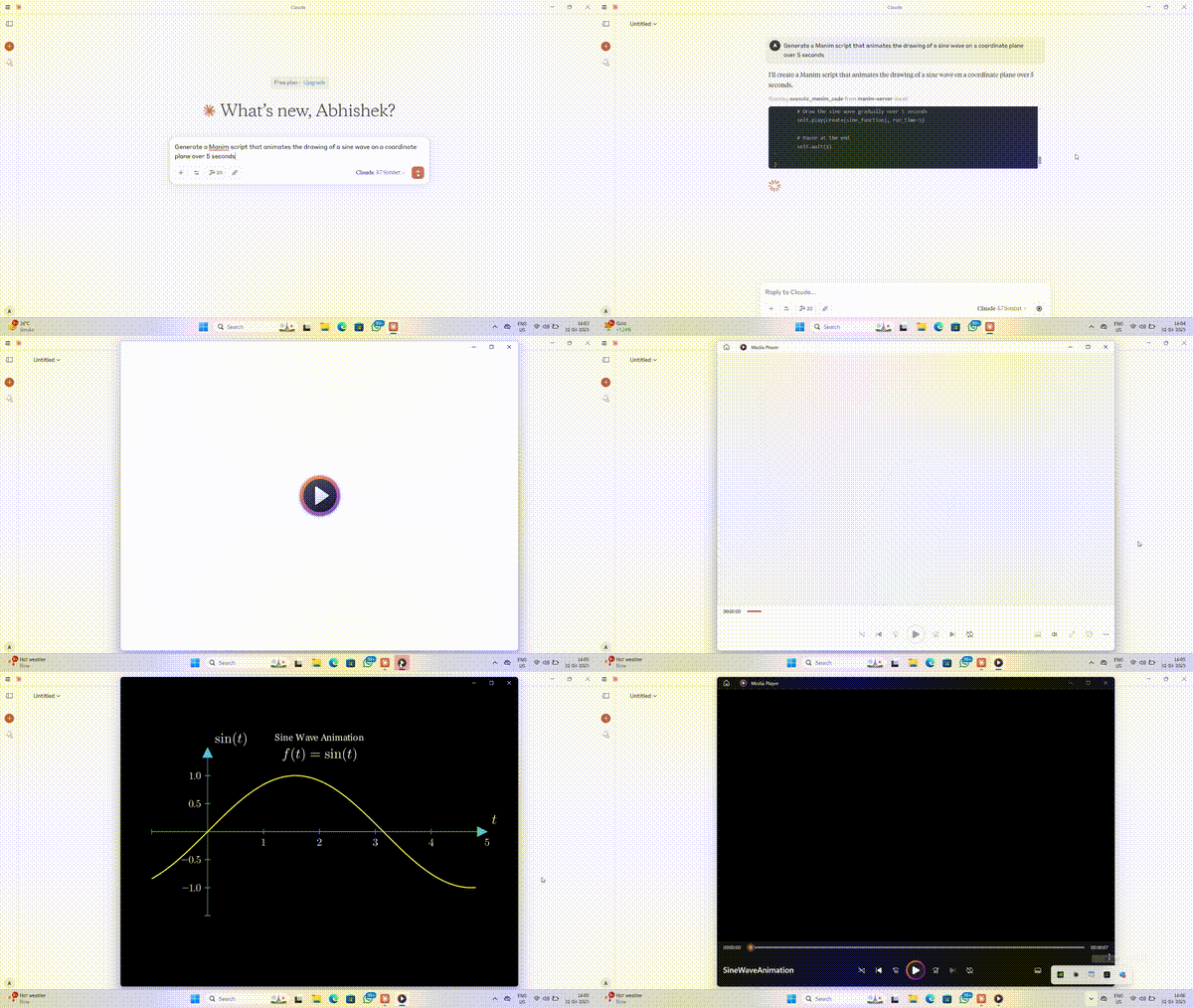
Manim MCP Demo

Overview

This is an MCP (Model Context Protocol) server that executes Manim animation code and returns the generated video. It allows users to send Manim scripts and receive the rendered animation.

Features

  • Executes Manim Python scripts.
  • Saves animation output in a visible media folder.
  • Allows users to clean up temporary files after execution.
  • Portable and configurable via environment variables.

Installation

Prerequisites

Ensure you have the following installed:

  • Python 3.8+
  • Manim (Community Version)
  • MCP

Install Manim

pip install manim

Install MCP

pip install mcp

Clone the Repository

git clone https://github.com/abhiemj/manim-mcp-server.git
cd manim-mcp-server

Integration with Claude

To integrate the Manim MCP server with Claude, add the following to your claude_desktop_config.json file:

{
  "mcpServers": {
     "manim-server": {
      "command": "/absolute/path/to/python",
      "args": [
        "/absolute/path/to/manim-mcp-server/src/manim_server.py"
      ],
      "env": {
        "MANIM_EXECUTABLE": "/Users/[Your_username]/anaconda3/envs/manim2/Scripts/manim.exe"
      }
    }
  }
}

Finding Your Python Path

To find your Python executable path, use the following command:

Windows (PowerShell):
(Get-Command python).Source
Windows (Command Prompt/Terminal):
where python
Linux/macOS (Terminal):
which python

This ensures that Claude can communicate with the Manim MCP server to generate animations dynamically.

Contributing

  1. Fork the repository.
  2. Create a new branch:
    git checkout -b add-feature
  3. Make changes and commit:
    git commit -m "Added a new feature"
  4. Push to your fork:
    git push origin add-feature
  5. Open a pull request.

License

This MCP server is licensed under the MIT License. This means you are free to use, modify, and distribute the software, subject to the terms and conditions of the MIT License. For more details, please see the LICENSE file in the project repository.

Author

Created by abhiemj. Contributions welcome! šŸš€

Listed in Awesome MCP Servers

This repository is featured in the Awesome MCP Servers repository under the Animation & Video category. Check it out along with other great MCP server implementations!

Acknowledgments

  • Thanks to the Manim Community for their amazing animation library.
  • Inspired by the open-source MCP ecosystem.

Find me at

aiburner_official @aiburner_official

manim-mcp-server FAQ

Which app does this work in?
The instructions cover Claude Desktop; other assistants that read the same settings file should also work.
Do I need a key or a paid account?
No, but Python and the Manim animation library must already be installed on your machine.
Can I use this to make a video for a lesson?
Yes — describe the scene and it renders a video file you can play or share.
How hard is the setup?
This is the fiddly part: you download the project and give it the exact file paths to your Python and Manim programs.
Is it still being worked on?
There have been no commits since May 2025, so treat it as finished rather than actively maintained.
Where do the finished videos go?
Into a normal media folder you choose, so you can open them like any other video.