vscode-as-mcp-server

MCP.Pizza Chef: acomagu

Install it as a Visual Studio Code add-on and the editor itself becomes something Claude Desktop or another assistant can drive. Thirteen tools cover viewing and editing files, running commands in the built-in terminal, reading the error underlines, starting and stopping debugging, listing folders and previewing a page. Edits and terminal commands raise an approve-or-reject prompt in the editor. One tool, which runs any built-in editor command, skips that prompt, it listens on an unprotected network port, and it has not been updated since October 2025.

Coding

Use This MCP server To

Ask for a code change and review the diff before accepting Run a build in the terminal and read the errors back List every type error in the project right now Start a debugging session without hunting through menus Preview my local site inside the editor Jump the editor to the exact line we are discussing

README

VSCode as MCP Server

Marketplace

A VSCode extension that turns your VSCode into an MCP server, enabling advanced coding assistance from MCP clients like Claude Desktop.

Key Features

Code Editing Support

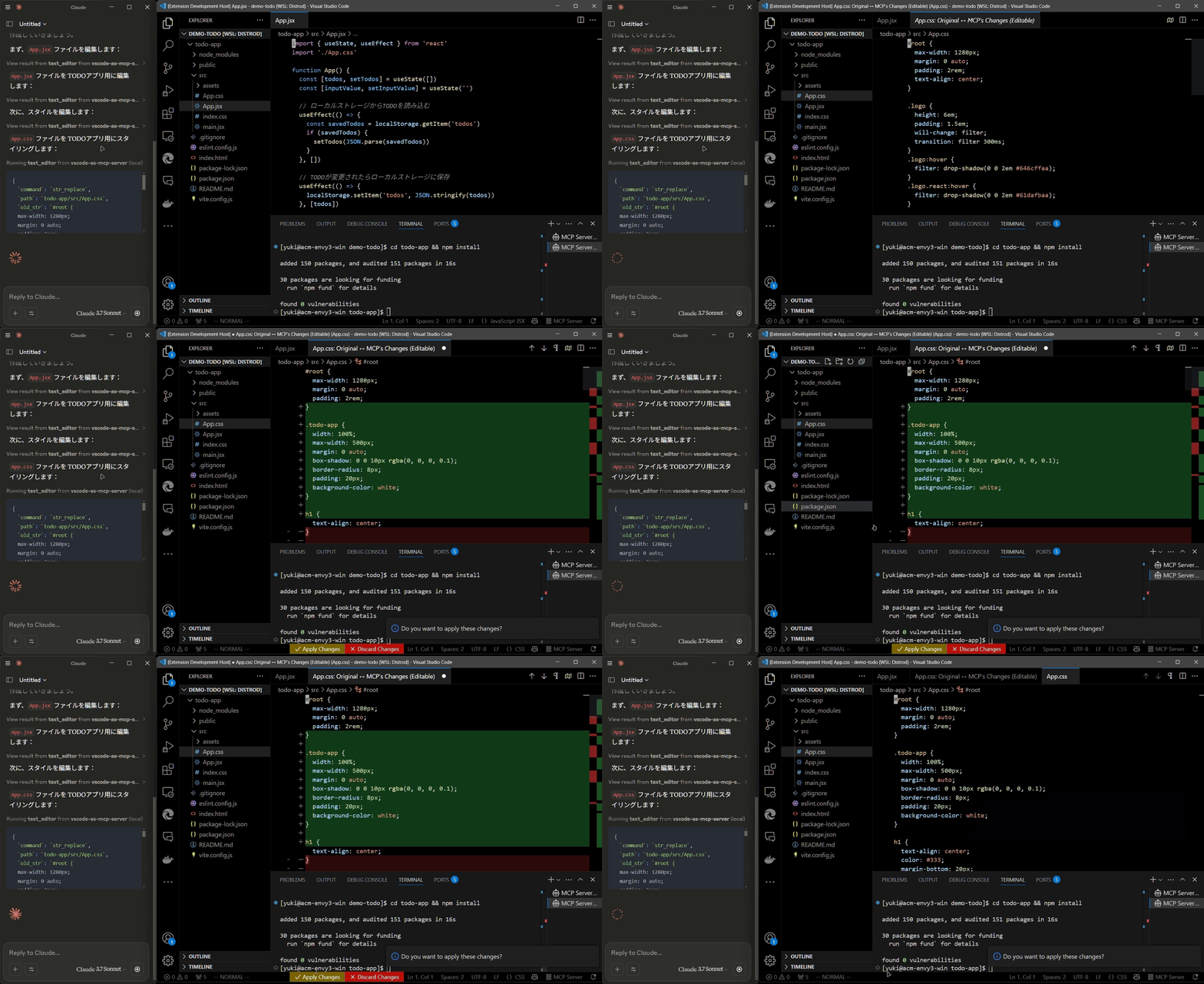
  • Review proposed code changes from an LLM through diffs, allowing you to accept, reject, or provide feedback.
  • Real-time diagnostic messages (e.g., type errors) sent instantly to the LLM for immediate corrections.

Code editing diff

Terminal Operations

  • Execute commands within VSCode’s integrated terminal (supports background/foreground execution, and timeout settings).

Preview Tools

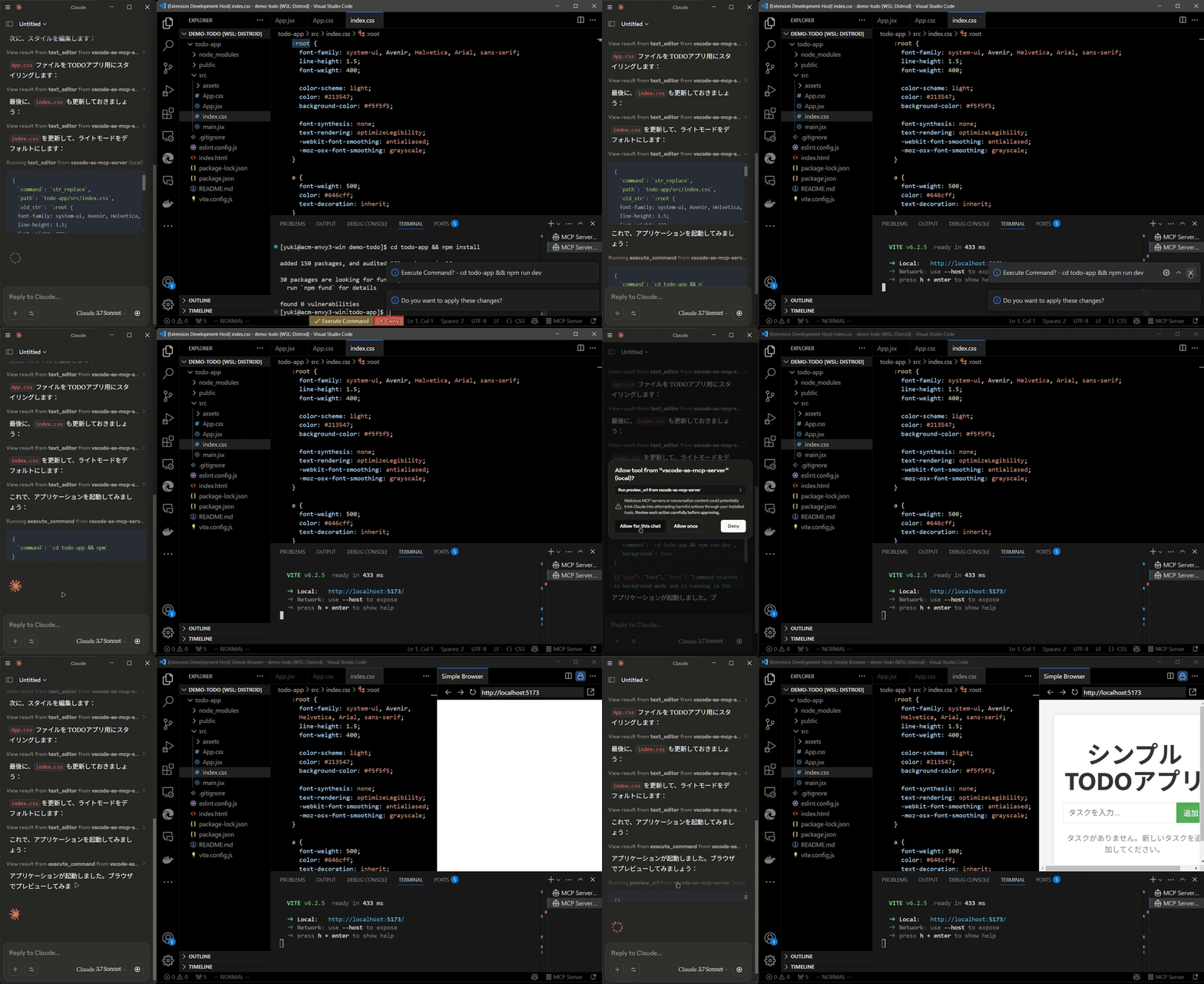
  • Preview URLs directly within VSCode’s built-in browser (e.g., automatically opens browser preview after starting a Vite server).

Preview tool

Multi-instance Switching

  • Easily switch the MCP server between multiple open VSCode windows.(Just by clicking the status bar item)

vscode-as-mcp-server FAQ

Is it still being updated?
The last change landed in October 2025, so it has been quiet for several months. It is not archived and the marketplace listing is still up.
Do I need a key or a paid account?
No. The add-on is free from the marketplace and needs no key. Whatever you pay for your assistant is separate.
Can it change my files without asking?
Mostly no. File edits and terminal commands raise an approve-or-reject prompt in the editor, and that prompt really is wired in. The exception is the tool that runs any built-in editor command, which has no prompt at all, and editor commands can save, move or delete files.
Is it safe on a shared or office network?
Treat it with caution. It opens a network port that is not limited to your own machine and has no password on it, so anyone who can reach your computer on that port could drive your editor. Use it behind a firewall or on a network you trust.
Which apps can connect to it?
Claude Desktop, Cursor, Roo Code and other MCP-compatible assistants. You paste a two-line block into the assistant's config.
Can I use this at work?
Yes. The listing page shows no licence at the top level, but the extension folder carries an Apache 2.0 licence, which permits commercial use.
How many tools does it add?
Thirteen, and the documentation lists all of them accurately.
I keep several editor windows open — which one does it use?
You pick. A small button in the status bar switches which window the assistant is talking to.
How hard is setup?
Easy. Install the extension from the marketplace, paste a short config block into your assistant, and check the status bar shows the server running.