

roam-research-mcp

MCP.Pizza Chef: 2b3pro

Twenty-five tools read and write your graph without Roam being open, which the official connector cannot do, because this one talks to Roam's own servers rather than the desktop app. You can search by tag, status, text or date, fetch a page in full, drop a to-do onto today's page, and rewrite a page while keeping the links into it intact. Deliberately, no tool deletes a page, though single blocks can be removed in a batch. Needs a paid Roam subscription and a graph token. Actively developed.

Notes
Writing

Use This MCP server To

Save a quick thought to today's page without opening Roam Find every note tagged with a project name List my unfinished to-dos across the whole graph Pull a full page including everything that links to it Rewrite a page without breaking the links into it Search for notes I changed today

README

Roam Research MCP + CLI

Roam Research MCP + CLI

npm version Project Status: Active License: MIT GitHub

Roam Research MCP server MseeP.ai Security Assessment Badge

Introduction

I created this project to solve a personal problem: I wanted to manage my Roam Research graph directly from Claude Code (and other LLMs). As I built the Model Context Protocol (MCP) server to give AI agents access to my notes, I realized the underlying tools were powerful enough to stand on their own.

What started as an backend for AI agents evolved into a full-featured Standalone CLI. Now, you can use the same powerful API capabilities directly from your terminal—piping content into Roam, searching your graph, and managing tasks—without needing an LLM at all.

Whether you want to give Claude superpowers over your knowledge base or just want a robust CLI for your own scripts, this project has you covered.
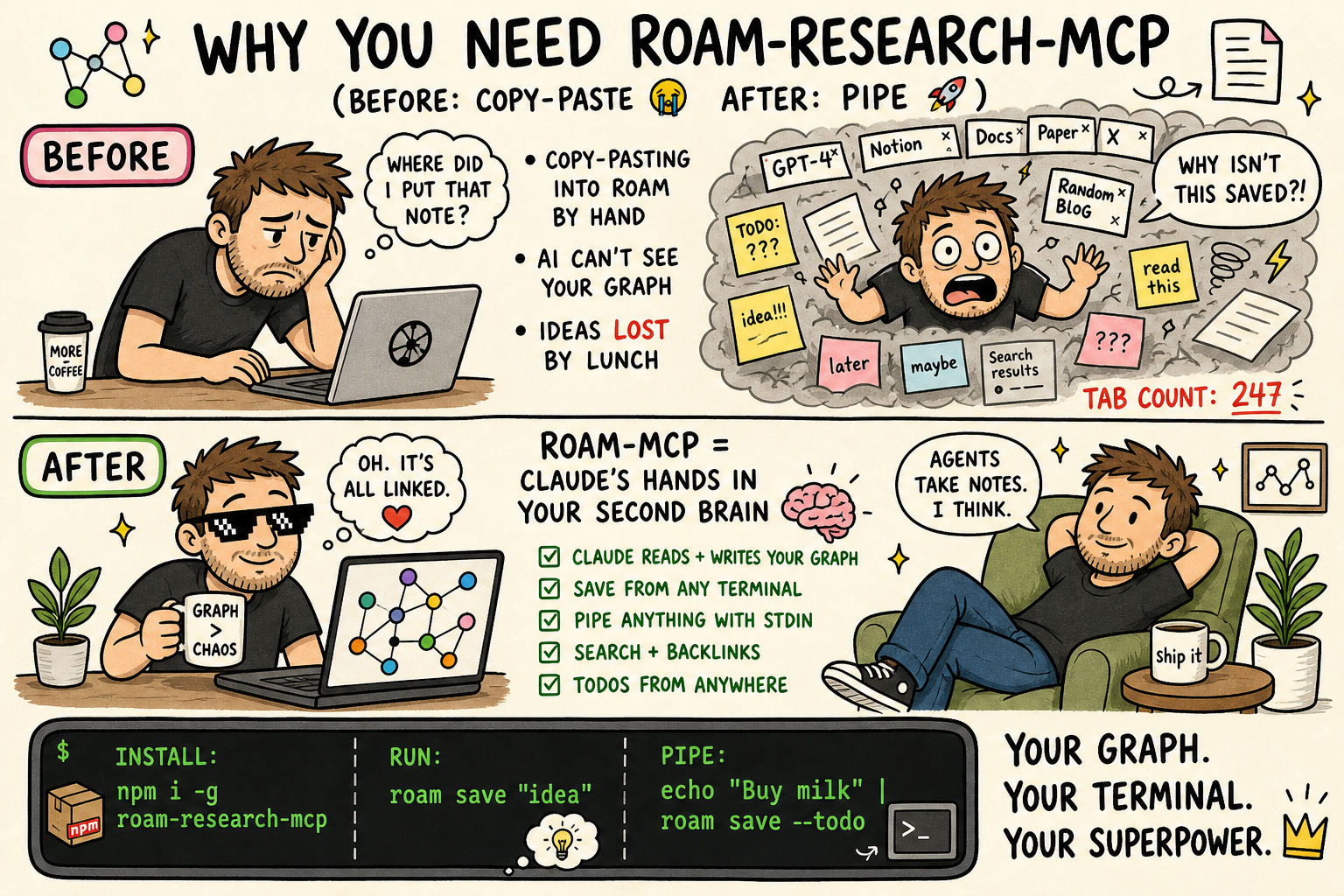
Before and after: copy-pasting notes into Roam by hand, versus Claude and your terminal reading and writing the graph directly — install with npm i -g roam-research-mcp, then roam save "idea" or pipe with echo "Buy milk" | roam save --todo

How this differs from Roam's official MCP server

Roam Research ships its own MCP server and CLI (@roam-research/roam-mcp). It is a good tool, and this project is not trying to replace it. They talk to two different Roam APIs, which is the difference everything else follows from.

roam-research-mcp FAQ

Do I need a paid account?
Yes. Roam Research is a paid subscription with no permanent free tier, and this needs a graph token you generate from your own graph. The connector itself is free and MIT-licensed.
Do I need a key?
You need a Roam graph token and your graph's name, both set before the server starts. Neither is typed into the conversation.
Does Roam have to be running?
No, and that is the main reason to pick this over Roam's own connector. It reaches Roam's servers directly, so it works on a machine where the Roam app is not even installed.
Can it delete my notes?
Pages, no. There is deliberately no page-delete tool, because Roam cannot undo a bulk deletion. Individual blocks can be removed through the batch tool, which is correctly flagged as destructive, and that happens without a confirmation step.
Is there any protection against unwanted changes?
Yes, and it is genuinely enforced rather than merely documented. Mark a graph as protected and all ten writing tools refuse to run unless a separate write key is passed, checked on every single call. It is off until you set it up.
Can I use this to capture ideas quickly?
Yes. Ask it to save a note or a to-do and it lands on today's daily page, creating that page first if it does not exist yet.
Is there a bug I should know about?
Yes. In the standard setup, a few write operations print a status line onto the same channel the assistant uses to talk to the server, which can garble the connection mid-request — most likely when a batch of changes creates a daily page. Its separate always-on daemon mode avoids the problem.
Which apps does it work in?
Claude Desktop, Claude Code and Cline through a pasted snippet, with a Docker option as well. It also ships a standalone terminal command, so you can use it without an assistant at all.
How hard is setup?
Pasting the snippet is easy, but you must first generate a graph token inside Roam. The multi-graph and shared-daemon options take noticeably more work.
Is it maintained?
Yes, very actively — code changes landed in August 2026, and all twenty-five advertised tools are properly wired up.