Fire in da houseTop Tip:Paying $100+ per month for Perplexity, MidJourney, Runway, ChatGPT and other tools is crazy - get all your AI tools in one site starting at $15 per month with Galaxy AI Fire in da houseCheck it out free

cos-mcp

MCP.Pizza Chef: Tencent

Tencent Cloud COS MCP Server is an MCP protocol-based server that enables large language models to seamlessly integrate with Tencent Cloud Object Storage (COS) and media processing capabilities without coding. It supports file upload/download, cloud file listing, image processing (super-resolution, cropping, quality evaluation), QR code recognition, metadata search, document conversion, and video thumbnail generation, facilitating automated cloud storage and media workflows.

Use This MCP server To

Upload files to Tencent Cloud Object Storage (COS) without coding Download and list files stored in Tencent COS Perform image super-resolution and cropping in the cloud Automatically recognize QR codes in images Evaluate image quality for media assets Add text watermarks to images via cloud processing Convert documents to PDF format in the cloud Generate video thumbnails for stored videos Batch transfer web media content to COS storage Automate cloud-based media processing and storage workflows

README

中文 | English

腾讯云 COS MCP Server 🚀🚀🚀

logo

基于 MCP 协议的腾讯云 COS MCP Server,无需编码即可让大模型快速接入腾讯云存储 (COS) 和数据万象 (CI) 能力。


✨ 核心功能

云端存储能力

  • ⬆️ 文件上传到云端
  • ⬇️ 文件从云端下载
  • 📋 获取云端文件列表

云端处理能力

  • 🖼️ 获取图片信息
  • 🔍 图片超分辨率
  • ✂️ 图片裁剪
  • 📲 二维码识别
  • 🏆 图片质量评估
  • 🅰️ 文字水印
  • 🎬 元数据/自然语言检索 (MateInsight)
  • 📄 文档转 PDF
  • 🎥 视频封面

💡 典型应用场景

  • 使用其他 MCP 能力获取的文本/图片/视频/音频等数据,可直接上传到 COS 云端存储。
  • 本地数据快速通过大模型转存到 COS 云端存储/备份。
  • 通过大模型实现自动化:将网页里的视频/图片/音频/文本等数据批量转存到 COS 云端存储。
  • 自动化将视频/图片/音频/文本等数据在云端处理,并转存到 COS 云端存储。

🌟 功能示例

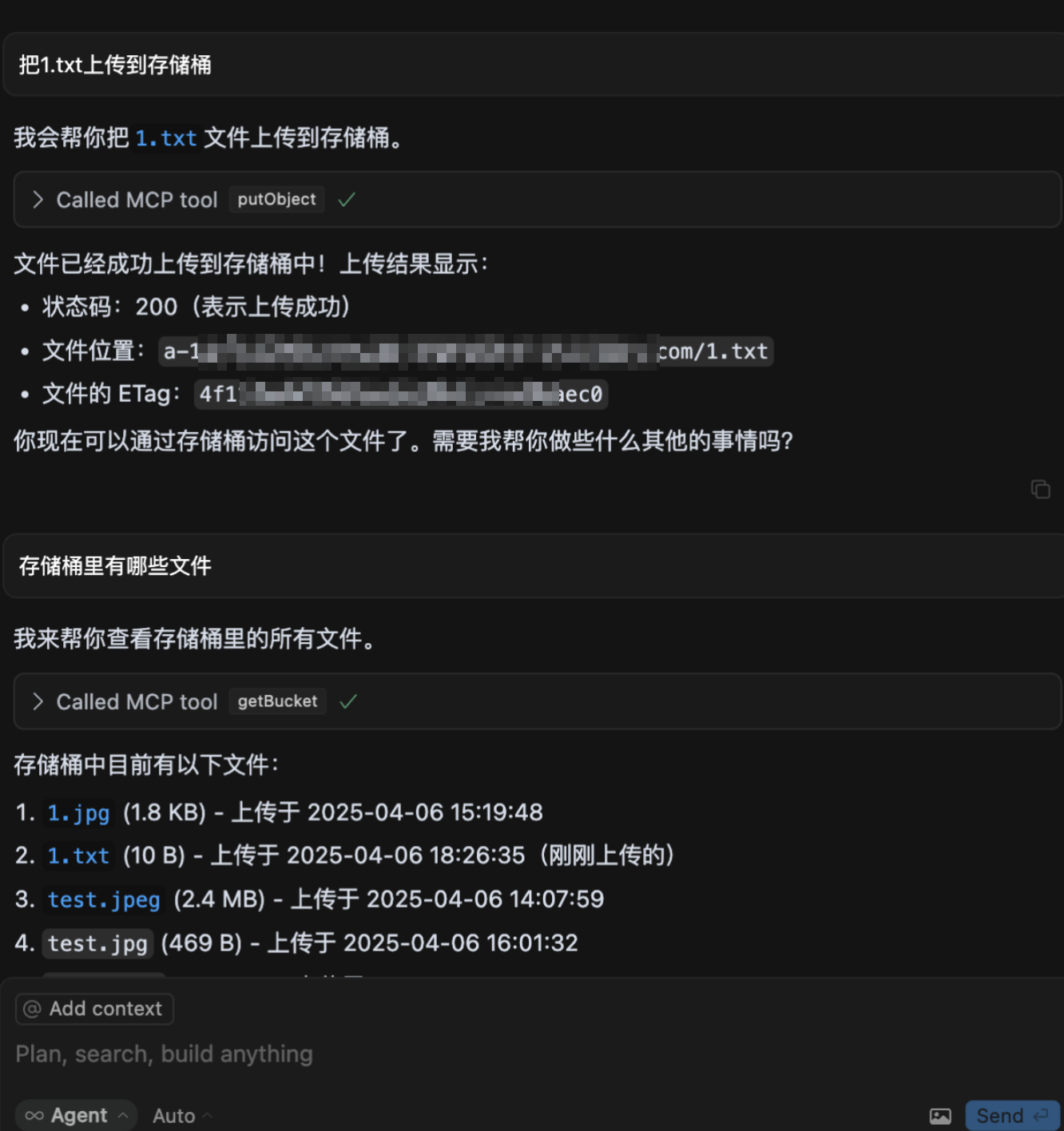
  1. 上传文件到 COS
    eg1
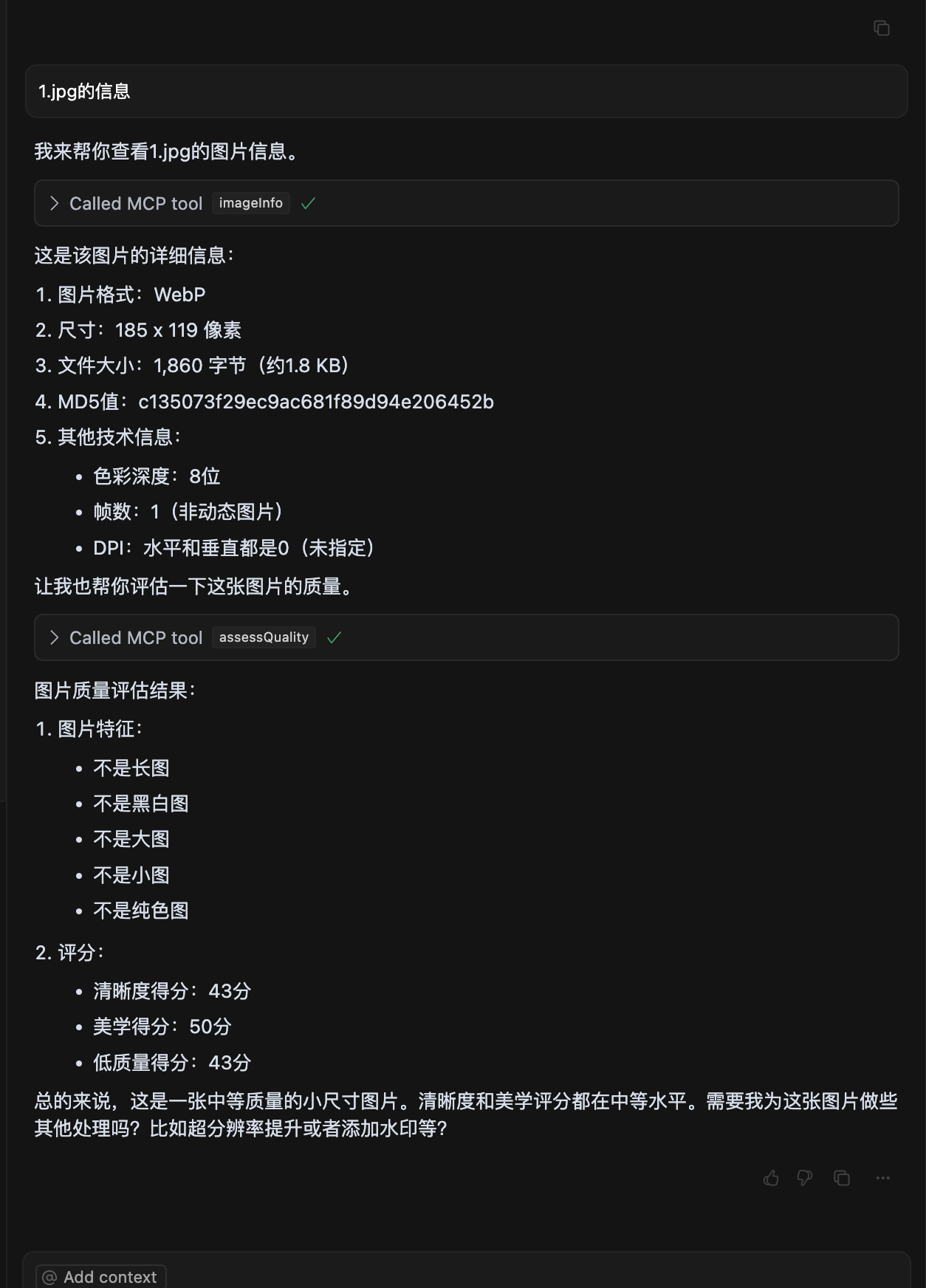
  2. 图片质量评估
    eg3
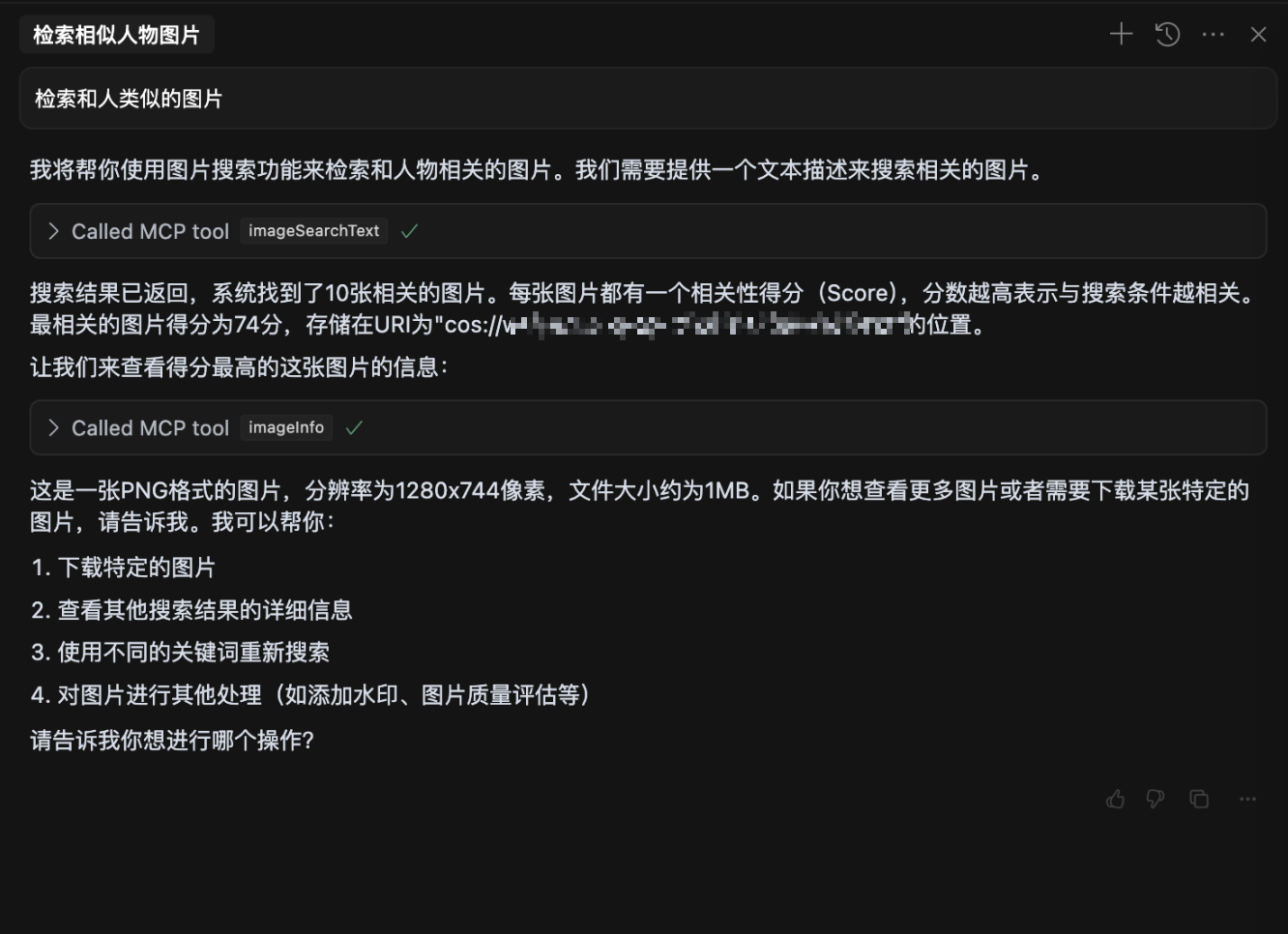
  3. 自然语言检索图片
    eg2
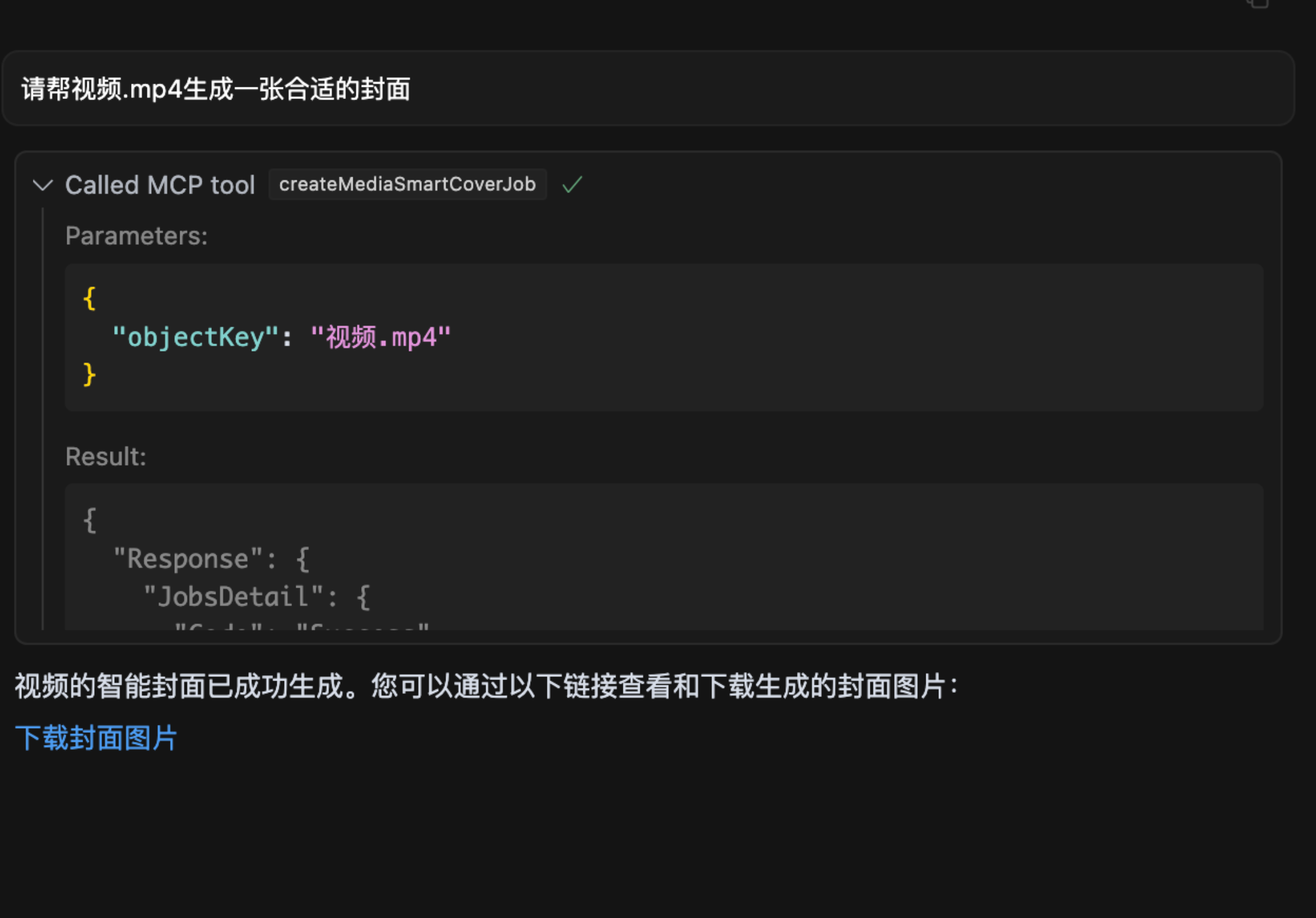
  4. 视频截帧
    eg15

🔧 安装使用

参数说明

为了保护您的数据私密性,请准备以下参数:

1. SecretId / SecretKey

  • 说明: 腾讯云 COS 的密钥,用于身份认证,请妥善保管,切勿泄露。
  • 获取方式:
    1. 访问 腾讯云密钥管理
    2. 新建密钥并复制生成的 SecretIdSecretKey

2. Bucket

  • 示例: mybucket-123456
  • 说明: 存储桶名称,用于存放数据,相当于您的个人存储空间。
  • 获取方式:
    1. 访问 存储桶列表
    2. 复制存储桶名称。如果没有存储桶,可点击“创建存储桶”,一般选择默认配置即可快速完成创建。

3. Region

  • 示例: ap-beijing
  • 说明: 存储桶所在的地域。
  • 获取方式:
    1. 存储桶列表 中找到存储桶。
    2. 在存储桶名称一行查看所属地域并复制,例如:ap-beijing

4. DatasetName

  • 说明: 非必填参数,数据智能检索操作需要此参数。
  • 获取方式:
    1. 访问 数据集管理
    2. 创建数据集并等待索引建立完成后,复制数据集名称。

5. connectType

  • 说明: 非必填参数,指定连接方式,可选值为 stdio(本地)或 sse(远程)。
  • 默认值: stdio

6. port

  • 说明: 非必填参数,当连接方式为 sse 时,可自由设置端口。
  • 默认值: 3001

从 npx 启动

在大模型内使用时(例如: cursor),需要在 mcp.json 中配置:

{
  "mcpServers": {
    "cos-mcp": {
      "command": "npx",
      "args": [
        "cos-mcp",
        "--Region=yourRegion",
        "--Bucket=yourBucket",
        "--SecretId=yourSecretId",
        "--SecretKey=yourSecretKey",
        "--DatasetName=yourDatasetname"
      ]
    }
  }
}

也可以通过 JSON 配置:

{
  "mcpServers": {
    "cos-mcp": {
      "command": "npx",
      "args": [
        "cos-mcp",
        "--cos-config='{\"Region\":\"yourRegion\",\"Bucket\":\"yourBucket\",\"SecretId\":\"yourSecretId\",\"SecretKey\":\"yourSecretKey\",\"DatasetName\":\"yourDatasetname\"}'"
      ]
    }
  }
}

使用 npm 安装

# 安装
npm install -g cos-mcp@latest

# 运行开启 SSE 模式
cos-mcp --Region=yourRegion --Bucket=yourBucket --SecretId=yourSecretId --SecretKey=yourSecretKey --DatasetName=yourDatasetname --port=3001 --connectType=sse

# 或通过 JSON 配置
cos-mcp --cos-config='{"Region":"yourRegion","Bucket":"BucketName-APPID","SecretId":"yourSecretId","SecretKey":"yourSecretKey","DatasetName":"datasetName"}' --port=3001 --connectType=sse

在大模型内使用 SSE 模式时(例如: cursor),需要在 mcp.json 中配置:

{
  "mcpServers": {
    "cos-mcp": {
      "url": "http://localhost:3001/sse"
    }
  }
}

使用源码安装

步骤 1: 克隆项目代码

git clone https://github.com/Tencent/cos-mcp.git
cd cos-mcp

步骤 2: 安装依赖

npm install

步骤 3: 启动服务

3.1 配置本地环境变量

创建 .env 文件,并配置以下环境变量:

Region='yourRegion'
Bucket='yourBucket'
SecretId='yourSecretId'
SecretKey='yourSecretKey'
DatasetName="yourDatasetName"
3.2 本地 SSE 模式启动(方式一)
npm run start:sse
3.3 本地构建后使用 STDIO 模式(方式二)
npm run build

构建产物位于 dist/index.js


步骤 4: 在大模型内使用

SSE 模式配置
{
  "mcpServers": {
    "cos-mcp": {
      "url": "http://localhost:3001/sse"
    }
  }
}
STDIO 模式配置
{
  "mcpServers": {
    "cos-mcp": {
      "command": "node",
      "args": [
        "${your work space}/dist/index.js"
      ]
    }
  }
}

完成以上步骤后,即可通过源码运行 COS MCP Server。


⚠️ 注意事项

  1. 如果安装了旧版本的包,可以将上述内容内 cos-mcp 改为 cos-mcp@latest 安装最新版包。
  2. 如果全局安装后直接使用 cos-mcp 不行,可能是全局变量有问题,可以使用拆分变量或 npx 的方式启动:
    npm install -g cos-mcp@latest
    cos-mcp --cos-config=xxx --port=3001 --connectType=sse
    上述命令效果等同于:
    npx cos-mcp@latest --cos-config=xxx --port=3001 --connectType=sse
  3. 如果出现解析问题,可能是终端对双引号敏感,可以将配置参数改为以下格式再尝试:
    --cos-config='{\"Region\":\"yourRegion\",\"Bucket\":\"BucketName-APPID\",\"SecretId\":\"yourSecretId\",\"SecretKey\":\"yourSecretKey\",\"DatasetName\":\"datasetName\"}' --port=3001 --connectType=sse

📄 许可证

license

cos-mcp FAQ

How does cos-mcp enable no-code integration with Tencent Cloud storage?
cos-mcp exposes Tencent Cloud COS and media processing APIs via the MCP protocol, allowing large models to interact with cloud storage and media features without writing code.
Can cos-mcp handle media processing tasks like image enhancement?
Yes, cos-mcp supports image super-resolution, cropping, quality evaluation, QR code recognition, and watermarking directly in the cloud.
Is it possible to automate batch uploads of multimedia content using cos-mcp?
Absolutely, cos-mcp facilitates automated batch uploading and processing of images, videos, audio, and text to Tencent COS storage.
What types of files can be managed with cos-mcp?
cos-mcp supports a wide range of files including images, videos, audio, documents, and general data files stored in Tencent COS.
Does cos-mcp support document conversion?
Yes, it can convert documents to PDF format as part of its cloud processing capabilities.
How does cos-mcp handle video content?
It can generate video thumbnails and supports video frame extraction for enhanced media management.
Can cos-mcp be used with different large language models?
Yes, cos-mcp is model-agnostic and can be integrated with models like OpenAI GPT, Anthropic Claude, and Google Gemini.
What security measures are in place for cos-mcp?
cos-mcp leverages Tencent Cloud's security infrastructure and MCP's scoped, secure interaction principles to ensure safe access and operations.