Fire in da houseTop Tip:Paying $100+ per month for Perplexity, MidJourney, Runway, ChatGPT and other tools is crazy - get all your AI tools in one site starting at $15 per month with Galaxy AI Fire in da houseCheck it out free

mcp-google-map

MCP.Pizza Chef: cablate

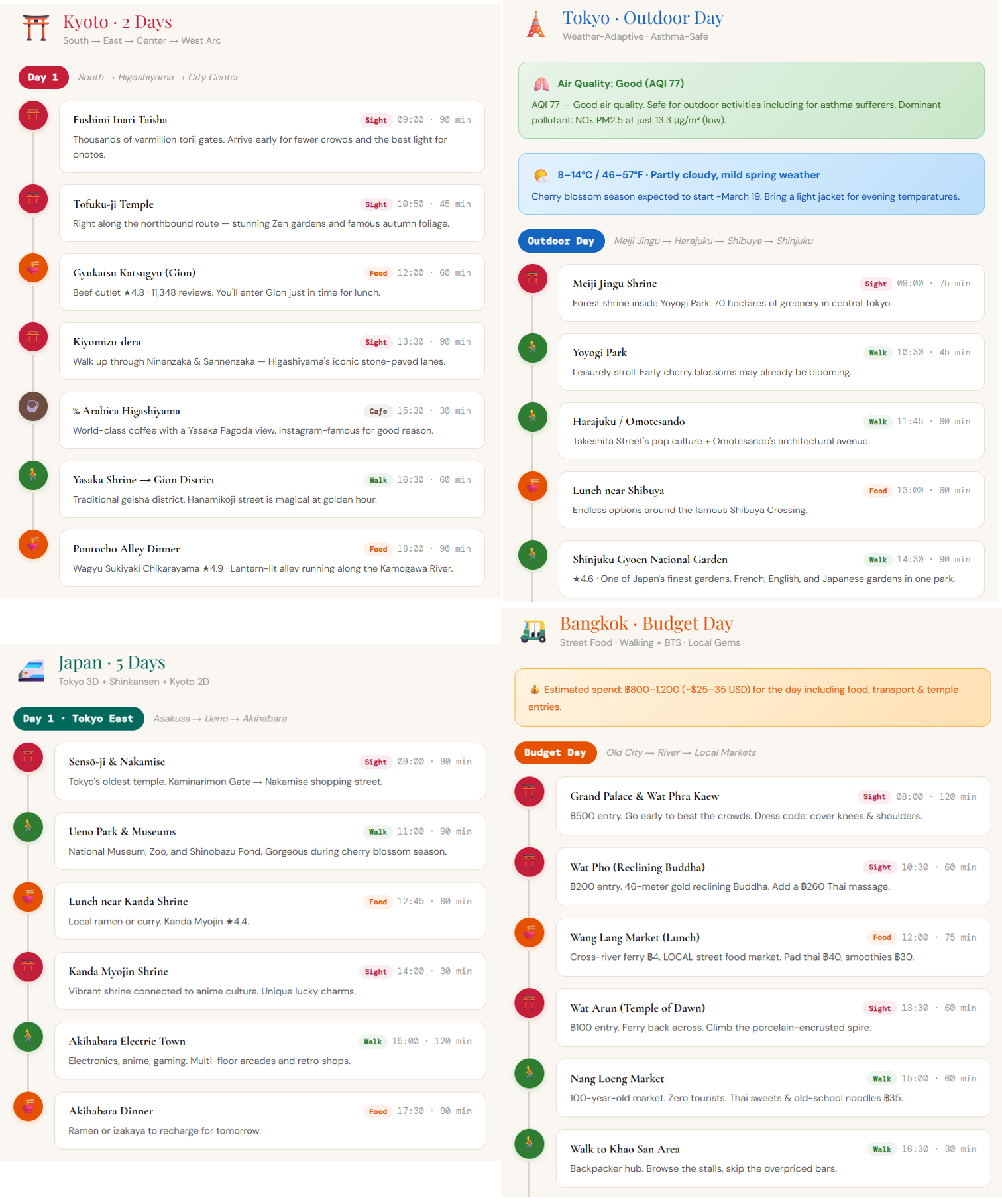
The MCP Google Map Server is a robust MCP server that integrates the full suite of Google Maps API features with LLM processing capabilities. It enables location search, geocoding, reverse geocoding, distance calculations, and directions retrieval, all accessible through a standardized protocol for real-time model context. This server empowers developers to embed rich geospatial data and navigation functionalities into AI workflows and applications seamlessly.

Use This MCP server To

Search places near a location with filters and radius Retrieve detailed place information including ratings and hours Convert addresses to geographic coordinates Convert coordinates back to human-readable addresses Calculate distances and travel times between points Generate detailed travel directions for multiple routes Integrate real-time location data into AI-driven apps Enhance chatbots with location-aware responses Automate geospatial data extraction for analysis Support logistics and delivery route planning with LLMs

README

MseeP.ai Security Assessment Badge

Google Map Server MCP server

MCP Google Map Server

A powerful Model Context Protocol (MCP) server providing comprehensive Google Maps API integration with LLM processing capabilities.

Features

Google Maps Features

  • Location Search

    • Search for places near a specific location with customizable radius and filters
    • Get detailed place information including ratings, opening hours, and contact details
  • Geocoding Services

    • Convert addresses to coordinates (geocoding)
    • Convert coordinates to addresses (reverse geocoding)
  • Distance & Directions

    • Calculate distances and travel times between multiple origins and destinations
    • Get detailed directions between two points with step-by-step instructions
    • Support for different travel modes (driving, walking, bicycling, transit)
  • Elevation Data

    • Retrieve elevation data for specific locations

Installation

Via NPM

npm install -g @cablate/mcp-google-map

Usage

Command Line

mcp-google-map

Integration with Dive Desktop

  1. Click "+ Add MCP Server" in Dive Desktop
  2. Copy and paste the following configuration:
{
  "mcpServers": {
    "google-map": {
      "command": "npx",
      "args": ["-y", "@cablate/mcp-google-map"],
      "env": {
        "GOOGLE_MAPS_API_KEY": "your_api_key"
      },
      "enabled": true
    }
  }
}
  1. Click "Save" to complete the installation

Available Tools

The server provides the following tools:

  1. search_nearby - Search for places near a specific location
  2. get_place_details - Get detailed information about a specific place
  3. maps_geocode - Convert an address to coordinates
  4. maps_reverse_geocode - Convert coordinates to an address
  5. maps_distance_matrix - Calculate distances and times between multiple origins and destinations
  6. maps_directions - Get directions between two points
  7. maps_elevation - Get elevation data for specific locations

Google Maps API Setup

To use this service, you need to:

  1. Create a project in Google Cloud Console
  2. Enable Google Maps API services
  3. Obtain an API key
  4. Set the GOOGLE_MAPS_API_KEY environment variable

Tech Stack

  • TypeScript
  • Node.js
  • Google Maps Services JS
  • Model Context Protocol SDK

License

MIT

Contributing

Community participation and contributions are welcome! Here's how you can contribute:

  • ⭐️ Star the project if you find it helpful
  • 🐛 Submit Issues: Report bugs or provide suggestions
  • 🔧 Create Pull Requests: Submit code improvements

Contact

If you have any questions or suggestions, feel free to reach out:

  • 📧 Email: reahtuoo310109@gmail.com
  • 📧 GitHub: CabLate
  • 🤝 Collaboration: Welcome to discuss project cooperation
  • 📚 Technical Guidance: Sincere welcome for suggestions and guidance

mcp-google-map FAQ

How do I authenticate the MCP Google Map Server?
You need a valid Google Maps API key configured in the server settings to authenticate requests securely.
Can this server handle multiple location queries simultaneously?
Yes, it supports batch processing of multiple geocoding and distance queries efficiently.
Does the server support real-time updates for dynamic location data?
While it provides up-to-date Google Maps data, real-time streaming updates depend on the Google Maps API capabilities.
How does the server integrate with different LLM providers?
It exposes standardized MCP endpoints that can be consumed by any MCP client using models like OpenAI, Claude, or Gemini.
What types of location filters are supported in place searches?
Filters include place types, radius distance, keyword matching, and user ratings to refine search results.
Is it possible to customize travel mode for directions?
Yes, you can specify travel modes such as driving, walking, bicycling, or transit in direction requests.
How is data privacy handled when using this server?
The server follows MCP security principles, ensuring scoped access and secure handling of API keys and user data.
Can I extend the server to support other map providers?
The server is designed for Google Maps but can be extended or adapted to other providers with additional development.