
gitlab-mcp

MCP.Pizza Chef: zereight

Work that normally means clicking through the GitLab website can happen in conversation instead: open and triage issues, review and comment on merge requests, check whether a build passed, browse a repository, edit wiki pages, and cut releases or tags. It works with gitlab.com and with self-hosted GitLab. You sign in with a personal access token or a browser login, and there is a read-only mode if you would rather it never change anything.

Coding

Use This MCP server To

Summarize what changed in an open merge request Find every issue assigned to me this week Check whether the latest build passed or failed Write up a new issue from a bug I describe Update a wiki page without leaving my editor Tag a release and draft its notes

README

GitLab MCP Server

MCP Toplist

English | 한국어 | 简体中文

📖 Documentation → Setup guides, environment variables, and the full tool reference live on the hosted docs site.
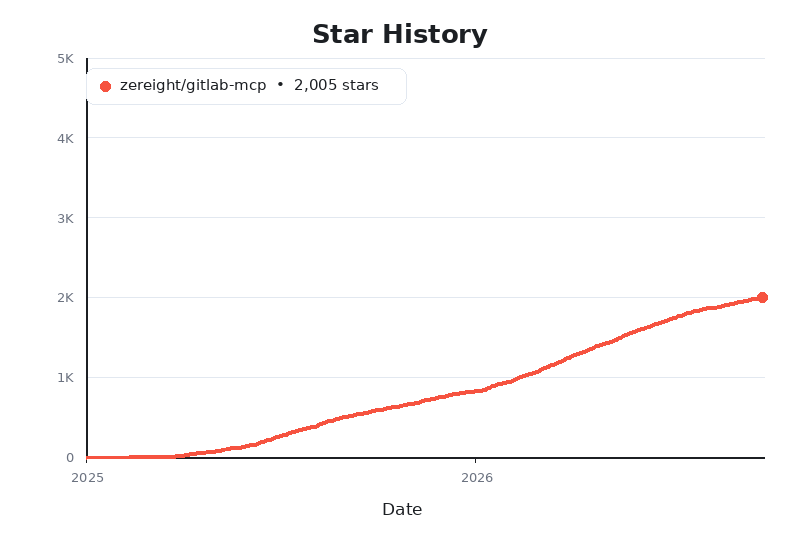
Star History Chart

@zereight/mcp-gitlab

A comprehensive GitLab MCP server for AI clients. Manage projects, merge requests, issues, pipelines, wiki, releases, tags, milestones, and more through stdio, SSE, and Streamable HTTP.

Supports PAT, OAuth, read-only mode, dynamic API URLs, and remote authorization for VS Code, Claude, Cursor, Copilot, and other MCP clients.

Why use this GitLab MCP?

  • Broad GitLab coverage — projects, repository browsing, merge requests, issues, pipelines, wiki, releases, tags, labels, milestones, and more
  • Flexible auth — Personal Access Token, local OAuth2 browser flow, MCP OAuth proxy, and per-request remote authorization
  • Multiple transports — stdio for local clients, SSE for legacy clients, and Streamable HTTP for modern remote deployments
  • Client-friendly setup — examples for Claude Code, Codex, Antigravity, OpenCode, Copilot, Cline, Roo Code, Cursor, Kilo Code, and Amp Code
  • Self-hosted ready — works with custom GitLab instances, proxy settings, and dynamic API URL routing

Quick start: choose either Personal Access Token or OAuth2 setup below, install @zereight/mcp-gitlab, and use zereight-mcp-gitlab in your MCP client configuration.

Client Setup Guides

gitlab-mcp FAQ

Do I need a token?
Yes — either a GitLab personal access token or a browser sign-in, both covered in the setup guides.
Does it work with a self-hosted GitLab?
Yes — custom GitLab addresses and proxy settings are supported.
Can I stop it from changing anything?
Yes — read-only mode blocks all writes, and a middle mode allows edits but blocks deletions.
Can I use this to triage my issue backlog?
Yes — you can search, read, comment on, and label issues by describing what you want done.
Which apps does it work in?
Claude.ai, Claude Code, Cursor, VS Code, Copilot, Cline, Roo Code, Codex, and more.
How hard is setup?
You install it once with Homebrew or npm, then paste a short snippet into your app's settings.