CAD-MCP

MCP.Pizza Chef: daobataotie

Drawing commands you describe in words become lines, circles, arcs, rectangles, text, hatching, and dimensions inside AutoCAD, GstarCAD, or ZWCAD, and it can create layers and save the result as a DWG file. It only runs on Windows, with one of those programs already installed. The repository has had no code changes since July 2025 and names no successor, so expect no fixes and compare it against newer alternatives before relying on it.

Unmaintained · no code changes since July 2025; no successor named
Images/Design

Use This MCP server To

Draw a rectangle and dimension it by describing it Add labelled text to a drawing without clicking menus Create a new layer and switch my drawing onto it Save my current drawing out as a DWG file Sketch a simple shape from a written description

README

CAD-MCP Server (CAD Model Context Protocol Server)

English | 中文

Project Introduction

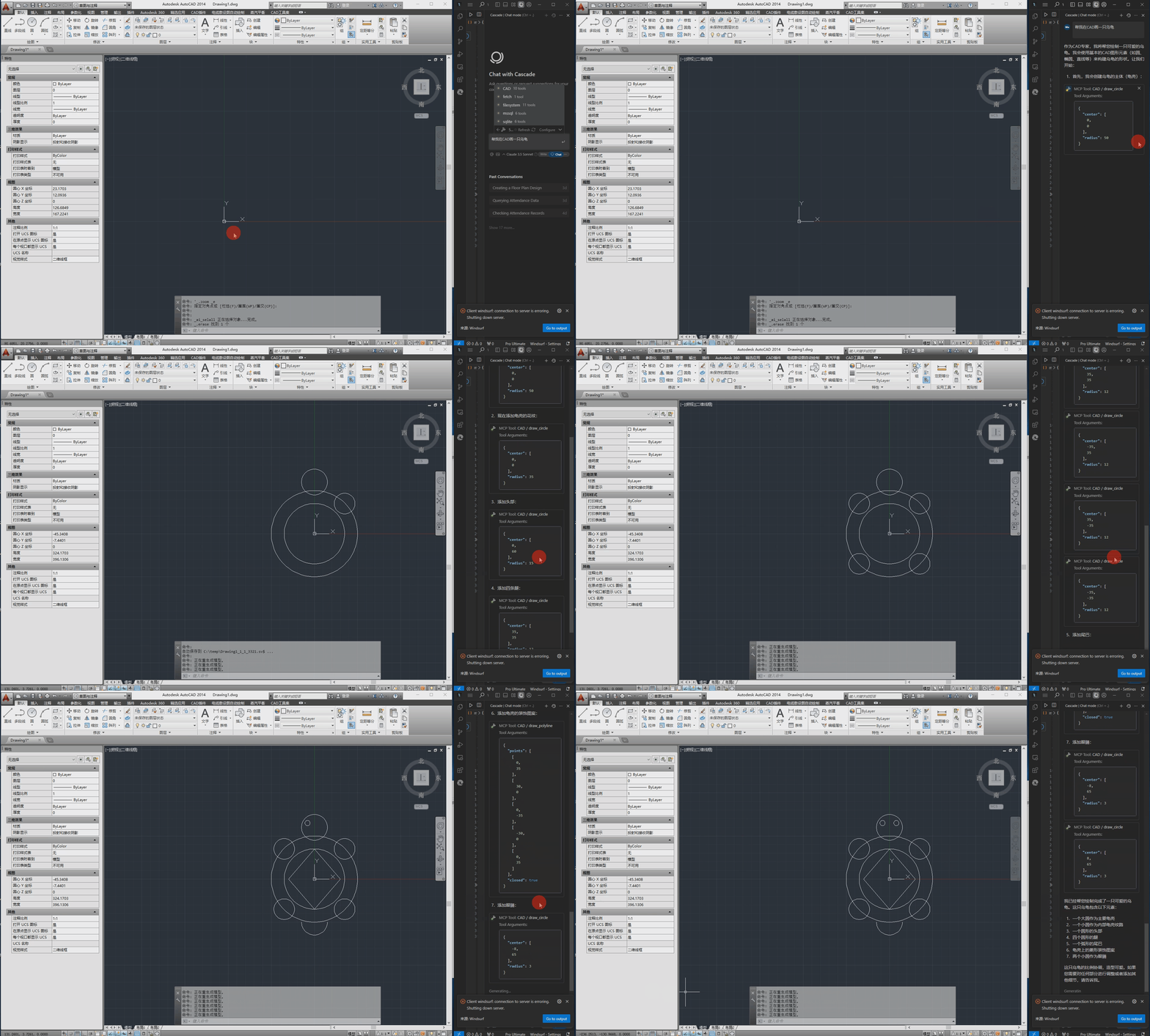
CAD-MCP is an innovative CAD control service that allows controlling CAD software for drawing operations through natural language instructions. This project combines natural language processing and CAD automation technology, enabling users to create and modify CAD drawings through simple text commands without manually operating the CAD interface.

Features

CAD Control Functions

  • Multiple CAD Software Support: Supports mainstream CAD software including AutoCAD, GstarCAD (GCAD) and ZWCAD
  • Basic Drawing Functions:
    • Line drawing
    • Circle drawing
    • Arc drawing
    • Rectangle drawing
    • Polyline drawing
    • Text addition
    • Pattern filling
    • Dimension annotation
  • Layer Management: Create and switch layers
  • Drawing Save: Save the current drawing as a DWG file

Natural Language Processing Functions

  • Command Parsing: Parse natural language instructions into CAD operation parameters
  • Color Recognition: Extract color information from text and apply it to drawing objects
  • Shape Keyword Mapping: Support recognition of various shape description words
  • Action Keyword Mapping: Recognize various drawing and editing actions

Demo

The following is the demo video.

Demo

CAD-MCP FAQ

Is this still maintained?
No — the last code change was July 2025 and no replacement is named, so treat it as abandoned.
Which CAD programs does it work with?
AutoCAD, GstarCAD, and ZWCAD, and one of them must already be installed on the machine.
Does it run on a Mac?
No — it needs Windows, because it drives the CAD program through a Windows-only connection.
Which apps does it work in?
Claude Desktop, Cursor, and Windsurf, using a small config entry that points at a Python file.
Do I need a token?
No token or account is needed — everything runs locally against your own CAD program.
How hard is setup?
Developer level — install Python, install several packages, then edit config files with full file paths.
Can I use this to draw a floor plan by describing it?
It handles basic shapes, text, and dimensions, so simple layouts yes, detailed plans no.