Fire in da houseTop Tip:Paying $100+ per month for Perplexity, MidJourney, Runway, ChatGPT and other tools is crazy - get all your AI tools in one site starting at $15 per month with Galaxy AI Fire in da houseCheck it out free

enterprise-mcp-server

MCP.Pizza Chef: crewAIInc

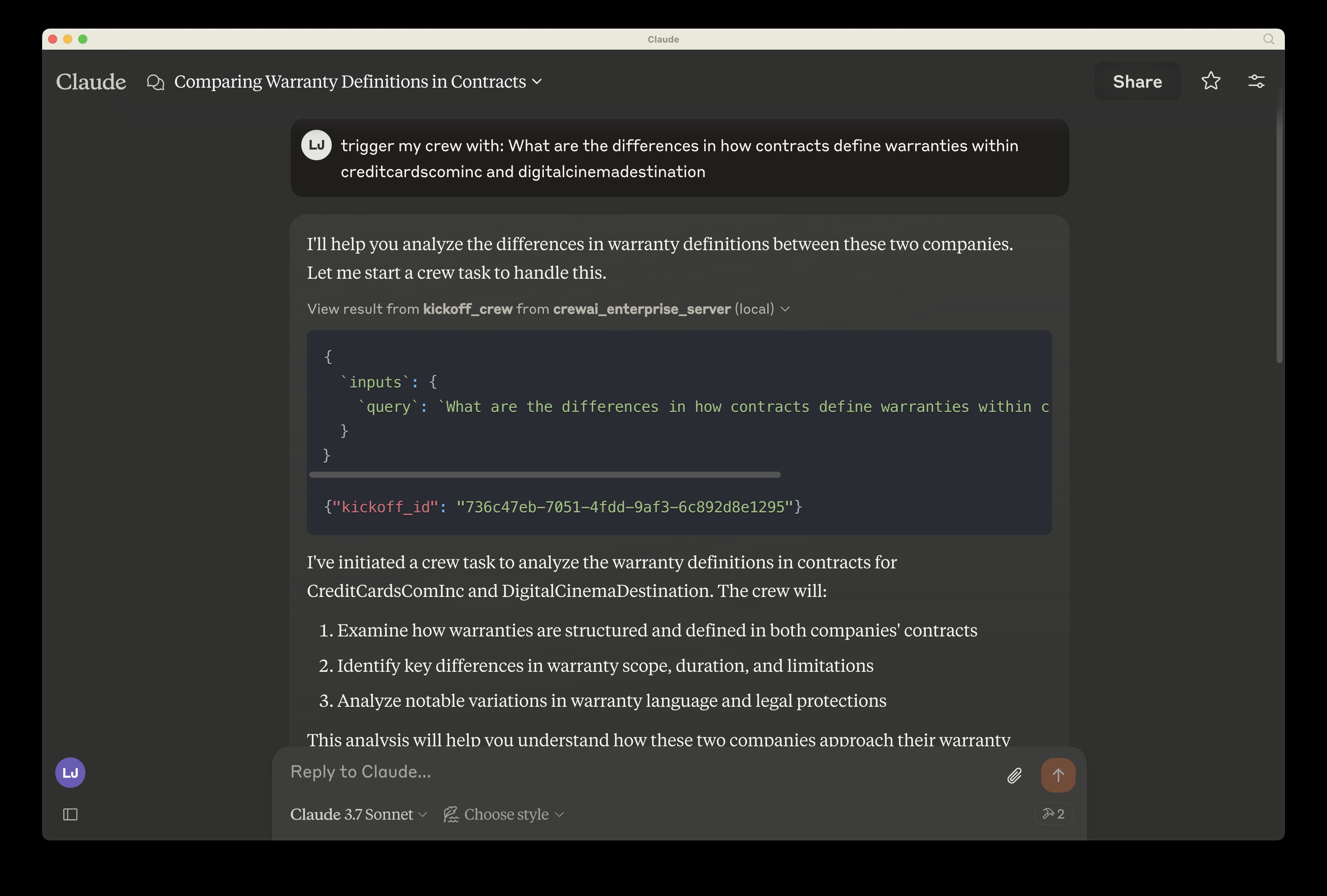
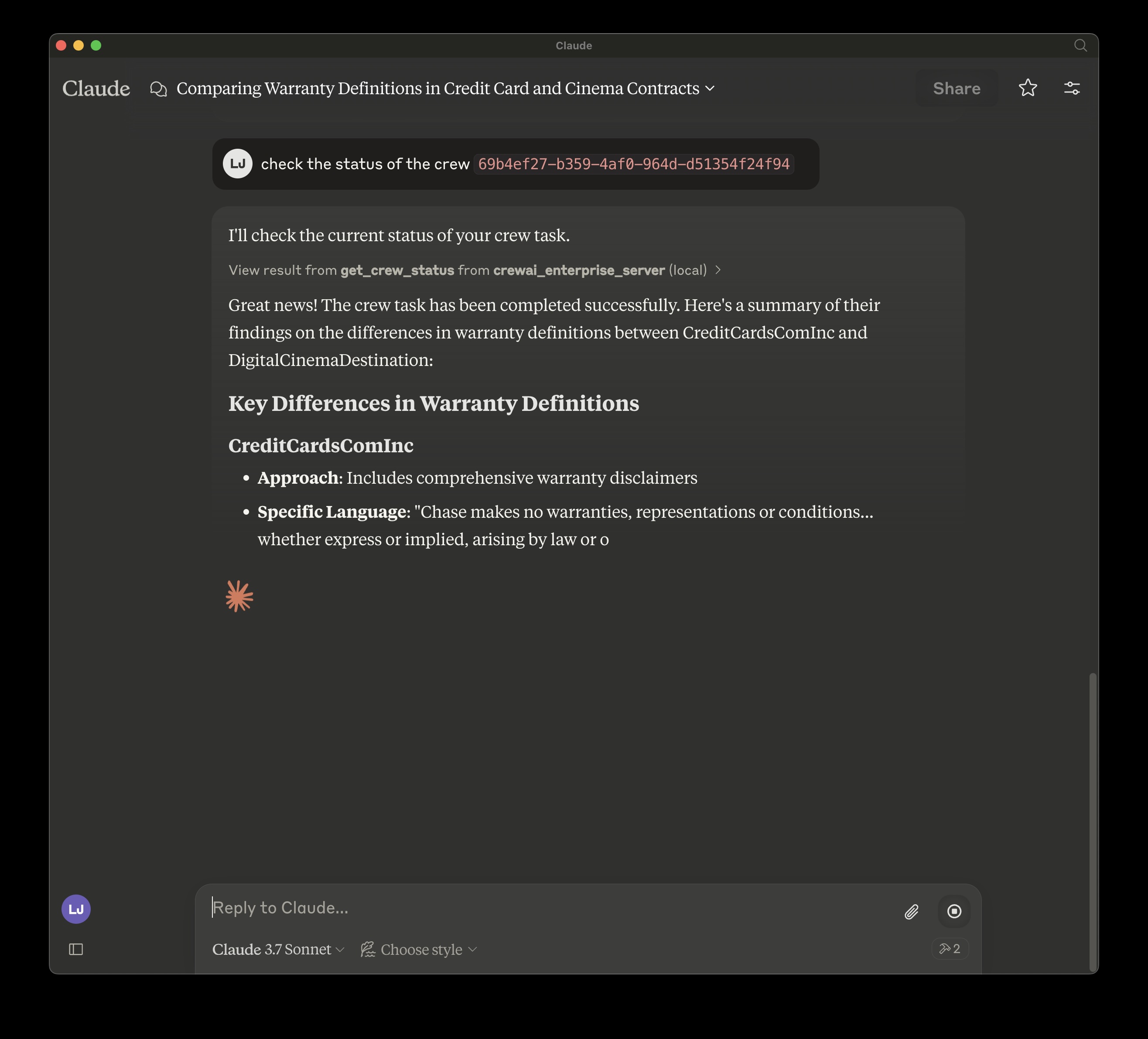
The enterprise-mcp-server is a Model Context Protocol server that manages deployed CrewAI workflows. It allows users to initiate (kickoff) their deployed crews and retrieve real-time status updates and results. This server integrates seamlessly with tools like Claude Desktop, providing a streamlined interface for managing AI workflow deployments securely via environment variables and API tokens.

Use This MCP server To

Kick off deployed CrewAI workflows on demand Retrieve real-time status of active CrewAI deployments Monitor results from running CrewAI crews Integrate CrewAI workflow control into Claude Desktop Securely manage CrewAI deployments using environment tokens

README

CrewAI Enterprise MCP Server

Overview

A Model Context Protocol (MCP) server implementation that provides deployed CrewAI workflows. This server enables kicking off your deployed crew and inspect the status giving the results of your crew.

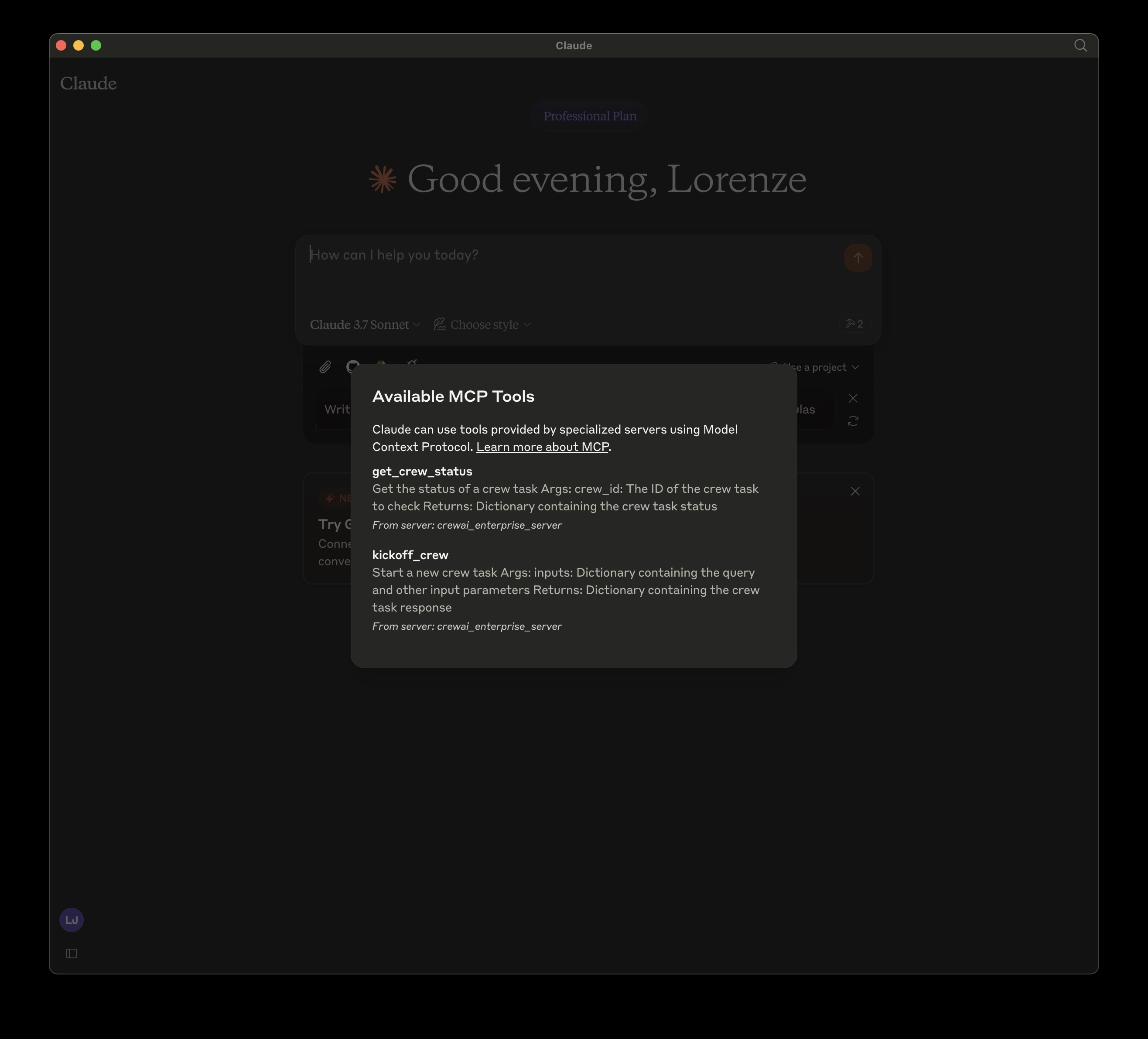
Tools

  • kickoff_crew
  • get_crew_status

Env Variables

retrieve from app.crewai.com MCP_CREWAI_ENTERPRISE_SERVER_URL MCP_CREWAI_ENTERPRISE_BEARER_TOKEN
Usage with Claude Desktop

Claude Desktop with CrewAI Enterprise MCP Server Claude Desktop with CrewAI Enterprise MCP Server Claude Desktop with CrewAI Enterprise MCP Server

To use this MCP server with Claude Desktop, follow these steps:

  1. Open Claude Desktop
  2. Go to Settings > Developer Settings
  3. Add a new MCP server with the configuration shown below

Locally, cloned repo:

Install mcp and mcp[cli] locally

{
  "mcpServers": {
    "crewai_enterprise_server": {
      "command": "uv",
      "args": [
        "run",
        "--with",
        "mcp[cli]",
        "mcp",
        "run",
        "<filepath of cloned repo>",
        "/crewai_enterprise_server.py"
      ],
      "env": {
        "MCP_CREWAI_ENTERPRISE_SERVER_URL": "<>",
        "MCP_CREWAI_ENTERPRISE_BEARER_TOKEN": "<>"
      }
    }
  }
}

TODO: Added on PyPI:

enterprise-mcp-server FAQ

How do I configure the enterprise-mcp-server with Claude Desktop?
Add the MCP server URL and bearer token in Claude Desktop's Developer Settings under MCP servers.
What environment variables are required for the enterprise-mcp-server?
You need MCP_CREWAI_ENTERPRISE_SERVER_URL and MCP_CREWAI_ENTERPRISE_BEARER_TOKEN from app.crewai.com.
What operations does the enterprise-mcp-server support?
It supports kicking off crews and retrieving their status via kickoff_crew and get_crew_status tools.
Can I use the enterprise-mcp-server with other MCP clients besides Claude Desktop?
Yes, any MCP client that supports standard MCP server integration can connect using the provided URL and token.
Is the enterprise-mcp-server open source?
Yes, it is available on GitHub with installation instructions and usage examples.
How does the server ensure secure access to CrewAI workflows?
Access is controlled via bearer tokens and environment variables to authenticate requests.
What kind of feedback does the server provide after kicking off a crew?
It returns the status and results of the deployed crew workflow for monitoring and analysis.