


The fastest way to build workflows with an AI agent platform!

The Model Context Protocol (MCP) is an open protocol designed for effortless integration between LLM applications and external data sources or tools, offering a standardized framework to seamlessly provide LLMs with the context they require.
This a simple implementation of an MCP server using iFlytek. It enables calling iFlytek workflows through MCP tools.
This system is built on the iFlytek MCP server and enables intelligent workflow scheduling, making it suitable for various business scenarios.
- Workflow Structure: Composed of multiple nodes, supporting 14 types of nodes (including basic, tool, logic, and transformation types).
- Core Components: By default, the workflow includes a Start Node (user input) and an End Node (output result).
- Execution Mode: Once triggered, the workflow executes automatically according to predefined sequences and rules, requiring no manual intervention.
- 14 types of workflow nodes to meet diverse business requirements.
- Supports complex variable I/O, enabling flexible data transmission.
- Sequential Execution: Tasks execute one after another in order.
- Parallel Execution: Multiple tasks run simultaneously to enhance efficiency.
- Loop Execution: Supports iterative loops for handling repetitive tasks.
- Nested Execution: Allows embedding sub-workflows within workflows, improving reusability.
- Utilizes the Hook Mechanism to enable streaming output, ensuring real-time processing.
- Single-turn, single-branch: Linear execution of simple tasks.
- Single-turn, multi-branch: Supports branching logic to handle complex processes.
- Single-turn loop: Manages looped tasks to enhance automation.
- Multi-turn interaction: Supports context memory for dynamic conversations.
- Multi-Model Support: Based on the Model of Models (MoM) hybrid application architecture, providing multiple model choices at critical workflow stages. This allows for flexible model combinations, improving task adaptability.
Before using the mcp server, you should prepare a config.yaml to save your workflow info. The example config like this:
- flow_id: 'flow id'              # required
  name: 'flow name'               # optional, if not set, obtain the name from the cloud.
  description: 'flow description' # optional, if not set, obtain the description from the cloud.
api_key: 'API Key:API Secret' # required-
Publish a workflow
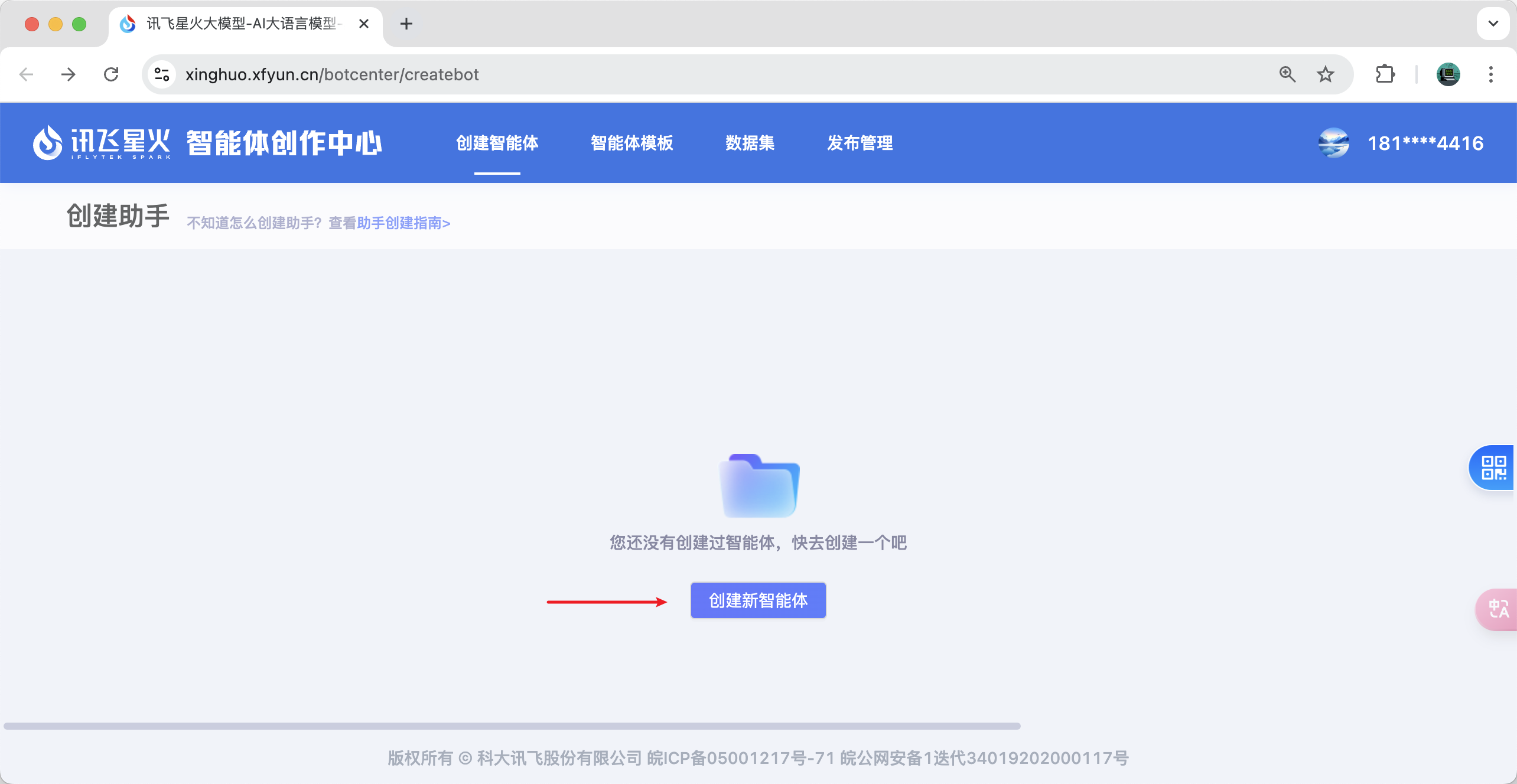
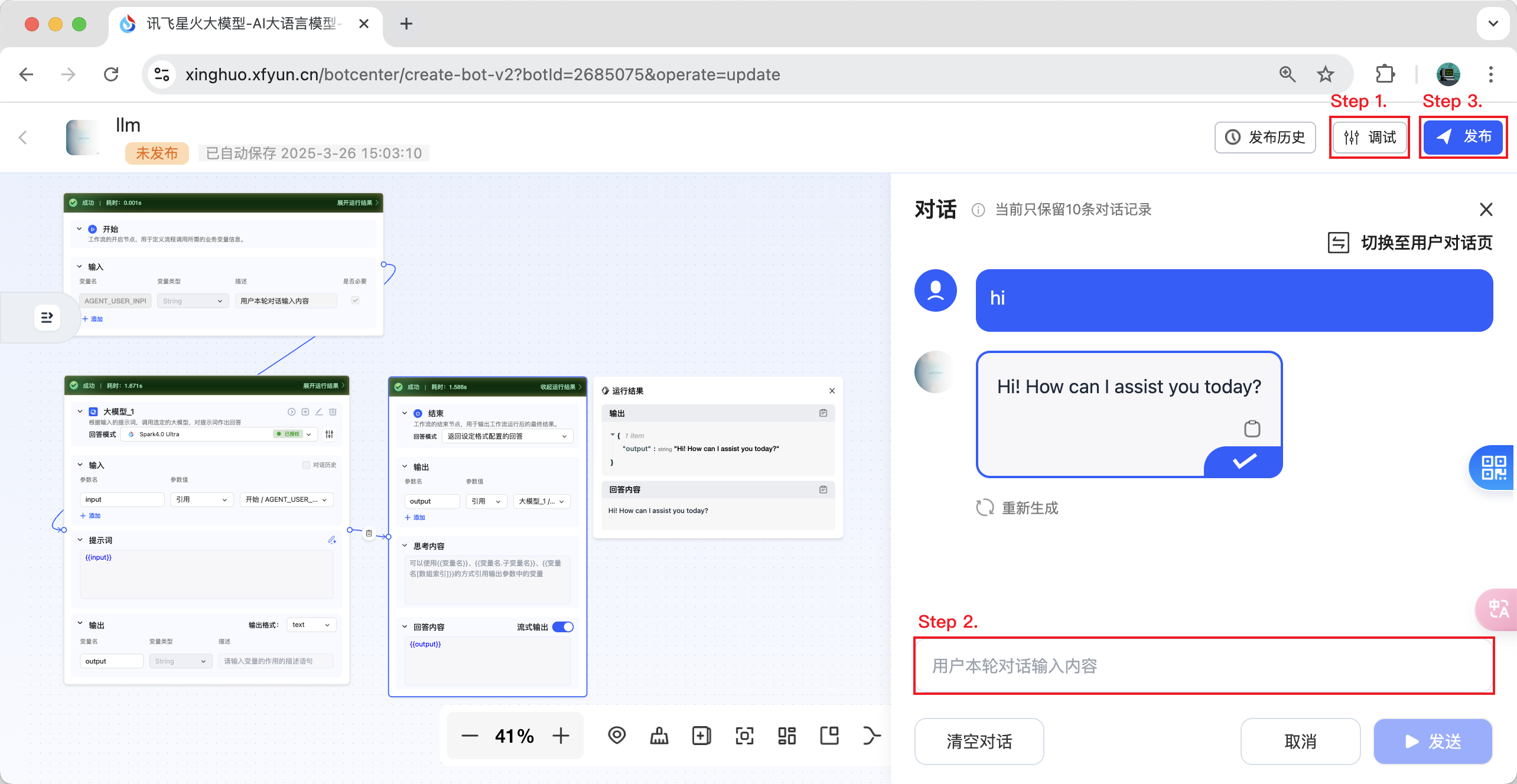
- Step 1. Debug the workflow you just created.
- Step 2. Engage in a conversation with your workflow and ensure the conversation is successful.
- Step 3. You can now click the publish button.
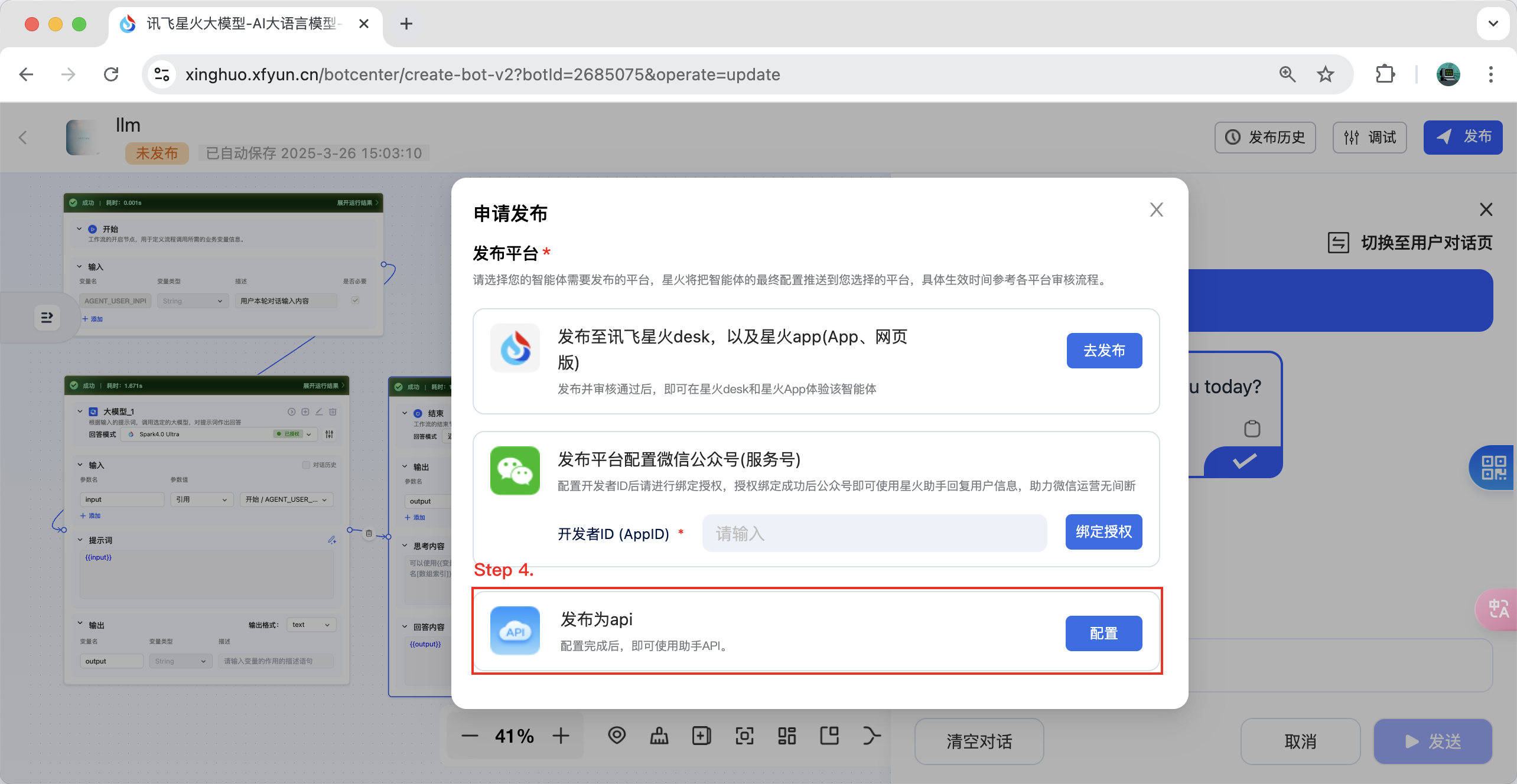
- Step 4. Select "Publish as API" and click the "Configure" button.
- Step 5. Select the application you need to bind and bind it. Now you can retrieve the corresponding workflow ID and authentication information. Enjoy!
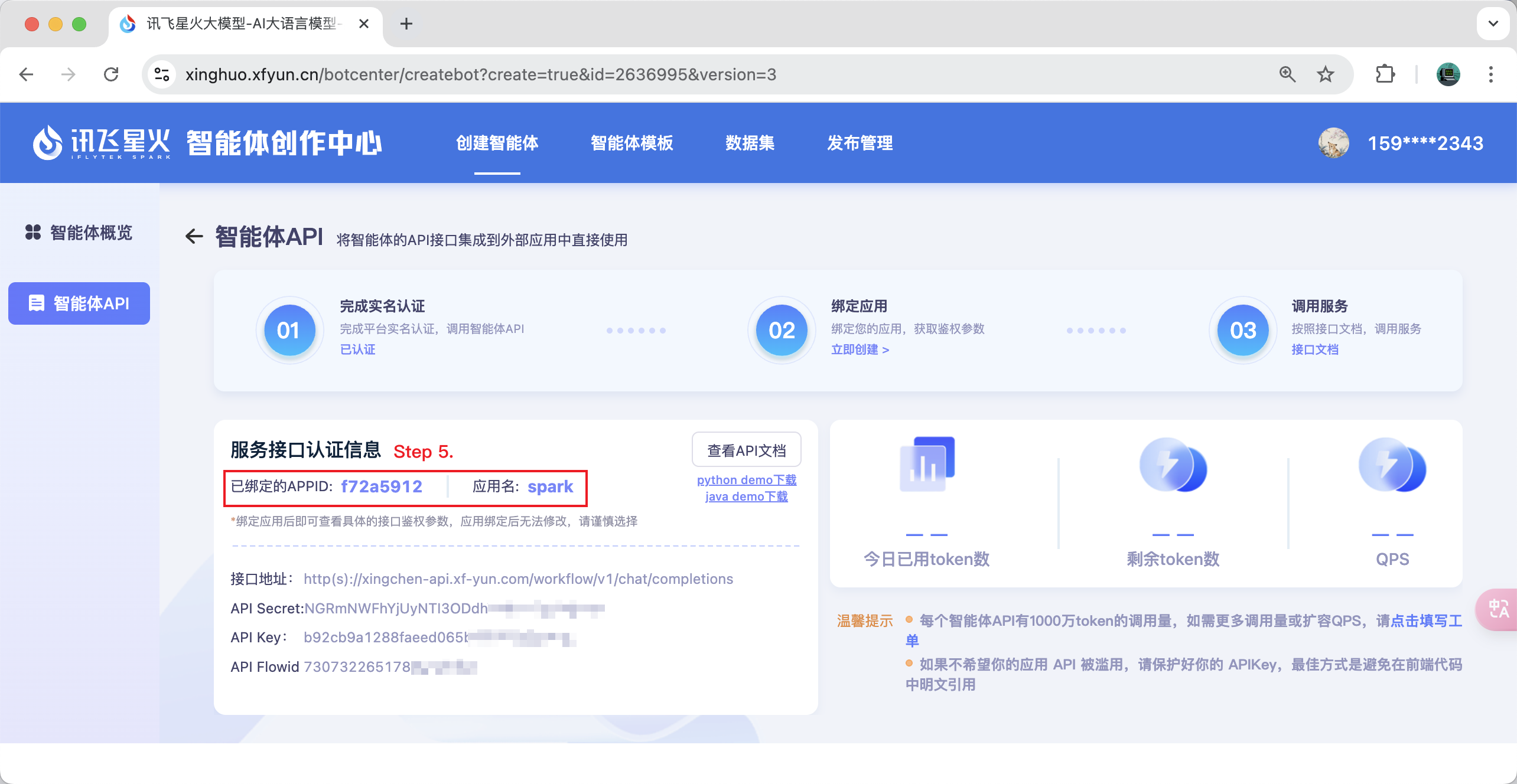
Note: If you find that you are unable to select an app, you can go to https://www.xfyun.cn to apply.
To add a persistent client, add the following to your claude_desktop_config.json or mcp.json file:
{
    "mcpServers": {
        "ifly-workflow-mcp-server": {
            "command": "uvx",
            "args": [
                "--from",
                "git+https://github.com/iflytek/ifly-workflow-mcp-server",
                "ifly_workflow_mcp_server"
            ],
            "env": {
                "CONFIG_PATH": "$CONFIG_PATH"
            }
        }
    }
}
Example config:
{
    "mcpServers": {
        "ifly-workflow-mcp-server": {
            "command": "uvx",
            "args": [
                "--from",
                "git+https://github.com/iflytek/ifly-workflow-mcp-server",
                "ifly_workflow_mcp_server"
            ],
            "env": {
                "CONFIG_PATH": "/Users/hygao1024/Projects/config.yaml"
            }
        }
    }
}