
Fire in da houseTop Tip:Paying $100+ per month for Perplexity, MidJourney, Runway, ChatGPT and other tools is crazy - get all your AI tools in one site starting at $15 per month with Galaxy AI Fire in da houseCheck it out free

scrapegraph-mcp

MCP.Pizza Chef: ScrapeGraphAI

ScrapeGraph MCP Server is a production-ready MCP server designed to provide structured, real-time web scraping data to LLMs via the Model Context Protocol. It enables seamless integration of web data into AI workflows, supporting Python 3.10 and licensed under MIT. This server facilitates automated extraction and contextualization of web content for enhanced model interaction and decision-making.

Use This MCP server To

Extract structured data from websites for AI processing Integrate real-time web scraping results into LLM workflows Automate data collection from multiple web sources Provide web content context to AI agents for informed responses Enable dynamic web data retrieval for chatbots and assistants Support multi-step reasoning with live web data Convert web pages into structured JSON for analysis

README

ScrapeGraph MCP Server

ScapeGraph Smithery Integration ScrapeGraph Server MCP server MseeP.ai Security Assessment Badge

License: MIT Python 3.10 smithery badge

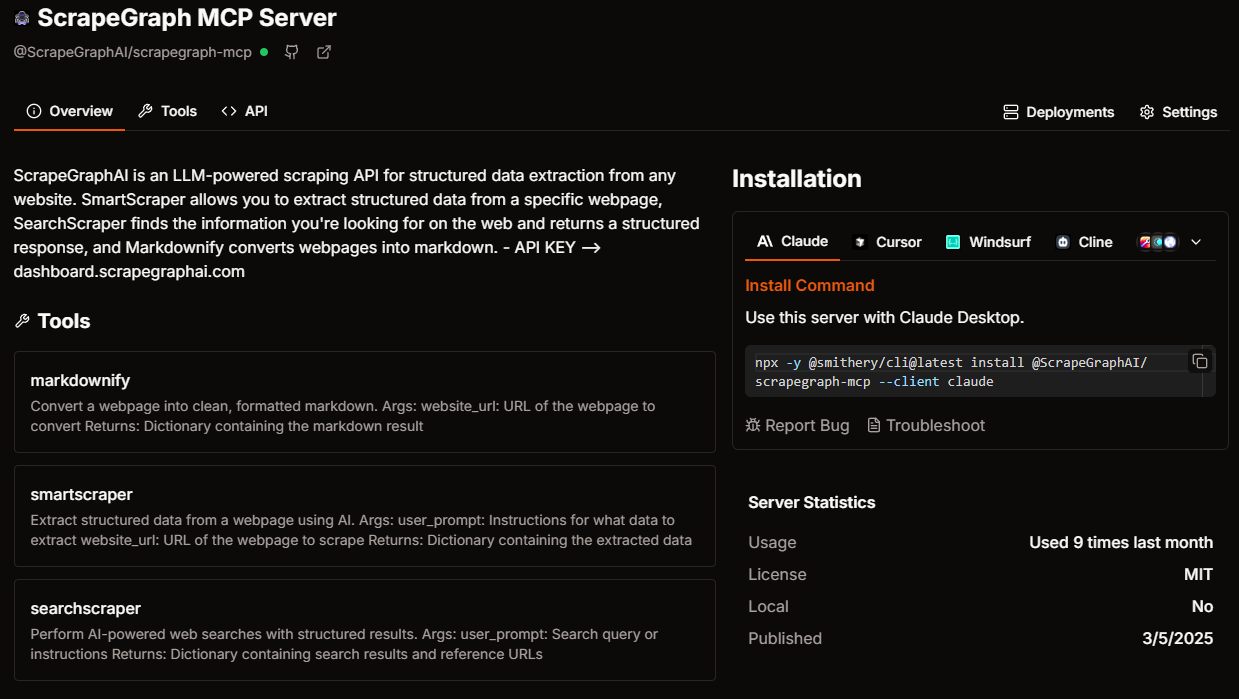
A production-ready Model Context Protocol (MCP) server that provides seamless integration with the ScapeGraph AI API. This server enables language models to leverage advanced AI-powered web scraping capabilities with enterprise-grade reliability.

Available Tools

The server provides the following enterprise-ready tools:

  • markdownify(website_url: str): Transform any webpage into clean, structured markdown format
  • smartscraper(user_prompt: str, website_url: str): Leverage AI to extract structured data from any webpage
  • searchscraper(user_prompt: str): Execute AI-powered web searches with structured, actionable results

Setup Instructions

To utilize this server, you'll need a ScapeGraph API key. Follow these steps to obtain one:

  1. Navigate to the ScapeGraph Dashboard
  2. Create an account and generate your API key

Automated Installation via Smithery

For automated installation of the ScrapeGraph API Integration Server using Smithery:

npx -y @smithery/cli install @ScrapeGraphAI/scrapegraph-mcp --client claude

Claude Desktop Configuration

Update your Claude Desktop configuration file with the following settings (located on the top rigth of the Cursor page):

(remember to add your API key inside the config)

{
    "mcpServers": {
        "@ScrapeGraphAI-scrapegraph-mcp": {
            "command": "npx",
            "args": [
                "-y",
                "@smithery/cli@latest",
                "run",
                "@ScrapeGraphAI/scrapegraph-mcp",
                "--config",
                "\"{\\\"scrapegraphApiKey\\\":\\\"YOUR-SGAI-API-KEY\\\"}\""
            ]
        }
    }
}

The configuration file is located at:

  • Windows: %APPDATA%/Claude/claude_desktop_config.json
  • macOS: ~/Library/Application\ Support/Claude/claude_desktop_config.json

Cursor Integration

Add the ScrapeGraphAI MCP server on the settings:

Cursor MCP Integration

Example Use Cases

The server enables sophisticated queries such as:

  • "Analyze and extract the main features of the ScapeGraph API"
  • "Generate a structured markdown version of the ScapeGraph homepage"
  • "Extract and analyze pricing information from the ScapeGraph website"
  • "Research and summarize recent developments in AI-powered web scraping"
  • "Create a comprehensive summary of the Python documentation website"

Error Handling

The server implements robust error handling with detailed, actionable error messages for:

  • API authentication issues
  • Malformed URL structures
  • Network connectivity failures
  • Rate limiting and quota management

Common Issues

Windows-Specific Connection

When running on Windows systems, you may need to use the following command to connect to the MCP server:

C:\Windows\System32\cmd.exe /c npx -y @smithery/cli@latest run @ScrapeGraphAI/scrapegraph-mcp --config "{\"scrapegraphApiKey\":\"YOUR-SGAI-API-KEY\"}"

This ensures proper execution in the Windows environment.

License

This project is distributed under the MIT License. For detailed terms and conditions, please refer to the LICENSE file.

Acknowledgments

Special thanks to tomekkorbak for his implementation of oura-mcp-server, which served as starting point for this repo.

Made with ❤️ by ScrapeGraphAI Team

scrapegraph-mcp FAQ

How do I install the ScrapeGraph MCP Server?
You can install it via pip for Python 3.10 environments; detailed instructions are available in the GitHub repository README.
Is the ScrapeGraph MCP Server compatible with multiple LLM providers?
Yes, it supports integration with OpenAI, Anthropic Claude, and Google Gemini models through the MCP standard.
What programming language is the ScrapeGraph MCP Server built with?
It is built using Python 3.10, ensuring compatibility with modern Python environments.
How does ScrapeGraph ensure secure data handling?
The server follows MCP principles for secure, scoped, and observable model interactions, minimizing data exposure risks.
Can I customize the scraping rules or targets?
Yes, the server allows configuration of scraping parameters to tailor data extraction to your needs.
Does ScrapeGraph support real-time updates?
Yes, it provides real-time web data updates to connected LLM clients for dynamic context.
What license governs the use of ScrapeGraph MCP Server?
It is licensed under the MIT License, allowing flexible use and modification.