mcpc

MCP.Pizza Chef: mcpc-tech

If you use a handful of MCP servers together, wiring them into a repeatable workflow normally means writing one yourself. This builds that combined server from a description instead: you say what the workflow should do, and it composes the underlying tools into a single thing your assistant can call. It also keeps the intermediate chatter internal, so less gets passed back and forth. Works in Claude Desktop via a pasted config entry.

Coding
Other

Use This MCP server To

Combine several tools into one workflow Describe a workflow instead of coding it Reuse a multi-step process without repeating it Cut down the back-and-forth between tools Build a shared workflow for my team

README

MCPC · JSR

MCPC: One prompt instantly builds your scalable agentic MCP server from thousands of dependent MCPs.

Read more at Introducing MCPC: One Prompt for Your Agentic MCP Server, Powered by Thousands

  1. One-Prompt General Automation Workflow Declaration;
  2. Save token by internally calling dependent MCP servers;
  3. Community & Custom MCPs Support.

Getting Started

1. Get Started Instantly via Our Website

For the fastest and most straightforward path, simply visit mcpc.tech. Our user-friendly online platform provides an intuitive interface where you can declare your agentic workflows and provision your MCP servers with ease – all just with a few clicks. It's the ideal way to grasp the power of one-prompt automation firsthand.
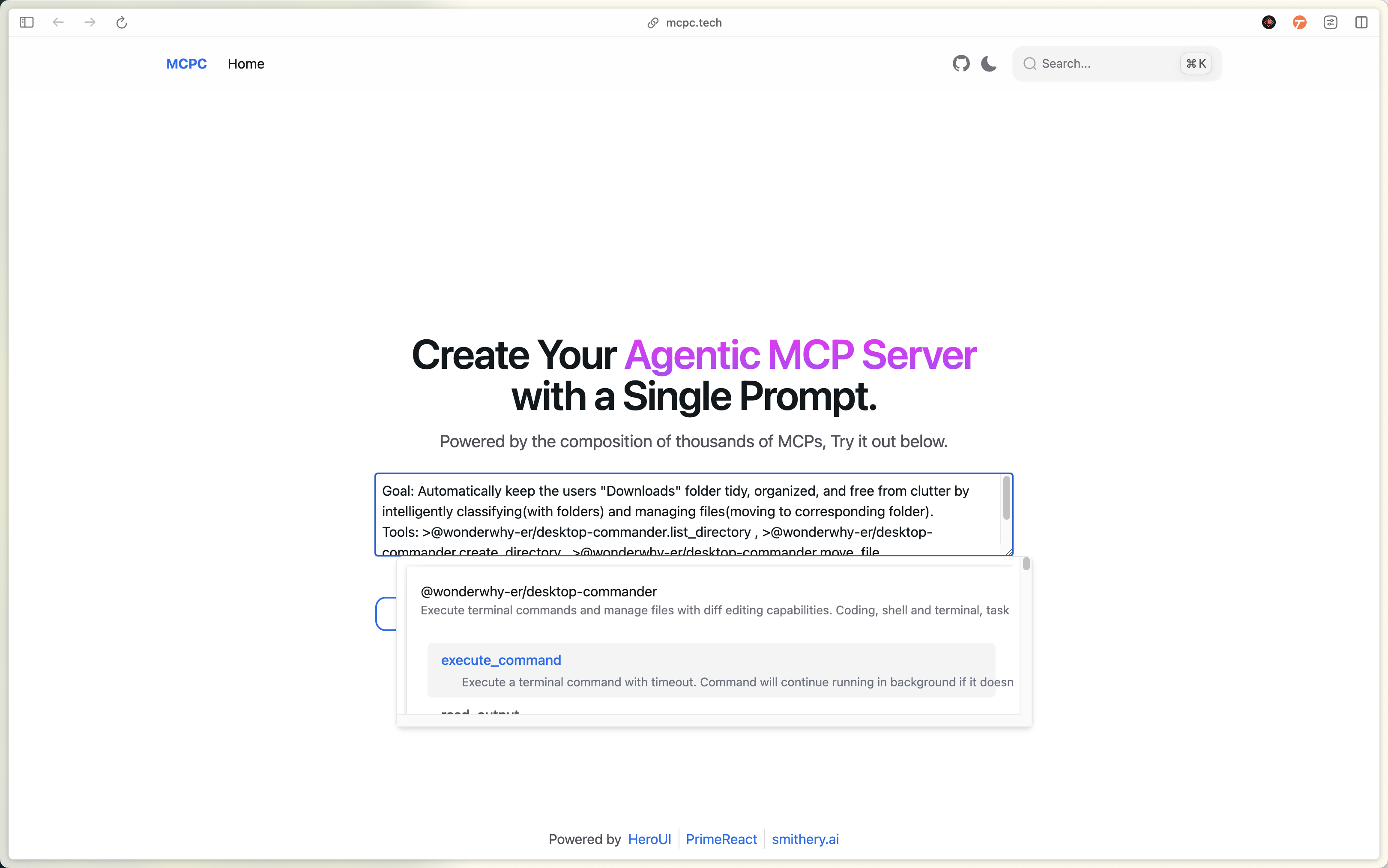
mcpc-tech-example

After defining your agentic workflow, simply click the "Generate" button to effortlessly create your custom Agentic MCP Server. You can then seamlessly copy and paste the generated configuration into your preferred MCP client (e.g., Claude Desktop) for rapid integration.

What's more, this powerful workflow configuration can be easily shared with your colleagues or anyone interested. This not only fosters team collaboration and knowledge sharing but also allows more people to experience the automation solutions you've built.

2. Integrate Deeply Using Code

For developers who prefer a programmatic approach, or for seamless integration into existing pipelines, MCP Compose offers robust code-based options. Leverage our comprehensive SDK, API, or CLI tools to declaratively define your workflows, compose MCPs. This method provides ultimate control and flexibility for advanced automation scenarios. To get started, first install @mcpc/core SDK:

# Use with deno
deno install jsr:@mcpc/core
# Use with pnpm
pnpm install jsr:@mcpc/core
# Use with yarn
yarn add jsr:@mcpc/core
# Use with npm
npx jsr add @mcpc/core

Then create your composiable MCP server:

import { StdioServerTransport } from "@modelcontextprotocol/sdk";
import { mcpc } from "@mcpc/core";

export const server = await mcpc(
  [
    {
      name: "mcpc",
      version: "0.1.0",
    },
    { capabilities: { tools: { listChanged: true } } },
  ],
  [
    {
      name: "tidy-folder",
      description: `Goal: Automatically keep the users folder tidy, organized, and free from clutter by intelligently classifying(with folders) and managing files(moving to corresponding folder).
Tools: <tool name="@wonderwhy-er/desktop-commander.list_directory"/> , <tool name="@wonderwhy-er/desktop-commander.create_directory"/> , <tool name="@wonderwhy-er/desktop-commander.move_file"/> 
`,
      deps: {
        mcpServers: {
          "@wonderwhy-er/desktop-commander": {
            command: "npx",
            args: ["-y", "@wonderwhy-er/desktop-commander@latest"],
          },
        },
      },
    },
  ]
);

const transport = new StdioServerTransport();
await server.connect(transport);

See more example code snippets at: https://github.com/mcpc-tech/mcpc/tree/main/packages/core/examples

mcpc FAQ

Can I use this to combine tools I already use?
Yes — that is the point; it composes existing MCP servers into one callable workflow.
Do I need to write code?
No, you describe the workflow and it assembles it from the tools available.
Do I need an account or key?
No key is needed for this itself, though the underlying servers may want their own.
Which apps does it work with?
It is documented for Claude Desktop.
How hard is it to set up?
You paste a config entry, so setup is quick.