


This sample shows how to deploy an Entra ID-protected MCP server on Azure.
The sample also uses an authorization pattern where the client acquires a token for the MCP server first, and then uses on-behalf-of flow to exchange it for a token that can be used with Microsoft Graph. It does all this in an entirely secretless manner too.
Note
You will need to use the Model Context Protocol Inspector to test the MCP server, as it's the only MCP client that currently support authorization out-of-the-box.
Follow these steps to get started.
-
Clone the repository locally:
git clone https://github.com/localden/remote-auth-mcp-apim-py
-
Navigate to the repository in your terminal:
cd remote-auth-mcp-apim-py -
Log in to Azure Developer CLI:
azd auth login
-
Deploy the project to Azure:
azd up
Important
Deploying this project will incur Azure cost. If you are deploying for testing and experimentation, make sure to delete the created resource group after testing.
When you run azd up, resources declared in the infra directory will be provisioned in your Azure account. You can go through the existing Bicep files to see what infrastructure will be automatically deployed.
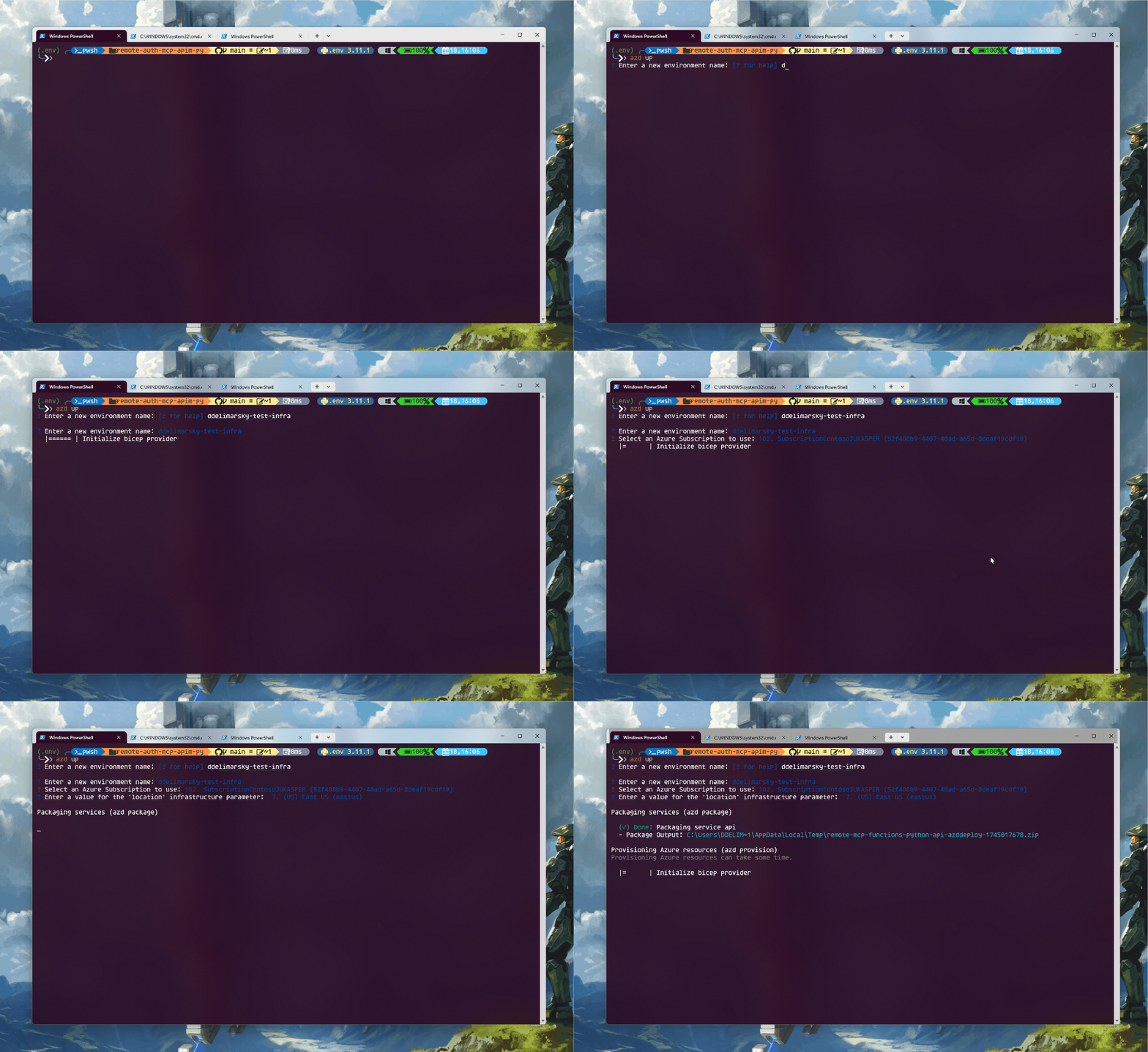
Once the deployment completes, you will be see the endpoint printed in the terminal:
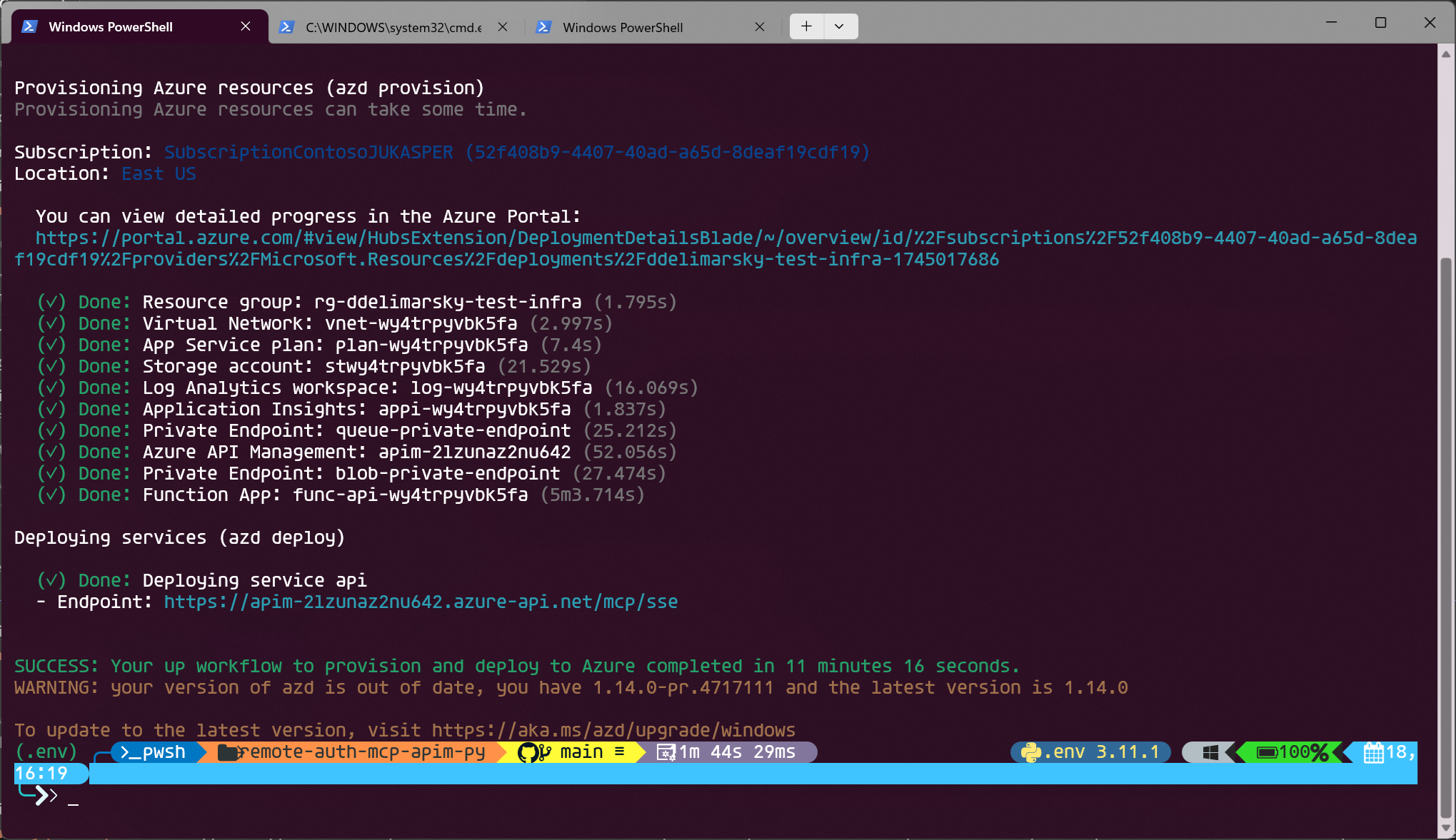
For example, in the screenshot above the endpoint is https://apim-2lzunaz2nu642.azure-api.net/mcp/sse. Copy it.
Note
Prior to the next step, make sure that you have Node.js installed - it's required to run the Model Context Protocol Inspector.
In your terminal, run:
npx @modelcontextprotocol/inspector@0.9.0Note
We're using the 0.9.0 release of the Model Context Protocol Inspector because it's the most stable version when it comes to testing protected MCP servers.
This will give an endpoint where you can see Model Context Protocol Inspector running locally. Open the URL in your browser.
Switch the Transport Type to SSE and set the URL to the endpoint that you got from running the deployment. Click Connect.
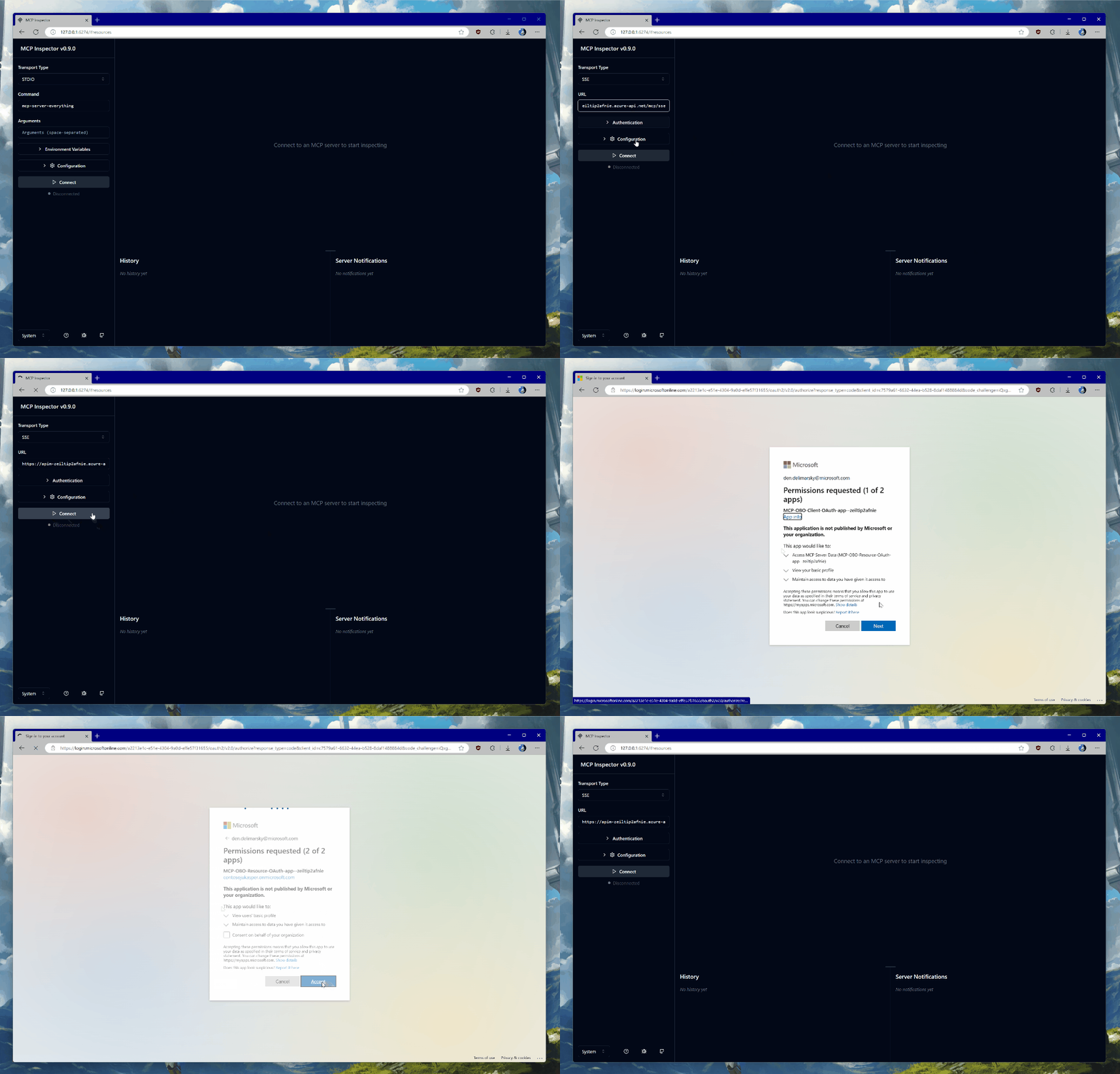
You will be prompted to authenticate with the credentials in the tenant in which you deployed the infrastructure. The Entra ID applications are dynamically registered at deployment time - one for the server, and another that will be used for on-behalf-of flow to acquire Microsoft Graph access.
Once you consent, you will be returned back to the Model Context Protocol Inspector landing page. Wait a few seconds until the connection is established - you will see a green Connected label on the page.
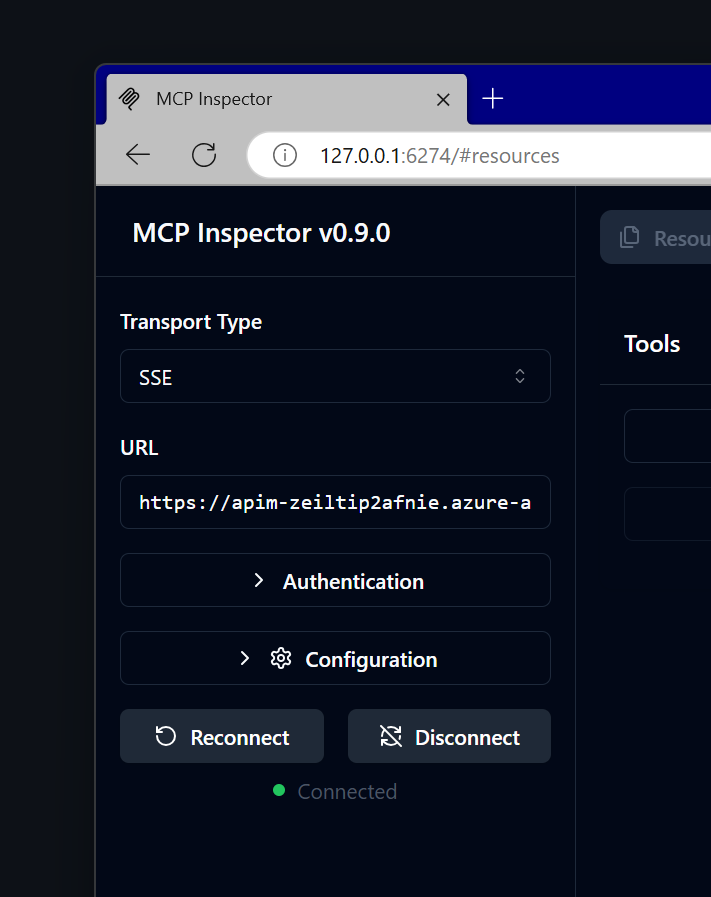
Once connected, click on List Tools and select get_graph_user_details. This will enable you to get data about the currently authenticated user from Microsoft Graph. Click Run Tool.
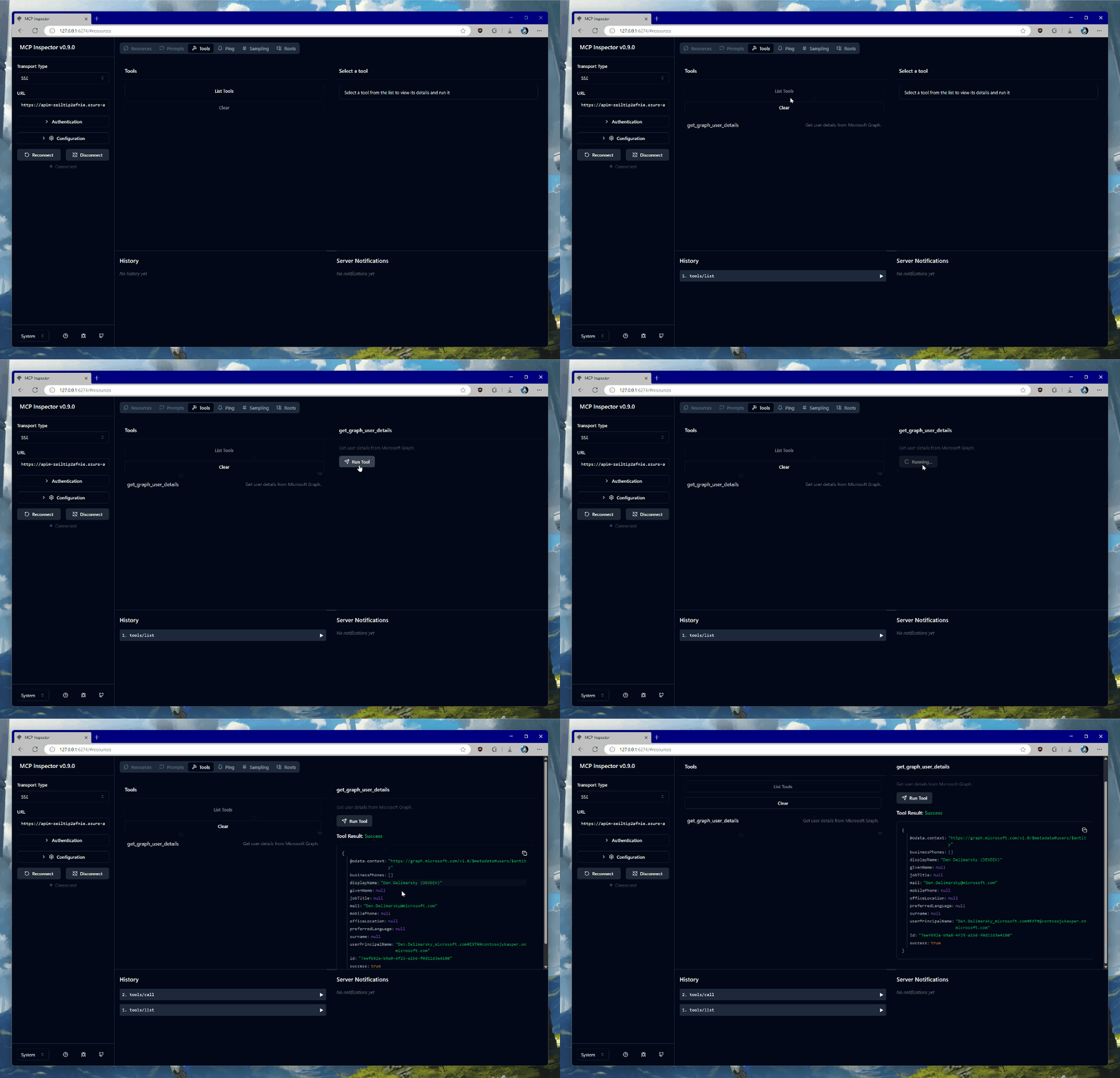
If all goes well, you will see your user data in the response block, like this:
{
  "@odata.context": "https://graph.microsoft.com/v1.0/$metadata#users/$entity",
  "businessPhones": [],
  "displayName": "YOUR_NAME",
  "givenName": null,
  "jobTitle": null,
  "mail": "YOUR_EMAIL",
  "mobilePhone": null,
  "officeLocation": null,
  "preferredLanguage": null,
  "surname": null,
  "userPrincipalName": "YOUR_UPN",
  "id": "c6b77314-c0ec-44b2-b0bb-2c971a753f0c",
  "success": true
}Make sure to open an issue if you encounter any roadblocks or have comments.