
docs-mcp

docs-mcp

MCP.Pizza Chef: cometchat

This MCP server connects your AI assistant to CometChat's documentation, letting you ask for chat, voice, video, and moderation features to integrate into your app. Without needing any account or API key, your AI reads official docs and generates working code snippets or full integration bundles. It works in popular AI apps like Claude, Cursor, and VS Code Copilot, requiring only a simple config paste to start.

Coding
Communication
Other

Use This MCP server To

Ask my AI to add a chat tab for user messaging Get code to embed a no-code chat widget on my website Set up voice and video calling features in my app Add content moderation to block banned words in chat See how to add typing indicators and presence status Get installation steps for CometChat UI kits Learn rate limits and error codes for messaging

README

CometChat MCP Server

Add real-time chat, voice, video, and moderation to your app through your AI coding agent.

CI Release MCP Registry smithery badge docs-mcp MCP server Listed on ClaudePluginHub License MCP Status

Docs • CometChat • Get an account (free, 100 MAU)


CometChat's first-party MCP server. Connect Claude, Cursor, Windsurf, VS Code Copilot, Codex, or any other Model Context Protocol–compatible agent and integrate CometChat into your app from natural-language prompts.

Ask the agent: "add a chat tab where users can DM each other" — it reads CometChat's documentation, picks the right components for your stack, and writes the integration code.

Read-only. No account, no API key, no authentication required.
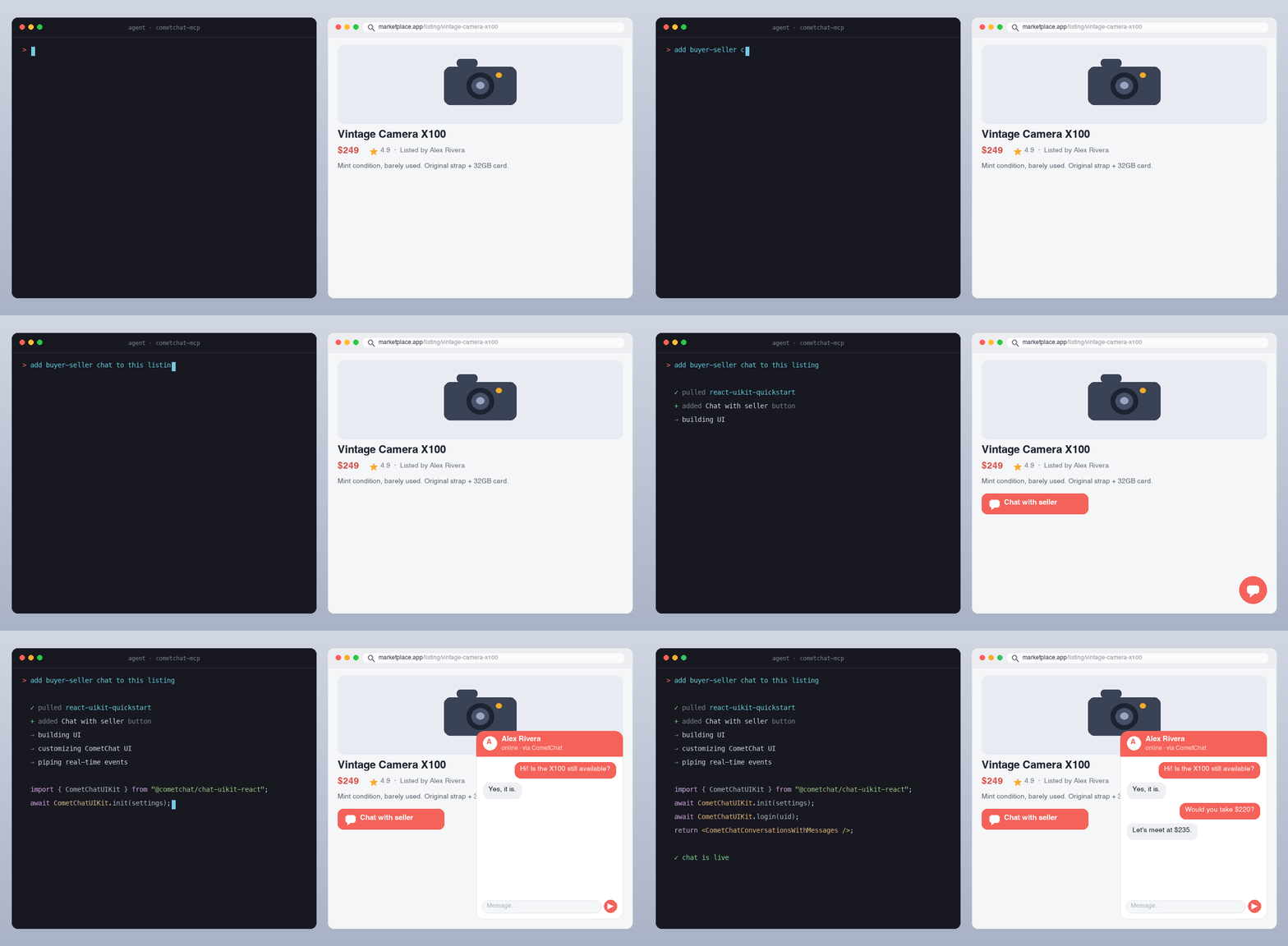

Demo

CometChat MCP server in action

An AI agent reading CometChat's docs and writing a working chat integration from a single prompt.


docs-mcp FAQ

Can I use this to add chat, voice, or video features to my app?
Yes — you can ask your AI assistant to generate integration code for chat, voice, video, and moderation features using CometChat's docs through this server.
Can I use this to get code examples for adding chat widgets to my website?
Yes — it provides ready-to-run code bundles for embedding chat widgets in platforms like Webflow, Squarespace, and more.
Which apps support connecting to this MCP server?
It works with Claude.ai, Claude Desktop, Cursor, VS Code Copilot, Windsurf, and other MCP-compatible AI assistants.
Do I need a CometChat account or API key to use this?
No — this server is read-only and does not require any account or authentication.
How hard is it to set up this MCP server in my AI assistant?
Setup is easy — usually just copy-pasting a small config snippet or adding a URL in your assistant's connector settings.

