Microsoft MCP Server for Enterprise
⚠️ If Visual Studio Code displays the error
Error getting token from server metadata: Error: Cannot force new registration for a non-dynamic authentication provider., change"microsoft-authentication.implementation"from"msal"to"msal-no-broker"in your Settings.
Built on the open Model Context Protocol, the public preview of Microsoft MCP Server for Enterprise lets AI agents access Microsoft Entra data by converting natural language queries into Microsoft Graph API calls. Developers and IT administrators use it to query Microsoft Entra data from their AI-powered workflows.
Full Documentation: Overview of Microsoft MCP Server for Enterprise
To set up the MCP Server for your tenant:
-
Provision the MCP Server. In Graph Explorer, send:
POST https://graph.microsoft.com/v1.0/servicePrincipals
Body: { "appId": "e8c77dc2-69b3-43f4-bc51-3213c9d915b4" } -
Register a new app, representing the MCP Client.
Set the appropriate Redirect URI (also called Reply URL) depending on the client. For example:
Claude Desktop needshttps://claude.ai/api/mcp/auth_callback,
ChatGPT generates a different one for each client using the format:https://chatgpt.com/connector/oauth/<random_chars>,
Microsoft Foundry generates a different Redirect URI for each connector using the format:https://<random_chars>.<region>.azurecontainerapps.io/rest/oauth2-credential/callbackRedirect URI type matters in Microsoft Entra. If you add the URI under Web, Entra treats the app as a confidential client. Use that for apps that run on a server and can protect credentials (like Copilot Studio). At sign-in, Entra expects that app to authenticate with a
client_secretor a certificate-basedclient_assertion.
If you add the URI under Mobile and desktop applications or another public-client platform, Entra treats the app as a public client. Use that for desktop, CLI, or device apps that cannot keep a secret (like ChatGPT or Claude). These apps usually use the authorization code flow with PKCE instead of a client secret. -
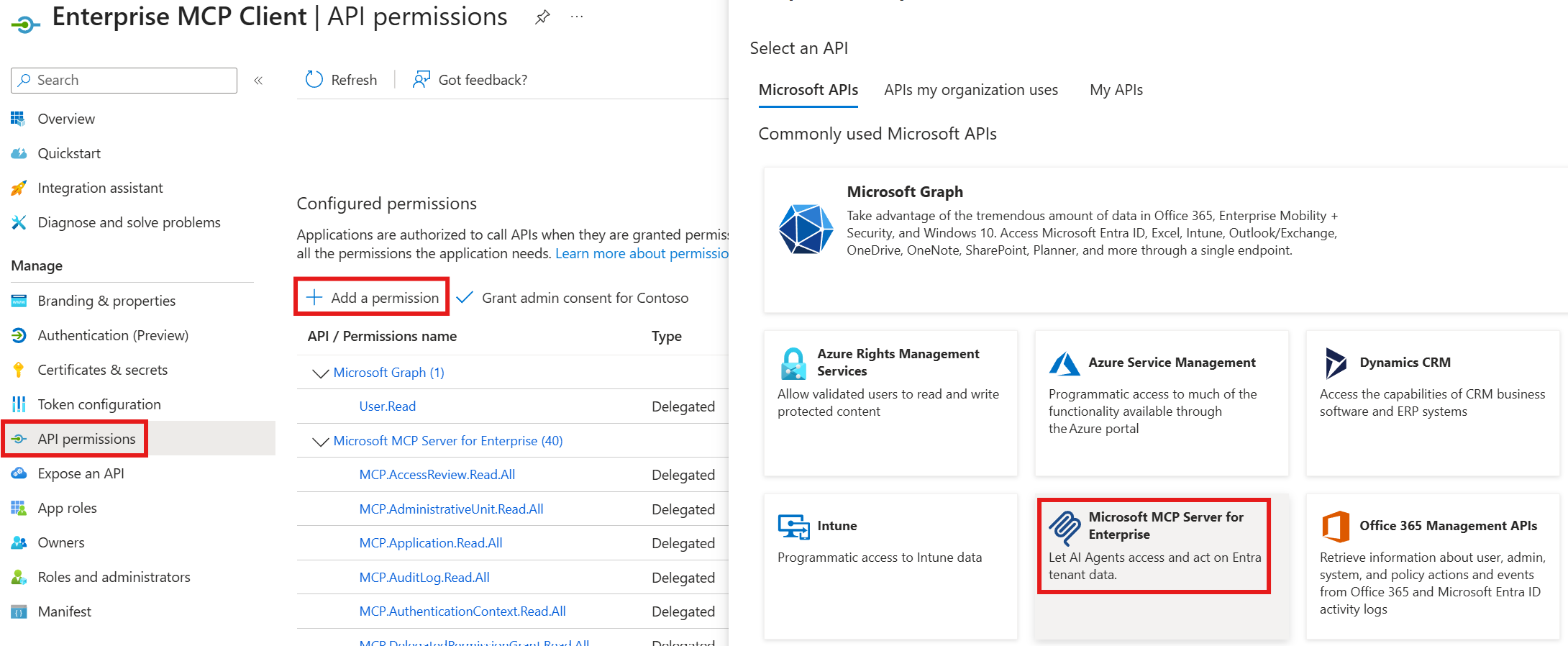
Associate the MCP permissions (
MCP.<Microsoft_Graph_Scope>) between the MCP Server and the MCP Client