


An MCP server to conveniently use various Alibaba Cloud ESA services.
- Apply for Alibaba Cloud's AK and SK on the Accesskey page
https://ram.console.aliyun.com/profile/access-keys
- Enable Edge Routine service
https://esa.console.aliyun.com/edge/function/list
- Configure in your MCP-enabled client config:
{
  "mcpServers": {
    "esa-mcp-server": {
      "command": "npx",
      "args": ["-y", "mcp-server-esa"],
      "env": {
        "ALIBABA_CLOUD_ACCESS_KEY_ID": "your AK",
        "ALIBABA_CLOUD_ACCESS_KEY_SECRET": "your SK",
        "ALIBABA_CLOUD_SECURITY_TOKEN": "sts_security_token optional, required when using STS Token (By default, no need to pass)"
      }
    }
  }
}
Claude Demo
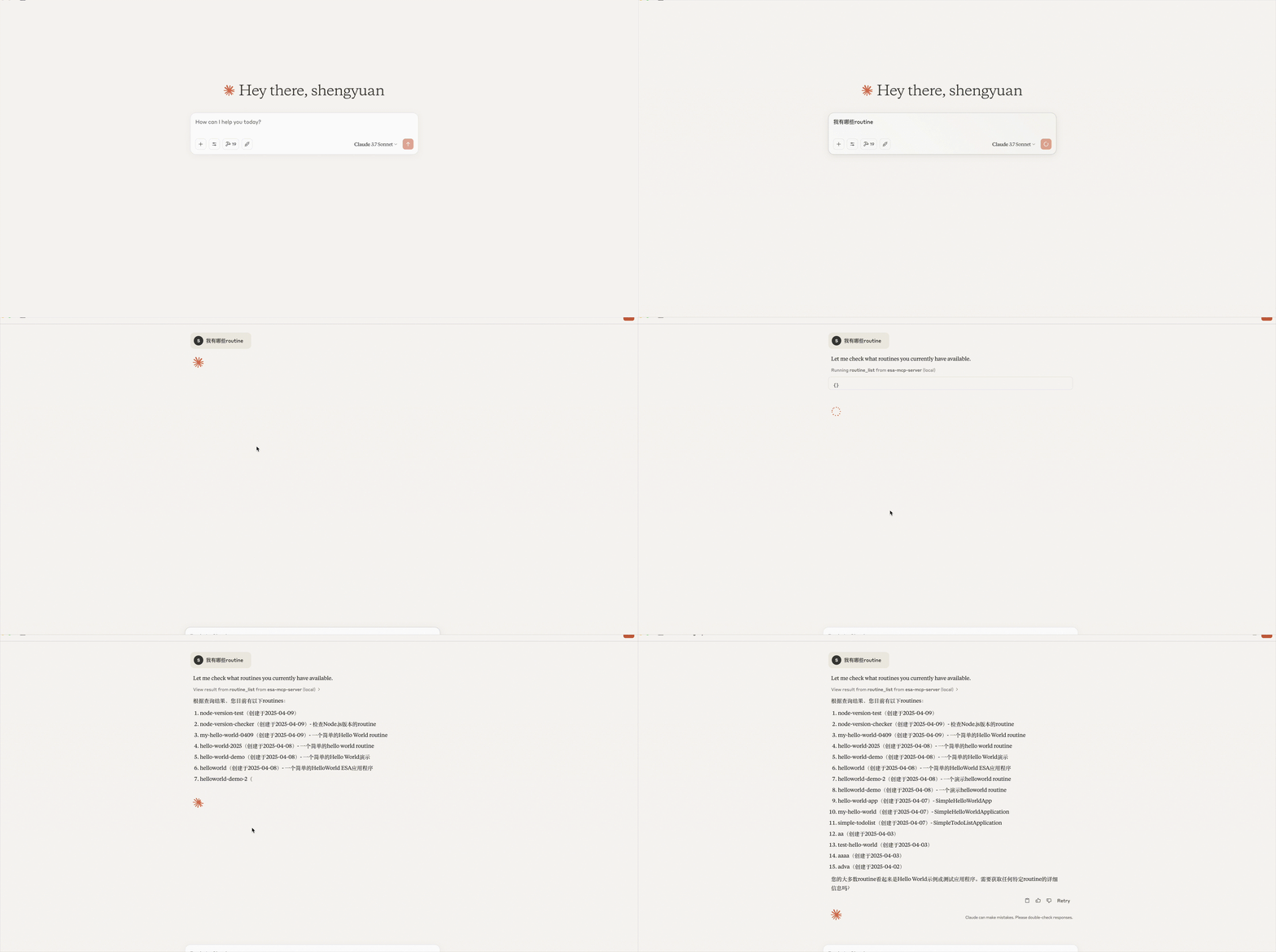
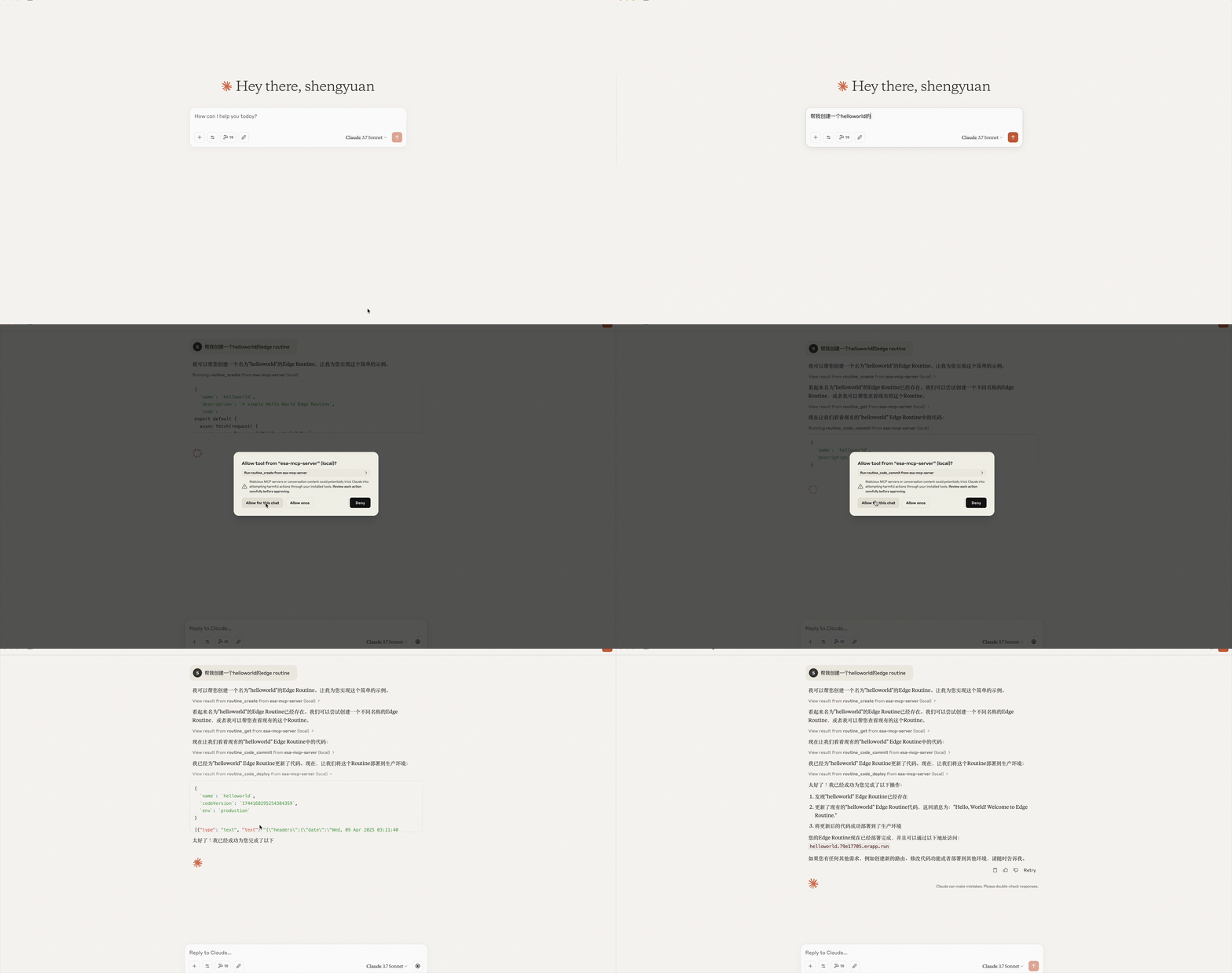
Cline Demo
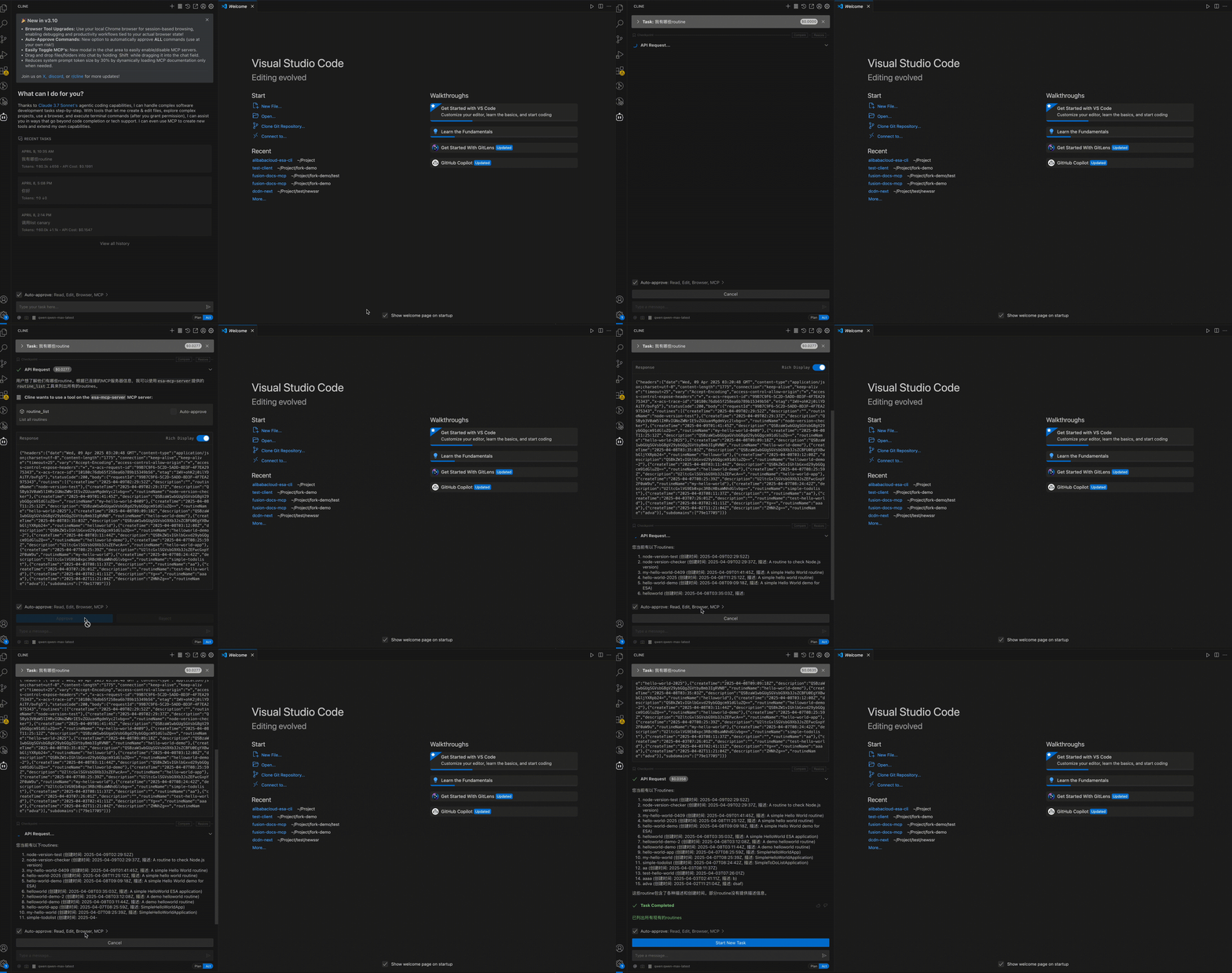
Cline configured successfully:
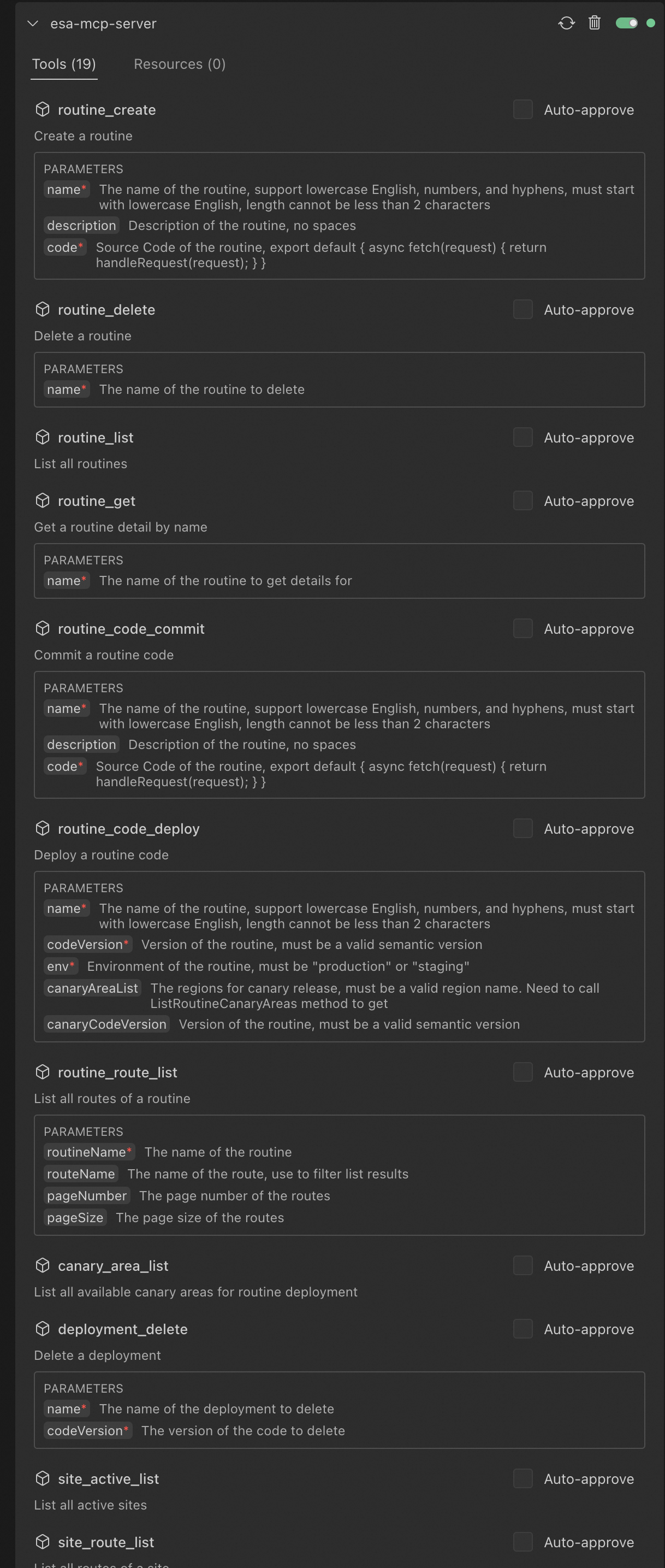
Claude configured successfully:
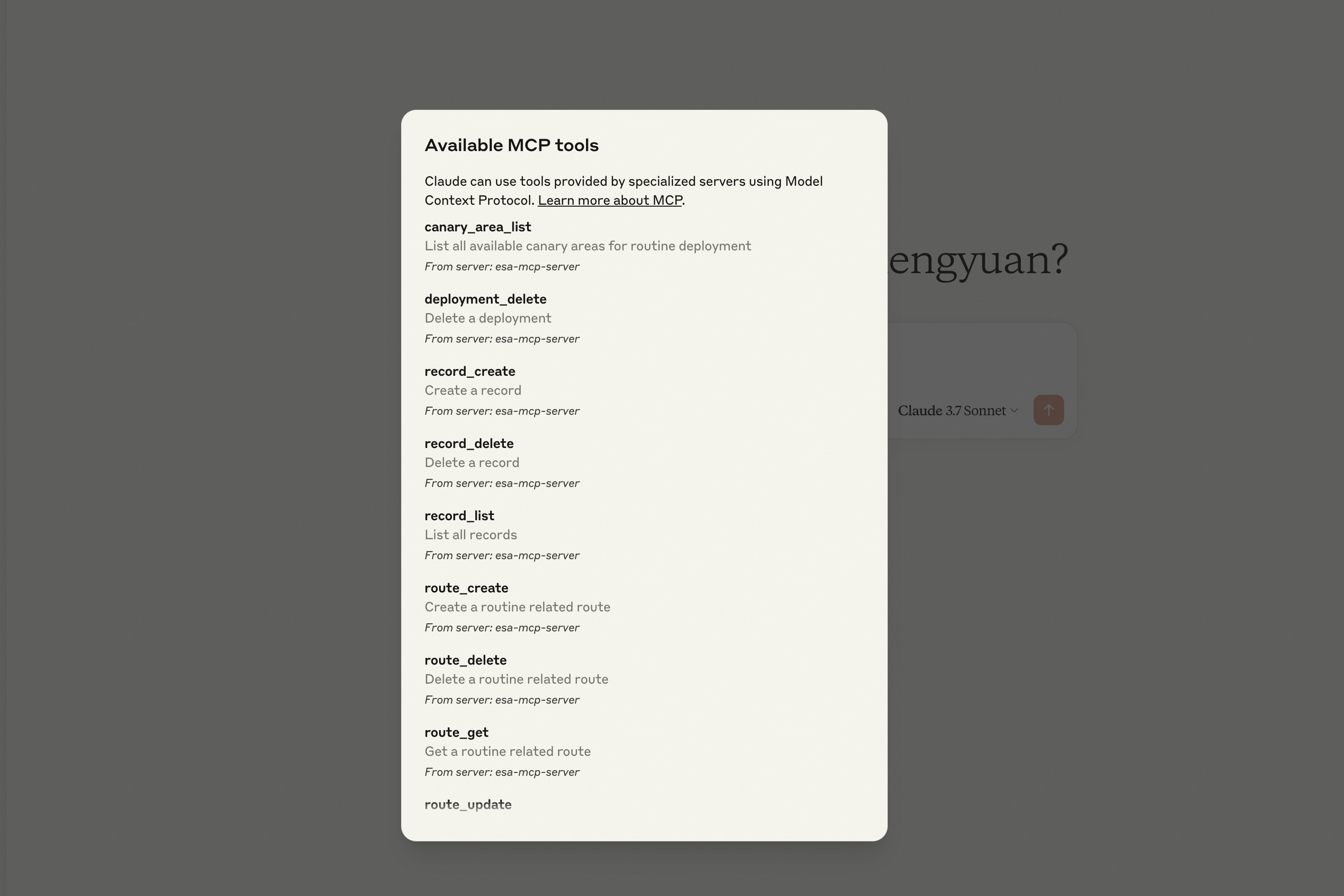
The server provides the following ESA tools callable via the MCP protocol:
| Category | Tool | Description |
|---|---|---|
| Routines | routine_create | Create a new Edge Routine (ER) in your Alibaba Cloud account. |
| routine_delete | Delete an existing Edge Routine (ER) from your Alibaba Cloud account. | |
| routine_list | List all Edge Routines (ERs) in your Alibaba Cloud account. | |
| routine_get | Get a the details of a Edge Routine (ER). | |
| Deployments | routine_code_commit | Save a code version for future modifications or release within an Edge Routine (ER). |
| routine_code_deploy | Deploy a selected code version to the staging or production environment. | |
| deployment_delete | Delete a specified code version associated with an Edge Routine (ER). | |
| Routes | route_create | Create a new route associated with an Edge Routine (ER). |
| route_update | Modify the configuration of an existing Edge Routine route. | |
| route_delete | Delete a specified route associated with an Edge Routine (ER). | |
| route_get | Get details of a specific route associated with an Edge Routine (ER). | |
| routine_route_list | List all routes associated with a specific Edge Routine (ER). | |
| site_route_list | List all routes associated with a specific site. | |
| Records | er_record_create | Create a new record related to an Edge Routine (ER). |
| er_record_delete | Delete a specified record associated with an Edge Routine (ER). | |
| er_record_list | List all records associated with a specific Edge Routine (ER). | |
| Sites | site_active_list | List all active sites registered in your Alibaba Cloud account. |
| site_match | Identify which site in the account matches the provided input criteria. | |
| site_dns_cname_record_create | Create a CNAME DNS record for a specified site. | |
| site_dns_a_record_create | Create an A DNS record for a specified site. | |
| site_record_list | List DNS records associated with a specific site. |
- Write a 2048 game and deploy it on Edge Routine, and display the default access URL provided by the Edge Routine.
- Delete Edge routines created after May 2025.
- List all Edge routines are under my account.
- What is the default access address for my Edge Routine named "hello-world"?
- Create a CNAME record for
test.example.comwith the value set toexample2.com - Create a A record for
test.example.comwith the value set to1.1.1.1
MIT