

Gearcoleco

MCP.Pizza Chef: drhelius

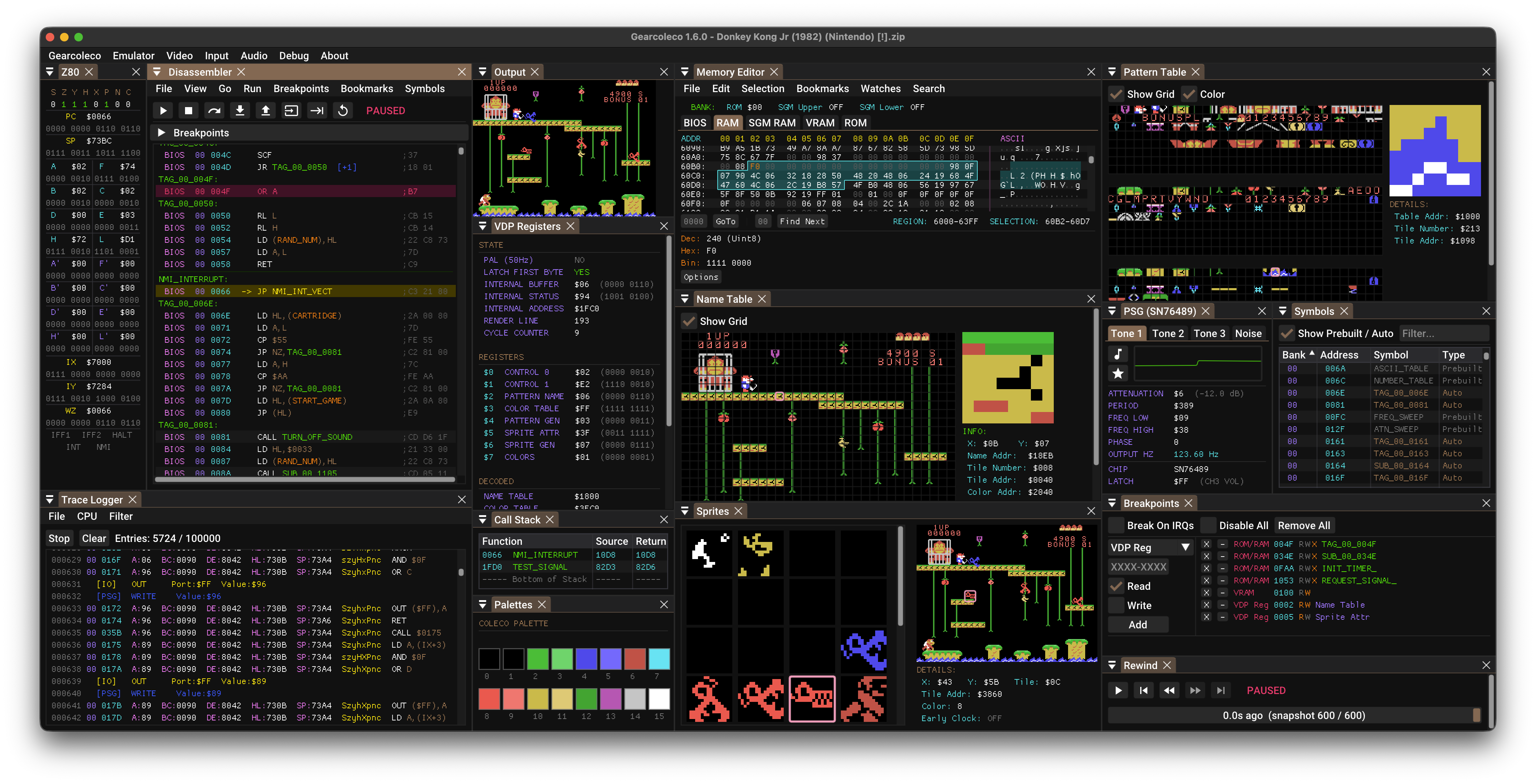
Gearcoleco is a very accurate ColecoVision emulator for Windows, macOS, Linux, and BSD with a full debugger built in, and that debugger is opened up to AI assistants. Yours can pause and step through a game, read and change memory, check the graphics and sound chips, list sprites, capture screenshots, press controller buttons, rewind time, and juggle save states. It is genuinely useful for retro game development, ROM hacking, and reverse engineering. You supply your own BIOS file and game files.

Coding

Use This MCP server To

Pause a running ColecoVision game and step through it Read what is stored in memory at a specific address Take a screenshot of the current game screen Press controller buttons to reproduce a bug Rewind gameplay to just before something went wrong Set a breakpoint and see where the code stops List the sprites currently drawn on screen

README

Gearcoleco

GitHub Workflow Status GitHub Releases) commits) GitHub contributors GitHub Sponsors License Twitter Follow

Gearcoleco is a very accurate, cross-platform ColecoVision emulator written in C++ that runs on Windows, macOS, Linux, BSD and RetroArch, with an embedded MCP server for debugging and tooling.

This is an open source project with its ongoing development made possible thanks to the support by these awesome backers. If you find it useful, please consider sponsoring.

Don't hesitate to report bugs or ask for new features by opening an issue.
Downloads

Gearcoleco FAQ

Which assistants can control it?
GitHub Copilot, Claude, Codex, and similar tools. It can also listen on a local web port for custom setups.
Do I need an account or a paid key?
No. Everything runs on your own machine and the project is free and open source.
Can I use this to debug a game I am writing?
Yes — that is exactly what it was built for. Breakpoints, memory inspection, disassembly, trace logs, and rewind are all drivable in conversation.
How hard is setup?
Moderate. Download the ready-made bundle for your computer and open it, or install the emulator and paste a short settings snippet into your assistant.
Does it need anything else to run?
Yes, a ColecoVision BIOS file plus your own game files. It can also run with no visible window, which suits automated testing.
Which computers does it run on?
Windows, macOS, Linux, and BSD, with separate downloads for Intel and ARM machines, plus a RetroArch core.