
NetLogo-MCP

MCP.Pizza Chef: Razee4315

You can now create, run, and analyze complex agent-based models in NetLogo simply by talking to your AI assistant. Instead of manually coding or clicking through NetLogo’s interface, just describe what you want in plain English. This server works with popular AI tools like Claude Desktop, VS Code, and Cursor, but requires installing NetLogo and Java on your computer. It opens a live simulation window or runs headless for servers, letting you see results and export data or images easily.

Coding
Data
Other

Use This MCP server To

Create a predator-prey simulation by describing it in plain English Run simulations and watch the model evolve live Collect and analyze simulation data as tables Export simulation views as images to share or save Run multiple experiments with different parameters automatically Search and run models from a large peer-reviewed library Inspect agent states and environment heatmaps during simulation

README

NetLogo MCP — Talk to NetLogo. AI runs the simulation.

PyPI CI Python 3.10+ Ruff mypy MIT License

The first MCP (Model Context Protocol) server for NetLogo — enabling AI assistants to create, run, and analyze agent-based models through natural conversation.

Works with: Claude Code, Claude Desktop, Cursor, Windsurf, VS Code (Copilot), Cline, Continue, Roo Code, Zed, OpenCode, Codex — any tool that supports MCP.
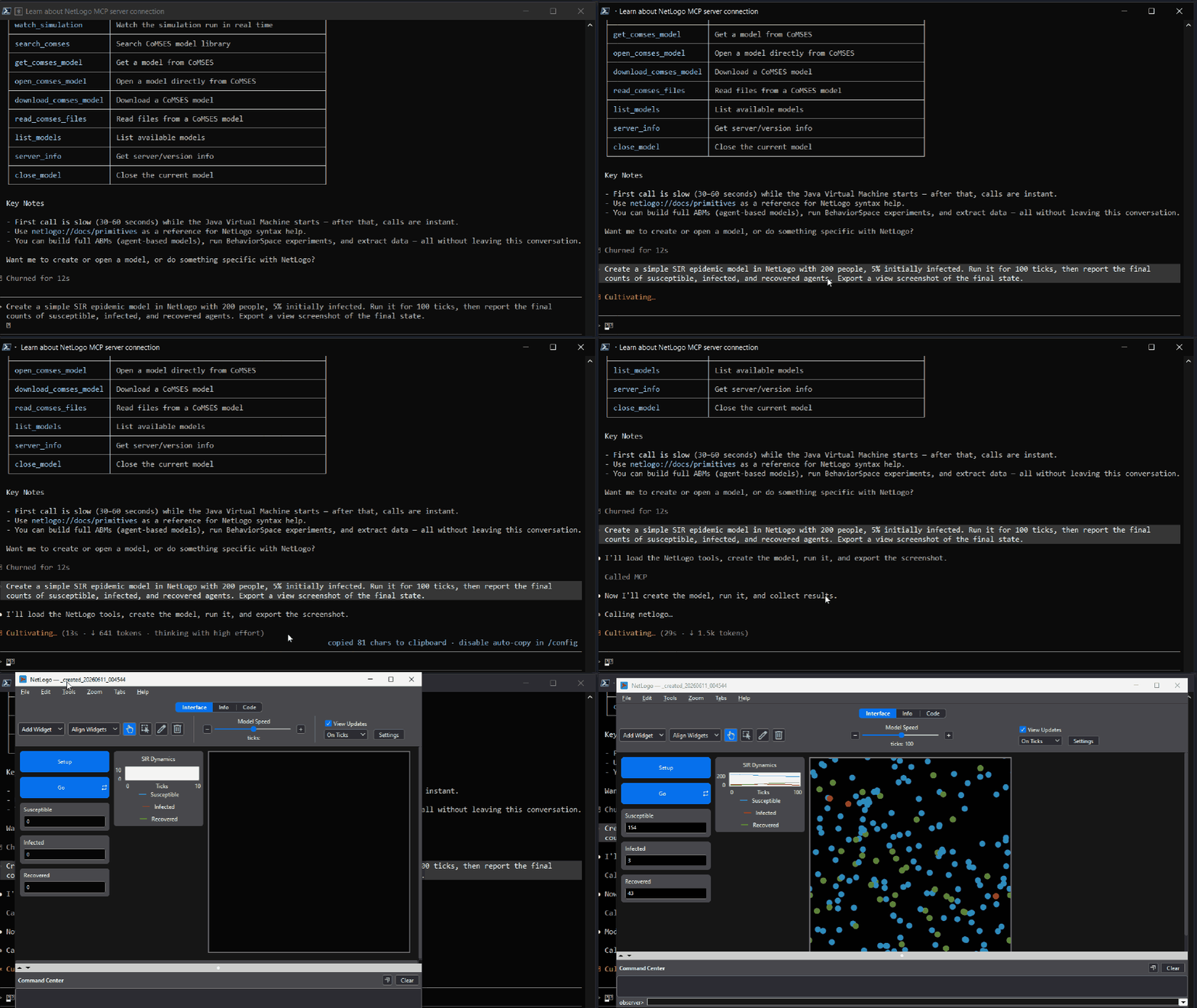
NetLogo MCP demo — AI creating and running a simulation through conversation

Why NetLogo MCP?

As an AI student taking an Agent-Based Modeling course, I searched for an MCP server to control NetLogo — nothing existed. So I built one.

Instead of manually writing NetLogo code, clicking buttons, and tweaking sliders, you tell your AI assistant what you want in plain English:

"Create a predator-prey model with 100 sheep and 20 wolves. Run it for 500 ticks and show me the population dynamics."

The AI writes the code, runs the simulation, and shows you the results — all through conversation.
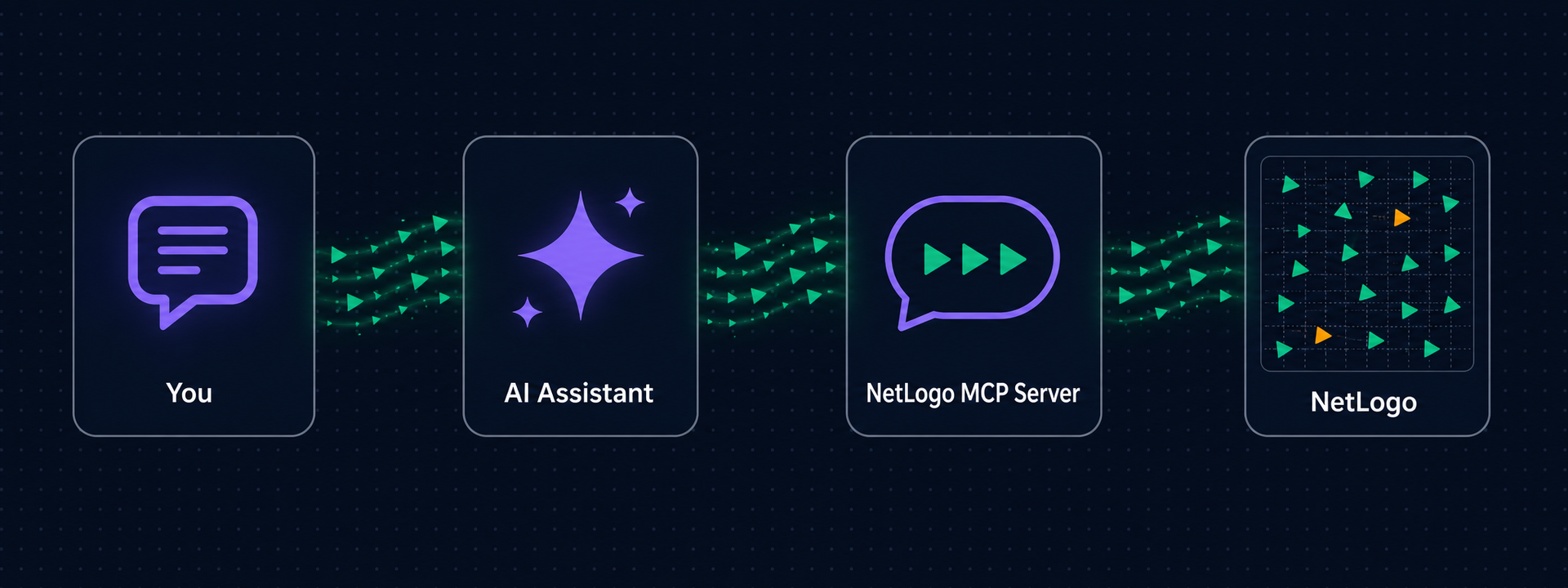
You → AI Assistant → NetLogo MCP Server → NetLogo (GUI or headless JVM)

By default a real NetLogo window opens (on first use) so you can watch your simulations run live. Headless mode is available for CI or servers.

Features

  • Create models from code — with real interface widgets: sliders, switches, buttons, monitors
  • Run simulations and collect tick-by-tick data as markdown tables
  • Run BehaviorSpace experiments — parallel parameter sweeps via the headless launcher
  • Export the view as PNG — visible inline in chat
  • Inspect everything — world state, agent samples, patch grids for heatmaps
  • CoMSES Net integration — search and safely run models from the largest peer-reviewed ABM library
  • Built-in references — NetLogo primitives, programming guide, and 6→7 transition guide as MCP resources
  • Lazy startup — the NetLogo window only opens when you actually use a tool, not when your AI client connects

See docs/TOOLS.md for the full reference of all 25 tools, widget schema, and prompts.

NetLogo-MCP FAQ

Can I use this to create and run agent-based models through conversation?
Yes — you can tell your AI assistant to create, run, and analyze NetLogo simulations using plain English commands.
Can I use this with Claude Desktop or VS Code?
Yes — it works with Claude Desktop, Cursor, VS Code Copilot, Windsurf, Cline, Roo Code, and other MCP-compatible tools.
Do I need an API key or account to use NetLogo-MCP?
No — it runs locally but requires you to have NetLogo and Java installed on your computer.
How hard is it to set up NetLogo-MCP?
It requires developer-level setup including installing Python, Java JDK, NetLogo, and configuring your AI client.
Does the NetLogo window open automatically?
The NetLogo window opens the first time you run a simulation so you can watch it live; headless mode is also available.
Where are my models and exports saved?
By default, models and exported images are saved in 'models/' and 'exports/' folders in your current working directory.