Fire in da houseTop Tip:Paying $100+ per month for Perplexity, MidJourney, Runway, ChatGPT and other tools is crazy - get all your AI tools in one site starting at $15 per month with Galaxy AI Fire in da houseCheck it out free

mcp-notion

MCP.Pizza Chef: seonglae

mcp-notion is a TypeScript-based MCP server that provides seamless access to all pages within a Notion workspace. It converts Notion pages into Markdown format, exposing them as note:// URIs with UUID slugs, enabling efficient search and retrieval based on graph distance including parent-child and reference relationships. This server eliminates the need for tokens by using a single ROOT_PAGE variable, making it easy to browse and interact with your entire Notion workspace. It supports metadata like titles and descriptions, and serves content in text/markdown mimeType, demonstrating MCP principles by integrating resources, tools, and prompts for enhanced Notion page interaction.

Use This MCP server To

Browse entire Notion workspace as Markdown notes Search Notion pages by graph distance relationships Retrieve Notion page content in Markdown format Access Notion pages via note:// URIs with UUIDs Integrate Notion workspace data into AI workflows Use MCP to interact with Notion without tokens Manage Notion notes programmatically via MCP server

README

Browse your entire Notion workspace, not just one database

Markdown based Notion navigating MCP with just a single ROOT_PAGE variable, eliminating the need for a token.

  • Notion MCP Server: notion-texonom
  • Notion pages are converted into text/markdown mimeType notes.
  • Search and retrieve relevant pages based on graph distance, considering parent-child and reference relationships.

A Model Context Protocol (MCP) server for managing and interacting with Notion-based notes. This TypeScript-based server demonstrates MCP concepts by integrating resources, tools, and prompts to interact with Notion pages efficiently.
Features

Resources

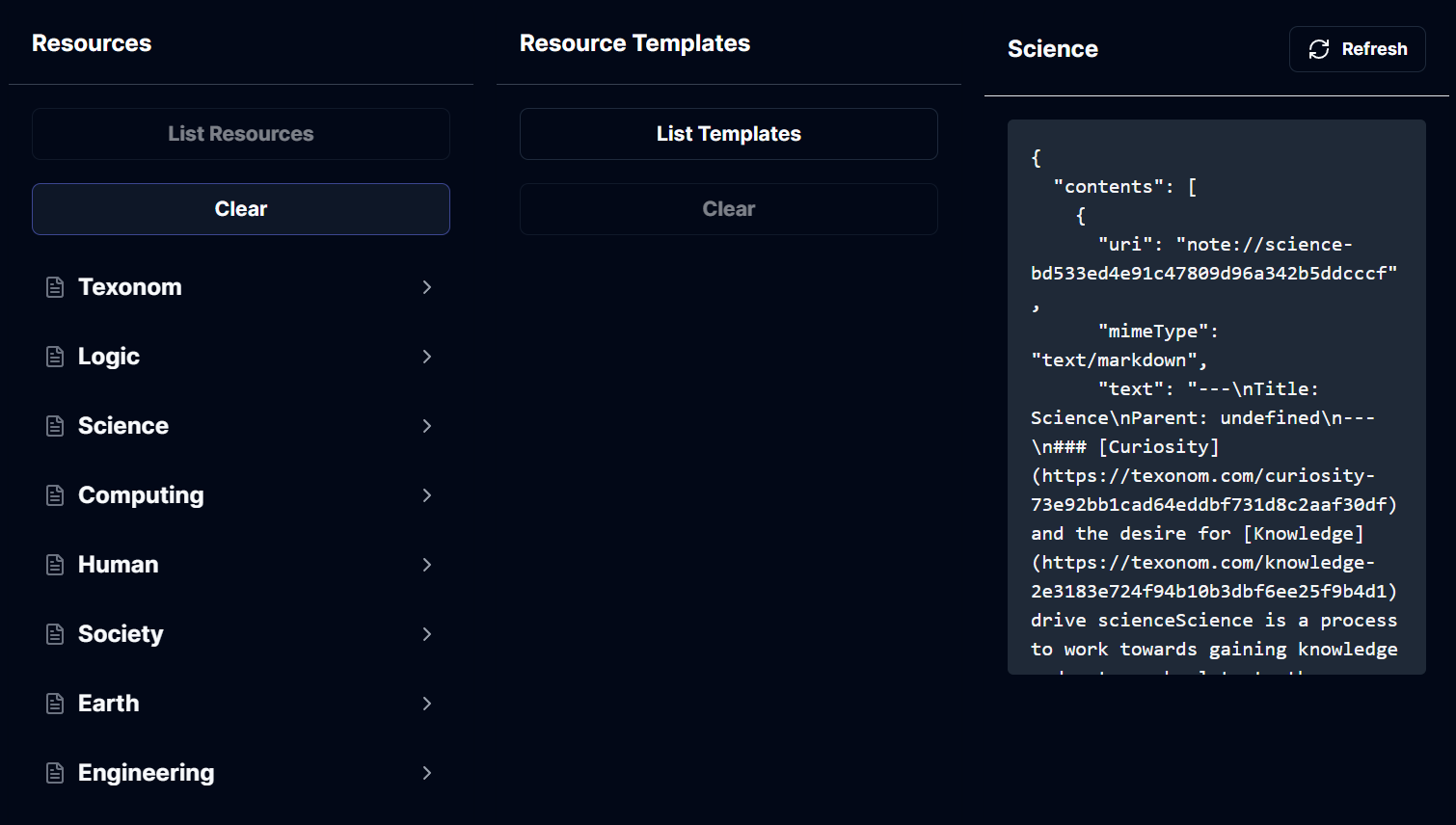
Resources Inspection

  • Access Notes: List and retrieve Notion pages as note:// URIs with UUID slugs.
  • Metadata: Each resource includes a title, description, and content in Markdown format.
  • Mime Types: Content is accessible in text/markdown format.

Tools

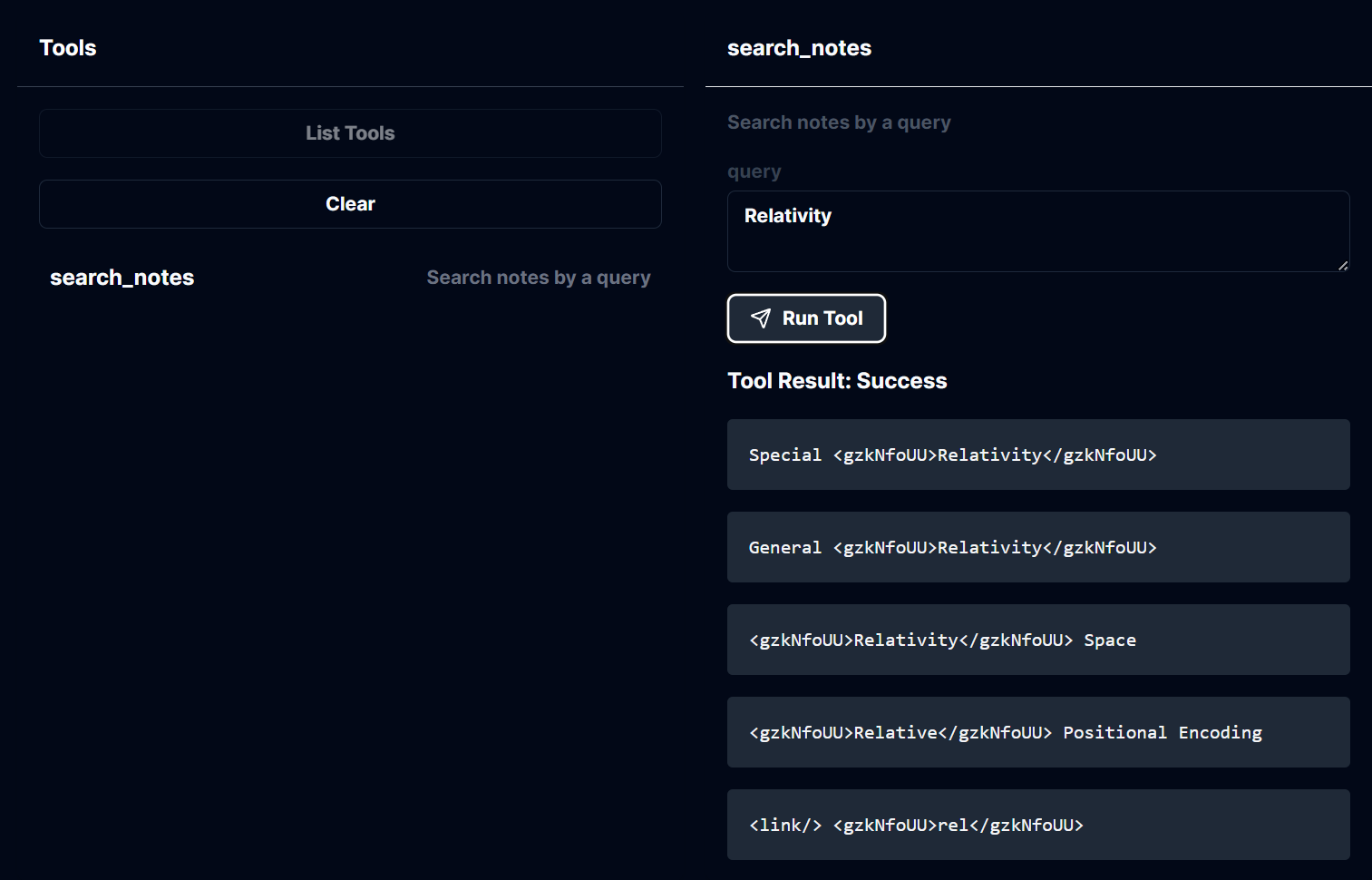
Tools Inspection

  • Search Notes: Use the search_notes tool to search for Notion pages using a query string.
    • Input: Query text to filter relevant pages.
    • Output: Markdown content of matching notes.
Prompts

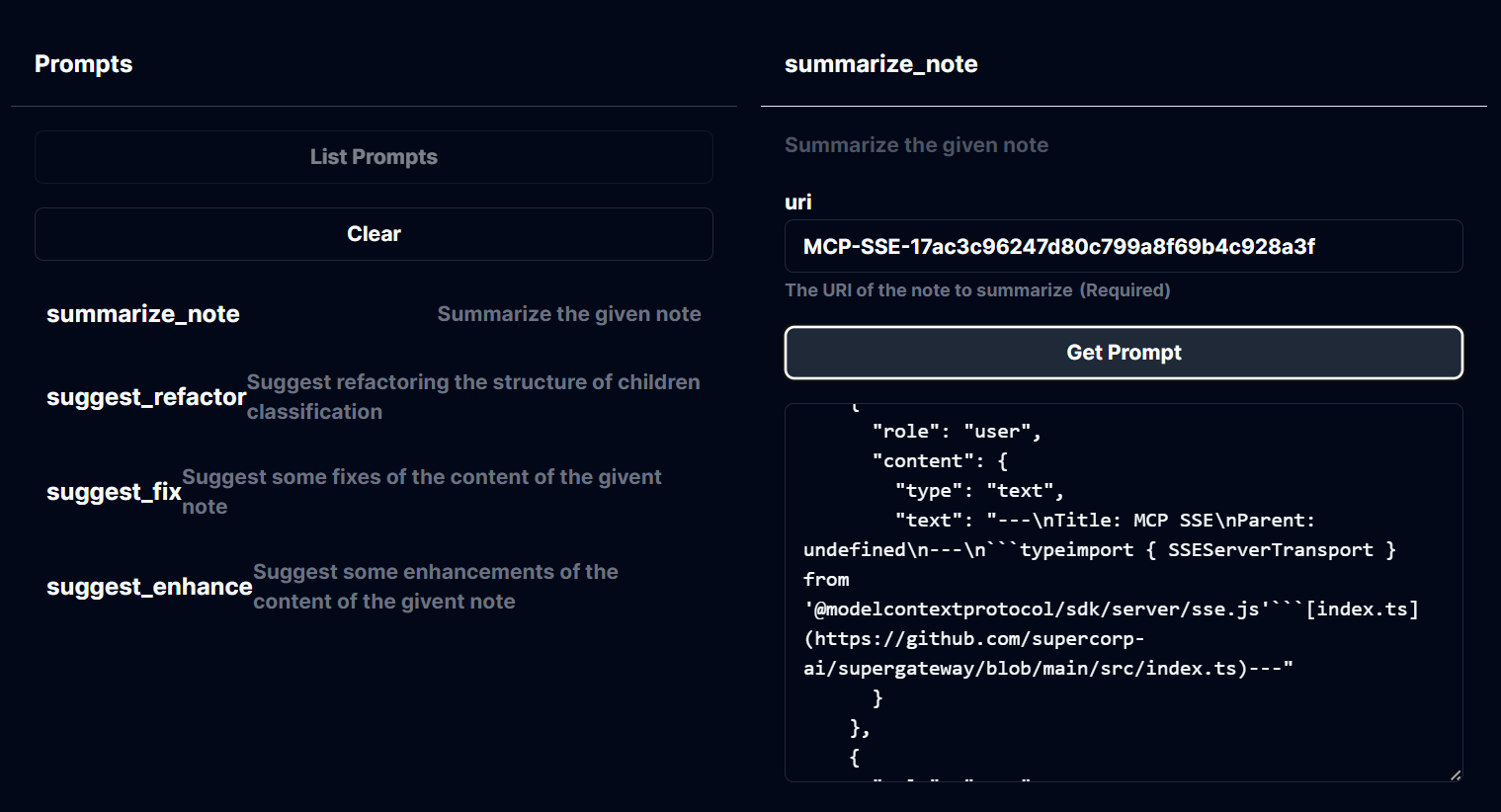
Prompts Inspection

  • Summarize Notes: Generate summaries for individual Notion pages.
    • Available Prompts:
      • summarize_note: Summarize a specific note by URI.
      • suggest_refactor: Propose structural improvements.
      • suggest_fix: Identify potential fixes for note content.
      • suggest_enhance: Recommend enhancements to improve the note.
    • Input: Notion page URI.
    • Output: Structured messages for summarization and enhancement.

Development

Setup

Install dependencies:

pnpm install

Build the project:

pnpm build

For development with auto-rebuild:

pnpm watch

Configuration

To configure the server with Notion:

  • Set environment variables:
    • ROOT_PAGE: The root page ID of your Notion workspace.

Installation for Claude Desktop

To use this server with Claude Desktop, add the configuration:

  • MacOS: ~/Library/Application Support/Claude/claude_desktop_config.json
  • Windows: %APPDATA%/Claude/claude_desktop_config.json

Example configuration:

{
  "mcpServers": {
    "notion-texonom": {
      "command": "node",
      "args": [
        "/path/to/mcp/build/index.js"
      ],
      "env": {
        "ROOT_PAGE": "$SOME_UUID"
      }
    }
  }
}

Debugging

For troubleshooting and debugging the MCP server, use the MCP Inspector. To start the Inspector, run:

pnpm inspector

The Inspector provides a browser-based interface for inspecting stdio-based server communication.

Key Technologies

  • Notion Integration: Powered by @texonom/nclient and @texonom/cli.
  • MCP SDK: Implements @modelcontextprotocol/sdk for server operations.

Remote Deployment

The server now uses SSEServerTransport for remote communication, enabling shared usage of the server. Ensure that the necessary dependencies are installed and the server is configured correctly for remote deployment.

Usage Instructions

To run the server with SSEServerTransport, use the following command:

npx -y supergateway --port 8000 --stdio "npx -y @modelcontextprotocol/server-filesystem /some/folder"

Make sure to replace /some/folder with the appropriate path to your folder.

mcp-notion FAQ

How does mcp-notion access Notion pages without a token?
It uses a single ROOT_PAGE variable to navigate the workspace, eliminating the need for authentication tokens.
In what format are Notion pages served by mcp-notion?
Pages are converted and served in text/markdown mimeType for easy reading and processing.
How does mcp-notion determine relevant pages during search?
It uses graph distance considering parent-child and reference relationships between pages.
Can I retrieve metadata about Notion pages using mcp-notion?
Yes, each resource includes metadata such as title, description, and content.
What URI scheme does mcp-notion use to expose Notion pages?
It uses note:// URIs with UUID slugs to uniquely identify pages.
Is mcp-notion limited to a single Notion database?
No, it provides access to the entire Notion workspace, not just one database.
What programming language is mcp-notion implemented in?
It is implemented in TypeScript, demonstrating MCP server concepts.
How does mcp-notion support AI model integrations?
By exposing Notion pages as structured Markdown resources, it enables models like GPT-4, Claude, and Gemini to interact with workspace content.