
VSCode-Airtable-Formula

VSCode-Airtable-Formula

MCP.Pizza Chef: Automations-Project

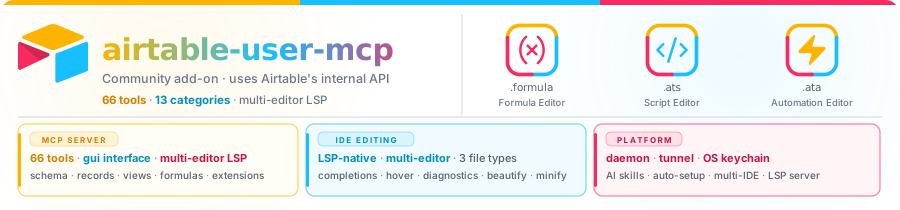
This VS Code extension and MCP server lets you edit Airtable formulas, scripts, and automations with helpful features like syntax highlighting and suggestions. It also provides over 70 tools to manage Airtable bases, views, fields, and extensions beyond the official API. You can use it in VS Code, Claude Desktop, Cursor, and other supported AI clients. Setup involves pasting a small config snippet and logging into Airtable via a supported browser; no separate API key is needed.

Coding
Files/PDF
Other

Use This MCP server To

Edit Airtable formulas with syntax highlighting and suggestions Create and modify Airtable automation scripts Manage Airtable base schemas, views, and fields Validate Airtable formulas before applying Run Airtable automations from my AI assistant Access Airtable data and extensions inside VS Code or Claude Desktop

README

airtable-user-mcp — 72 Airtable tools (plus manage_tools) your AI assistant can't get from the official Airtable REST API

Airtable Formulas, Scripts, Automation, MCP & LSP

Formula, script & automation editor · MCP server (72 tools + manage_tools) · Language server · AI skills

VS Code Open VSX npm · MCP npm · LSP MCP Registry
VS Code version
VS Code installs
Open VSX version
Open VSX downloads
npm version
npm downloads per week
LSP version MCP Registry listing

CI status Latest release Last commit GitHub stars License


Not affiliated with Airtable Inc. This is a community-maintained project.

Active development — Breaking changes may land between minor versions. Pin to a version if you need stability.

VSCode-Airtable-Formula FAQ

Can I use this to edit Airtable formulas with syntax help?
Yes — it provides a formula editor with syntax highlighting and suggestions inside VS Code and other supported apps like Claude Desktop and Cursor.
Can I manage Airtable bases, views, and fields through this?
Yes — it exposes over 70 Airtable automation tools including schema and view management, accessible via your AI assistant in supported environments.
Which apps support this MCP server?
It works with VS Code, Claude Desktop, Cursor, Cline, and Windsurf, integrating smoothly with these AI clients.
Do I need an Airtable account or API key?
You need to log in to Airtable via a supported browser (Chrome, Edge, or Chromium) for authentication; no separate API key is required.
How hard is it to set up?
Setup is straightforward — you paste a config snippet into your VS Code or AI client settings to enable it.
Does it require any special software?
You need VS Code version 1.100.0 or newer (or a compatible fork) and a supported browser for login; Node.js is bundled with VS Code, so no extra install is needed.