Fire in da houseTop Tip:Paying $100+ per month for Perplexity, MidJourney, Runway, ChatGPT and other tools is crazy - get all your AI tools in one site starting at $15 per month with Galaxy AI Fire in da houseCheck it out free

metatrader-mcp-server

MCP.Pizza Chef: ariadng

The MetaTrader MCP Server is a Python-based Model Context Protocol server that integrates AI large language models with the MetaTrader trading platform. It enables real-time, automated trade execution and management by feeding structured trading context to LLMs and allowing them to interact with MetaTrader 5. This server facilitates AI-driven trading workflows while emphasizing risk awareness and liability disclaimers.

Use This MCP server To

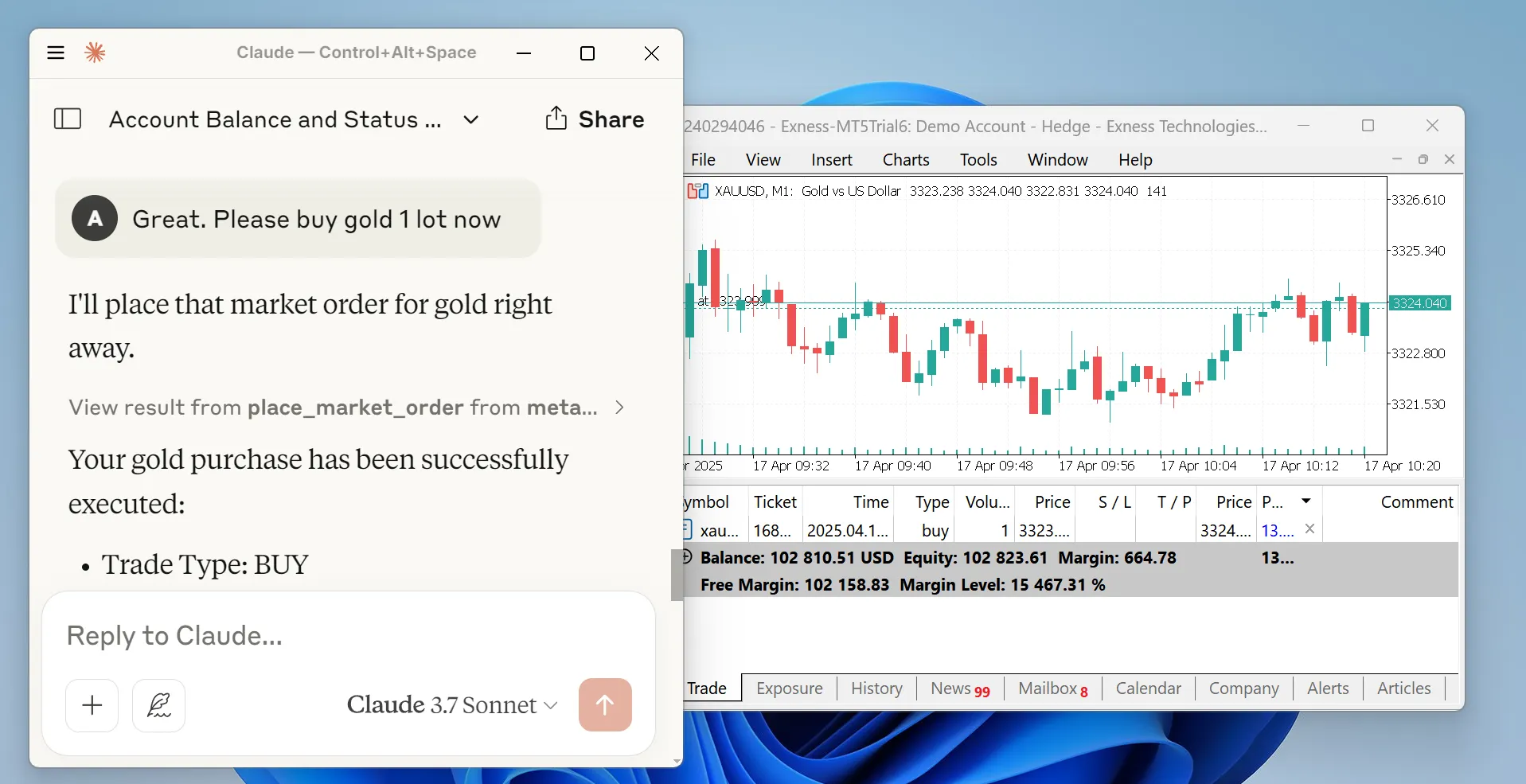
Automate trade execution on MetaTrader using AI LLM commands Feed real-time market data from MetaTrader to AI models Enable AI-driven trading strategy testing and simulation Manage open positions and orders via natural language instructions Integrate MetaTrader trading context into AI-enhanced financial workflows Trigger trades based on AI analysis of market conditions Monitor trading account status and performance through AI queries

README

MetaTrader MCP Server

PyPI version

This is a Model Context Protocol (MCP) server built with Python to enable AI LLMs to trade using MetaTrader platform.

MetaTrader MCP Server

Disclaimer

Financial trading involves significant risk, and the developers of this package disclaim any liability for any losses or profits; this package is provided solely to facilitate MetaTrader 5 trade executions via AI LLMs using the Model Context Protocol (MCP). By using this package, you assume all risks and agree not to hold the developers liable or to initiate any legal action for any damages, losses, or profits.

Updates

  • May 5, 2025: Use broker-based filling modes (0.2.5)
  • April 23, 2025: Published to PyPi (0.2.0)
  • April 16, 2025: We have our first minor version release (0.1.0)

Installation Guide

Make sure you have Python version 3.10+ and MetaTrader 5 terminal installed in your workspace. Then install the package:

pip install metatrader-mcp-server

Then you need to enable algorithmic trading on MetaTrader 5 terminal. Open Tools > Options and check Allow algorithmic trading.

Claude Desktop Integration

To use this package to enable trading operations via Claude Desktop app, please add this into your Claude Desktop configuration:

{
  "mcpServers": {
    "metatrader": {
      "command": "metatrader-mcp-server",
      "args": [
        "--login",    "<YOUR_MT5_LOGIN>",
        "--password", "<YOUR_MT5_PASSWORD>",
        "--server",   "<YOUR_MT5_SERVER>"
      ]
    }
  }
}

Other LLMs using Open WebUI

You can use this MCP server with other LLMs such as OpenAI's GPT by using its HTTP server and Open WebUI.

To start, make sure you have installed the package. Then, run the server:

metatrader-http-server --login <YOUR_MT5_LOGIN> --password <YOUR_MT5_PASSWORD> --server <YOUR_MT5_SERVER> --host 0.0.0.0 --port 8000

It will launch HTTP server locally on port 8000 and automatically launch MetaTrader 5 terminal.

On Open WebUI settings page, navigate to Tools menu. Then click plus button on "Manage Tool Servers". Add http://localhost:8000 (or whatever you set your port is).

Open WebUI - Add Connection

If all is well, you can now access the tools via chat using available models, such as gpt-4o or o4-mini.

Open WebUI - Chat

Project Roadmap

For full version checklist, see version-checklist.md.

Task Status Done Tested
Connect to MetaTrader 5 terminal Finished
Develop MetaTrader client module Finished
Develop MCP Server module Finished
Implement MCP tools Finished
Publish to PyPi Finished
Claude Desktop integration Finished
OpenAPI server Finished
Open WebUI integration Finished
Google ADK integration On progress - -

Developer Documentation

For developers, see Developer's Documentation.

metatrader-mcp-server FAQ

How does the MetaTrader MCP Server connect to the MetaTrader platform?
It uses MetaTrader 5 APIs to interface directly with the trading platform, enabling real-time trade execution and data retrieval.
Is this server limited to MetaTrader 5 or does it support other versions?
Currently, it supports MetaTrader 5, leveraging its API for trade operations and market data access.
What programming languages or environments are required to run this server?
The server is built in Python and requires a Python environment with dependencies installed via PyPI.
How does the server ensure safe trading operations when controlled by AI?
While the server facilitates AI-driven trading, it includes disclaimers emphasizing user responsibility and risk management; it does not enforce trading safety rules.
Can this server be used with multiple LLM providers like OpenAI, Claude, or Gemini?
Yes, it is designed to be model-agnostic and can integrate with various LLM providers supporting MCP.
What kind of trading actions can the AI perform through this server?
The AI can place, modify, and close orders, monitor positions, and query market data in real time.
Are there any legal or financial disclaimers associated with using this server?
Yes, users assume all risks related to financial trading, and developers disclaim liability for any losses or profits.
How frequently is the MetaTrader MCP Server updated?
Updates are published regularly on PyPI, with changelogs available in the GitHub repository.