
Fire in da houseTop Tip:Paying $100+ per month for Perplexity, MidJourney, Runway, ChatGPT and other tools is crazy - get all your AI tools in one site starting at $15 per month with Galaxy AI Fire in da houseCheck it out free

github-oauth-mcp

MCP.Pizza Chef: dend

github-oauth-mcp is a minimal MCP server demonstrating GitHub OAuth integration for authenticating users. It serves as a quick demo to show how to implement OAuth flows within an MCP server environment. This server is intended for testing and learning purposes only and is not production-ready. Users must register a GitHub App and handle credentials securely when using this server.

Use This MCP server To

Authenticate MCP users via GitHub OAuth Test OAuth flows in MCP server environments Demonstrate OAuth integration for MCP developers Securely manage user sessions with GitHub credentials Prototype GitHub-based login for MCP applications

README

🔒 Minimal GitHub OAuth-enabled MCP Server

Minimal MCP server showing how to potentially implement GitHub OAuth with an MCP server.

Important

This repository has been archived. Refer to the reference collection for latest samples and best practices.

Warning

This is not intended for production use. If you are to adopt any of the practices in this implementation, ensure that you are implementing proper caching and secure token/credential handling practices.

GitHub application registration

Prior to using this MCP server, make sure that you have a GitHub App you can use for testing. You can register one in your GitHub settings.
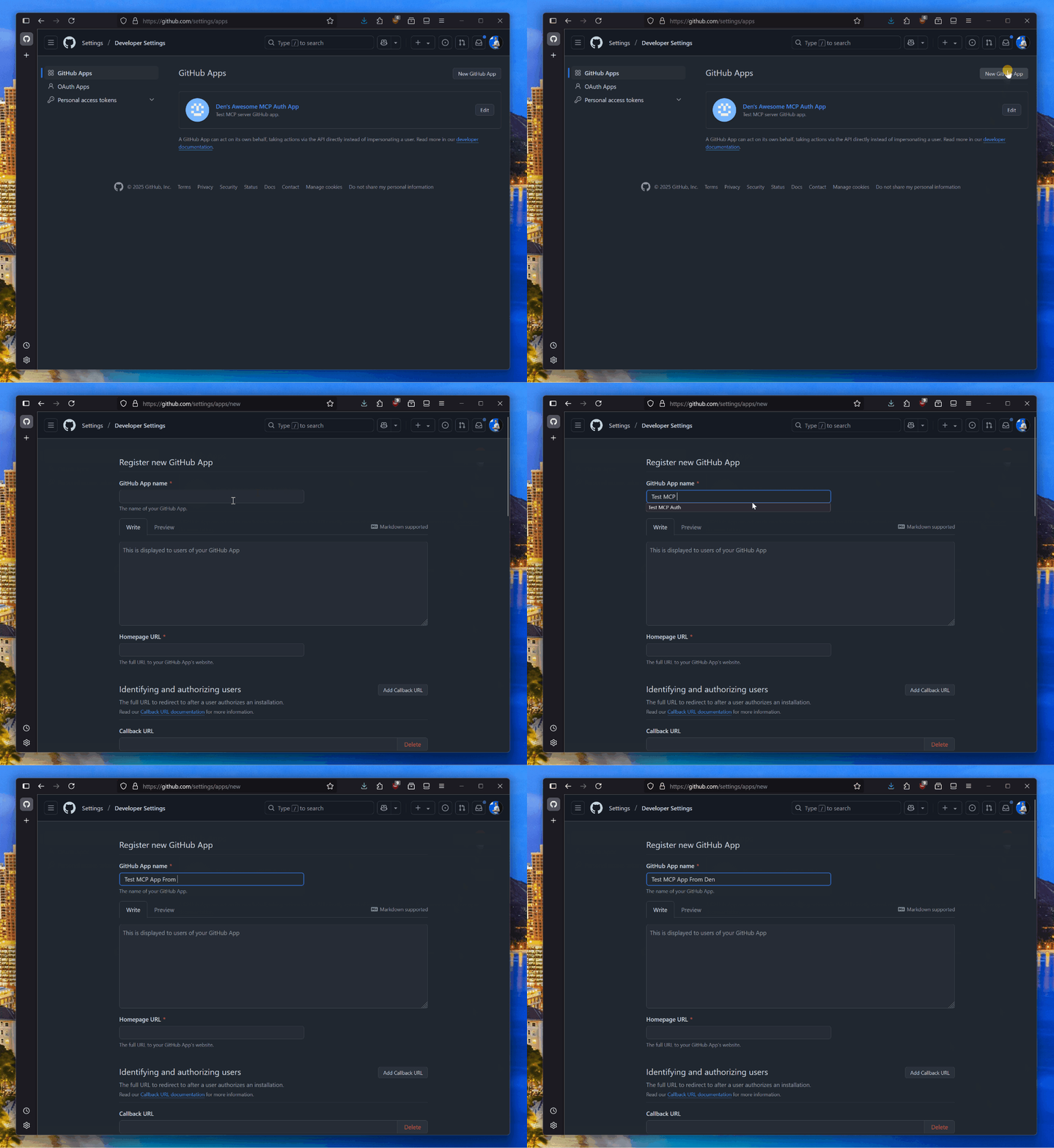
Registering an application in GitHub

Once the app is registered, make sure to generate a new secret.
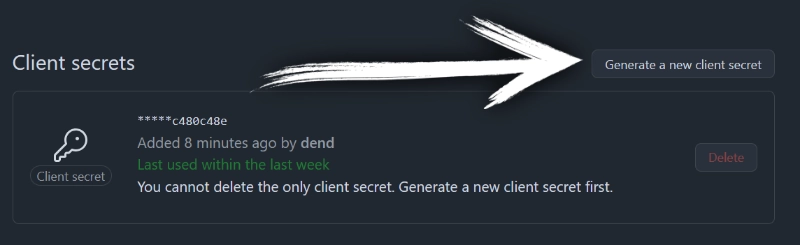
Generate a new secret for your GitHub application

With the client ID and secret handy, create a new .env file in the root of this project, and add:

GITHUB_CLIENT_ID=YOUR_CLIENT_ID
GITHUB_CLIENT_SECRET=YOUR_SECRET

Run server

npm install
npm run build
npm run start

Testing

You will need to use MCP Inspector or a tool that supports HTTP+SSE transport for MCP servers and authentication.

github-oauth-mcp FAQ

How do I register a GitHub App for this MCP server?
You can register a GitHub App in your GitHub settings under Developer settings > GitHub Apps, then generate a client ID and secret for use with this server.
Is this MCP server suitable for production use?
No, this server is a minimal demo and lacks production-grade security and caching. Use it only for testing and learning.
How should I handle GitHub client secrets with this MCP server?
Ensure you implement secure storage and caching of secrets; this demo does not provide production-level security.
Can I use this MCP server with other OAuth providers?
This server is specifically designed for GitHub OAuth, but the concepts can be adapted for other providers with custom development.
What are the prerequisites before running this MCP server?
You need a registered GitHub App with client ID and secret, and a basic understanding of OAuth flows.
Does this MCP server support token refresh or long-term sessions?
No, this minimal demo does not implement token refresh or advanced session management features.