mcp-server-milvus

MCP.Pizza Chef: zilliztech

Meaning-based search is the point here: ask for the records closest to a phrase and it finds them even when none of the words match. Beyond searching it lists collections, looks up filtered records, creates a collection, adds records and deletes them, so this is not a read-only connection. You need a Milvus database already running, either on your own machine or hosted by Zilliz, plus the uv tool installed. A token is only required for a hosted or password-protected database.

Coding
Data

Use This MCP server To

Search my stored documents by meaning rather than exact wording Ask which saved records are closest to a description See what collections exist and what sits inside them Add new records to a collection straight from the chat Clear out records that match a condition I describe

README

MCP Server for Milvus

The Model Context Protocol (MCP) is an open protocol that enables seamless integration between LLM applications and external data sources and tools. Whether you're building an AI-powered IDE, enhancing a chat interface, or creating custom AI workflows, MCP provides a standardized way to connect LLMs with the context they need.

This repository contains a MCP server that provides access to Milvus vector database functionality.
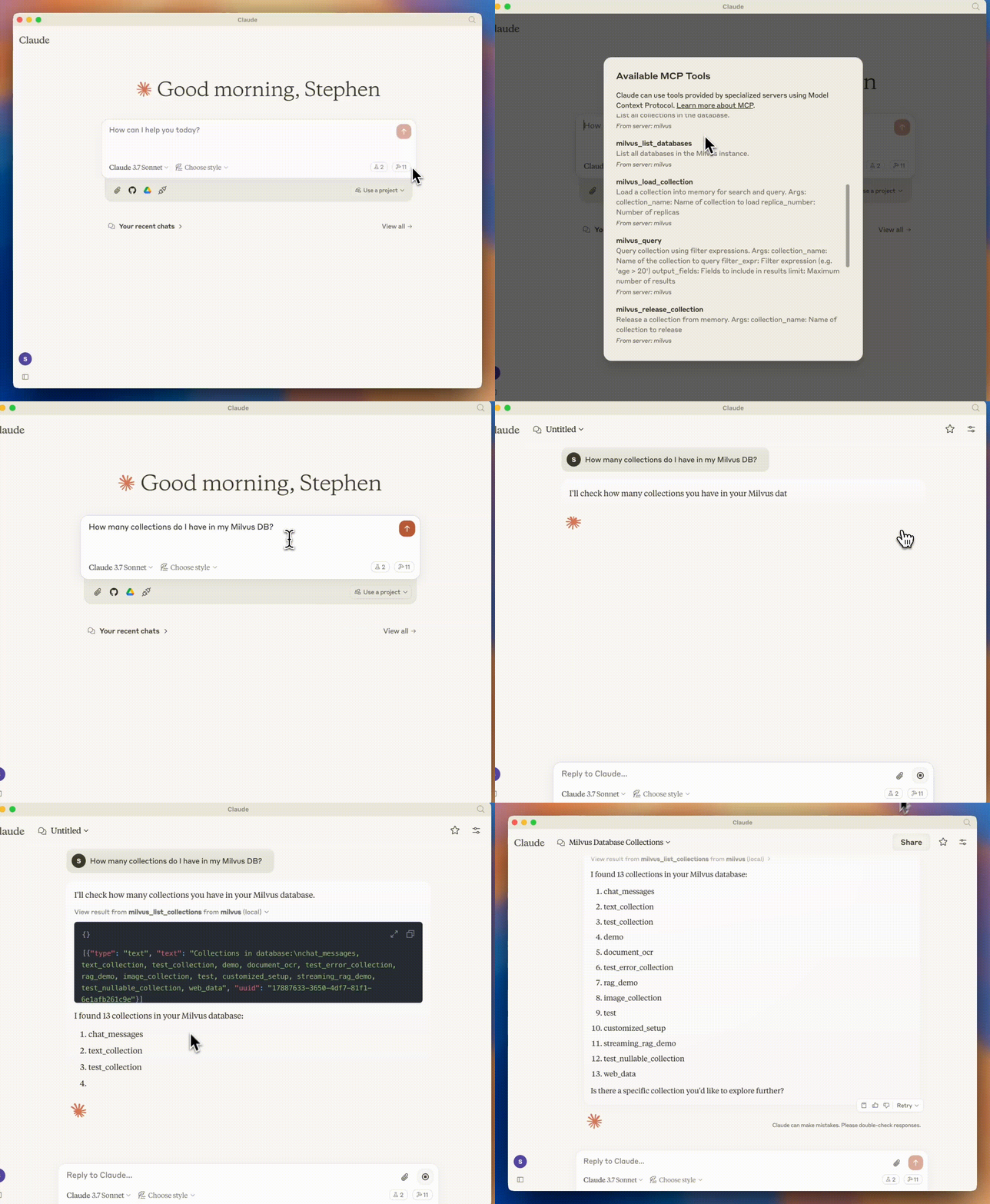
MCP with Milvus

Prerequisites

Before using this MCP server, ensure you have:

  • Python 3.10 or higher
  • A running Milvus instance (local or remote)
  • uv installed (recommended for running the server)

Usage

The recommended way to use this MCP server is to run it directly with uv without installation. This is how both Claude Desktop and Cursor are configured to use it in the examples below.

If you want to clone the repository:

git clone https://github.com/zilliztech/mcp-server-milvus.git
cd mcp-server-milvus

Then you can run the server directly:

uv run src/mcp_server_milvus/server.py --milvus-uri http://localhost:19530

Alternatively you can change the .env file in the src/mcp_server_milvus/ directory to set the environment variables and run the server with the following command:

uv run src/mcp_server_milvus/server.py

Important: the .env file will have higher priority than the command line arguments.

Running Modes

The server supports two running modes: stdio (default) and SSE (Server-Sent Events).

mcp-server-milvus FAQ

Do I need a key or password?
Only if your database is hosted by Zilliz or protected by a login. A database running on your own machine needs nothing more than its address.
Can it delete my data?
Yes. It ships tools that create collections, add records and delete them, so give it a login limited to what you are willing to lose.
Can I use this to search my own notes by meaning?
Yes, as long as those notes are already loaded into Milvus. This connects to a database you already have — it does not build one from your files.
How hard is setup?
Technical. You need Python 3.10 or newer, the uv tool, and a Milvus database already running before the setup snippet does anything.
Which apps does it work in?
Claude Desktop and Cursor have written instructions, and any app that accepts a standard MCP setup snippet will connect.
Is there a hosted version I can just point at?
No public one. The web-address style setup in the instructions points at a copy running on your own machine or network.
Is it actively maintained?
Yes. It comes from Zilliz, the company behind Milvus, and last shipped code in July 2026.